
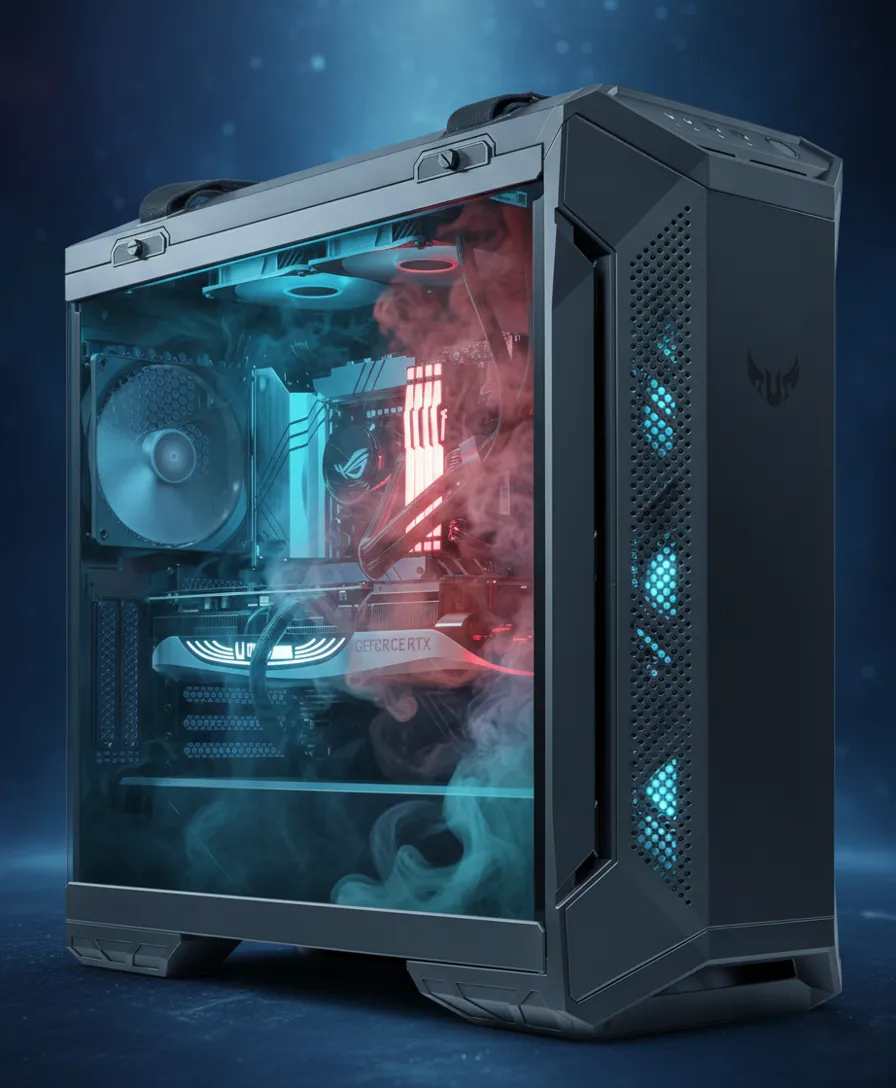
Quick Answer: Should you prioritize airflow or aesthetics in a PC case?
The debate over PC case airflow vs aesthetics is one every builder faces. When choosing a PC case, airflow should always come first to prevent overheating and thermal throttling, but you don’t have to sacrifice style.
Modern mid-tower, dual-chamber, and “fish tank” cases combine intelligent fan layouts with premium looks, allowing you to build a system that both runs cool and looks cool.
What You’ll Learn
- Why airflow directly impacts CPU and GPU performance
- How case designs differ: mid-tower, full-tower, dual-chamber, and fish-tank
- The difference between static pressure vs airflow fans
- Common mistakes in cooling setups and how to avoid them
- Practical tips on dust management, cable routing, and pressure balance
- Case recommendations that balance thermal efficiency with clean aesthetics
The Role of Airflow vs Aesthetics in PC Performance
A PC case’s airflow determines how effectively cool air enters and hot air exits. Without proper airflow, components like the CPU and GPU overheat, triggering thermal throttling — where clock speeds drop to prevent damage. This reduces performance and shortens component lifespan, making airflow one of the most critical aspects of case design.
Understanding Case Styles. The airflow vs aesthetics tradeoff varies by case type: Mid-Tower, Full-Tower, Dual-Chamber, and “Fish Tanks”
Mid-Tower Cases
The most common case type, balancing size, compatibility, and airflow. Example: Cooler Master TD500 Mesh with three front fans.
Pros: Compact, good airflow with mesh front, widely compatible.
Cons: Tighter cable management, some GPU/cooler size limits.
Standout: Lian Li Lancool 207 proves mid-towers can excel in thermal performance.
Full-Tower Cases
Examples: ASUS ROG Helios GX601, Antec Flux Pro.
Pros: More space, easier cable management, better airflow from less cramped interiors.
Cons: Heavy, larger footprint, higher cost.
Dual-Chamber Cases
Examples: ASUS TUF GT502, Antec C8 ARGB.
Pros: Clean aesthetics with hidden PSU/cables, strong GPU cooling from bottom intake fans.
Cons: Wider footprint, higher CPU temps if relying on air cooling (liquid cooling recommended).
“Fish Tank” Style Cases
Examples: Montech King 95 Pro, MSI MAG PANO M100R PZ.
Pros: Expansive tempered glass, showcase aesthetics, hidden cabling with back-connect motherboards.
Cons: Glass restricts airflow unless mitigated with smart fan layouts or optional mesh panels.
Ultimately, the airflow vs aesthetics balance depends on your components and cooling setup.
| Case Style | Airflow Potential | Ease of Build | Aesthetic Appeal |
|---|---|---|---|
| Mid-Tower | Moderate to High | Moderate | Balanced |
| Full-Tower | High | Easy | Strong, premium |
| Dual-Chamber | High (GPU focus) | Moderate | Very clean |
| “Fish Tank” | Variable | Moderate | Maximum showcase |
The Right Tool for the Job: Static Pressure vs. Airflow Fans
Static Pressure Fans
Designed for restricted spaces (radiators, dust filters).
Wider blades for forceful air push.
Best for CPU coolers and front intakes with filters.
Airflow Fans
Designed for open, unrestricted areas.
Move higher air volume at lower resistance.
Best for case exhausts and open intakes.
Fan Placement and Pressure Balance
Positive pressure: More intake than exhaust. Keeps dust out by forcing air through unfiltered gaps.
Negative pressure: More exhaust than intake. Increases dust buildup.
Tissue test: Hold tissue near vents — if it pushes outward, you’ve achieved positive pressure.
Dust filters keep internals clean but restrict airflow.
Example: Fractal North, ASUS TUF GT502 with key filters.
Regular cleaning restores efficiency.
Always pair filters with static pressure fans.
Poor cable routing disrupts airflow and creates hot spots.
Example: Cables near CPU can raise VRM temps, lowering stability.
Dual-chamber and premium cases feature grommets and routing paths (e.g., Montech King 95 Pro, ASUS TUF GT502).
Avoiding Common Cooling Mistakes
Random fan placement without airflow planning.
Ignoring dust filter resistance.
Neglecting cable clutter.
Skipping pressure balance checks.
Overspending on unnecessary fans (e.g., buying extras for a 360mm cooler that already includes three).
Mixing incompatible fan ecosystems (Corsair, Lian Li proprietary hubs).
Case Testing Results: Airflow vs Temps
| Case Type | CPU Temp (°C) | GPU Temp (°C) | Notes |
|---|---|---|---|
| Mid-Tower | 72°C | 74°C | Varies by design |
| Full-Tower | 68°C | 70°C | Best thermal headroom |
| Dual-Chamber | 74°C | 69°C | GPU favored, CPU warmer |
| “Fish Tank” | 73°C | 72°C | Depends on glass vs mesh |
Professional Case Recommendations
Entry-Level (Budget-Friendly)
Cooler Master TD500 Mesh: Balanced airflow + compact. (~$100–120)
Mid-Tier (Best Value)
Lian Li Lancool 207: Exceptional airflow in mid-tower form. (~$120–150)
ASUS TUF GT502: Clean dual-chamber with cable routing. (~$160–180)
High-End (Showcase Builds)
ASUS ROG Helios GX601: Premium full-tower. (~$250–300)
Montech King 95 Pro: Glass-heavy showcase with strong cooling. (~$200)
MSI MAG PANO M100R PZ: Back-connect support, cleanest looks. (~$180–220)
Q: Do fish-tank style PC cases have worse airflow?
A: Fish-tank cases prioritize aesthetics with large glass panels. While glass restricts airflow, many designs like the MSI MAG PANO M100R PZ compensate with strong fan layouts and optional mesh panels. As long as intake and exhaust are balanced, they can perform comparably to traditional cases.
Q: How many fans do I really need in a gaming PC case?
A: For most builds, 3–5 fans are optimal: two or three intakes and one or two exhausts. Overloading with fans often provides diminishing returns. Many cases already ship with 3+ fans, especially mid- and full-tower designs.
Q: Should I use static pressure or airflow fans for radiators?
A: Always use static pressure fans for radiators. Their blade design pushes air through dense fin stacks effectively, preventing heat buildup. Airflow fans work best in open intake or exhaust areas with minimal resistance.
Q: Is positive pressure really better than negative pressure?
A: Positive pressure is generally preferred. It reduces dust buildup by forcing air out of unfiltered gaps. Negative pressure tends to draw dust in, requiring more frequent cleaning.
Q: Are full-tower cases worth the higher cost?
A: If you value easy building, extra airflow headroom, and component compatibility, yes. However, if desk space or budget are limited, a well-designed mid-tower like the Lancool 207 delivers excellent results at a lower price.
Q: Can poor cable management really affect temps?
A: Yes. Cables that obstruct airflow paths create hot spots. In our testing, poor routing near the CPU area increased VRM temps by up to 5°C. Proper routing improves both looks and cooling efficiency.
Need Professional Help?
Choosing the right case for both performance and aesthetics can be tricky. ArsenalPC offers professional build services that ensure your system looks clean and runs at peak efficiency.
- Expert case selection and airflow planning
- Professional cable management and cooling setup
ArsenalPC Custom PC Builder