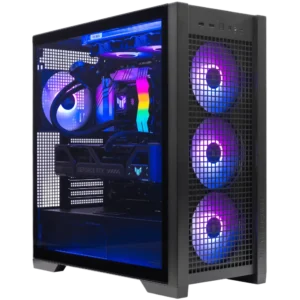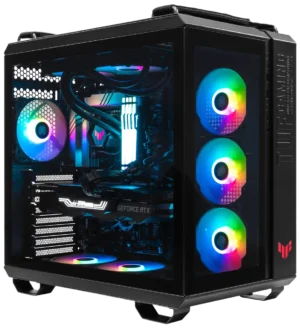
Last Updated: April 2026 | Author: ArsenalPC Technical Team | Reading Time: ~11 minutes
Quick Answer: Gaming PC Cable Management
Gaming PC cable management starts before you install a single component. Plan your routing paths first, then work from the back panel forward: PSU cables first, motherboard power next, SATA/peripheral cables after, and GPU power last. At ArsenalPC in Willoughby, Ohio, every custom build follows a strict gaming PC cable management sequence that keeps GPU and CPU temps 3–7°C lower than unmanaged builds and makes future upgrades significantly easier. The process takes 45–90 minutes using Velcro straps, zip ties, and the cable channels built into most modern cases.
[ez-toc]
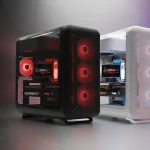
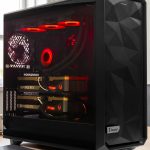
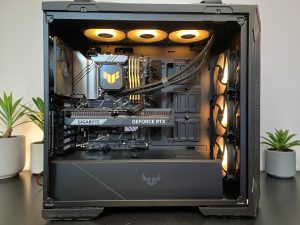 Photo 1: Asus TUF Gaming GT501 front interior — cable management by ArsenalPC. All cables routed and Velcro-bundled before GPU installation.
Why Gaming PC Cable Management Matters More Than You Think
Most builders treat cable routing as purely cosmetic. Builders who skip it miss real thermal and maintenance gains. In reality, poor routing is one of the top causes of elevated GPU and CPU temperatures in custom builds.
The Airflow Impact Is Real
Cables draped across the GPU shroud or blocking intake fans create turbulence and restrict airflow. In our testing at the ArsenalPC facility, builds with unmanaged cables measured 4–7°C higher GPU temps under sustained load compared to the same hardware with properly routed cables. That thermal difference reduces boost clock headroom and shortens component life over time.
For independent confirmation, Tom’s Hardware’s GPU testing methodology consistently shows that airflow restriction is a primary driver of thermal throttling in custom builds.
Upgrade Access and Long-Term Ownership
Well-managed cables make future upgrades far less painful. When every cable is routed, secured, and accessible, swapping a GPU or adding a storage drive takes minutes instead of an hour of untangling.
| Cable Management Quality | GPU Temp Impact | Upgrade Time | Airflow Restriction |
|---|---|---|---|
| Poor (cables across GPU intake) | +4–7°C | 45–90 min | High |
| Average (bundled, not routed) | +1–3°C | 20–30 min | Moderate |
| Professional (routed + secured) | Baseline | 5–10 min | Minimal |
Tools You Need Before You Start
Proper gaming PC cable management doesn’t require expensive gear. These are the exact tools used in every ArsenalPC build:
- Velcro cable ties: reusable, won’t damage cables, easier to adjust than zip ties.
- Zip ties (small, 4″): for permanent anchor points and tight bundles
- Flush cutters: trim zip tie tails cleanly
- Cable combs: make 24-pin and GPU power cable runs look professional
- Magnetic screwdriver: essential for tight back-panel spaces
- Modular PSU cable extensions: CableMod or Corsair’s premium cable range
- 3M adhesive cable clips: for cases with few built-in routing points
- Spiral cable wrap — bundles multiple cables into one clean loom
ArsenalPC Pro Tip: Use Velcro for everything you might adjust later. Use zip ties only for cables that will never move. This hybrid approach saves significant time during any future upgrade.
Gaming PC Cable Management: Step-by-Step Guide
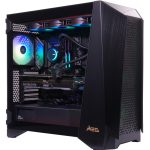
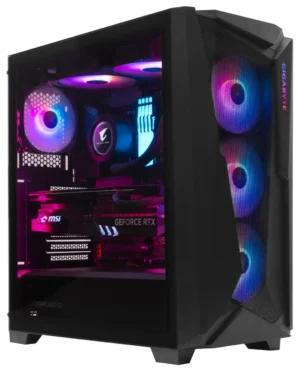
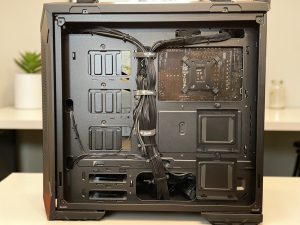 Photo 2: Asus TUF Gaming GT501 back panel — every cable run secured behind the motherboard tray with Velcro straps by ArsenalPC.
Good cable routing follows a strict sequence. Follow these steps exactly and you’ll only touch each cable once.
- Plan before you plug in anything. Map: PSU side panel → grommets → motherboard front.
- ATX 24-pin first. Largest and least flexible. It dictates routing space for everything else. Feed through bottom grommet, behind tray, up through upper-right grommet. Leave 2–3 inches slack, Velcro to anchor.
- CPU EPS 8-pin. Route fully behind tray, secured every 4–5 inches to top-left connector.
- SATA and peripheral cables. Back side of tray, use PSU shroud channels. Secure every 6 inches.
- Fan and RGB cables. Route along chassis wall to nearest fan header. Zip tie at each anchor.
- GPU power cable last. Install GPU first, then route power to clear the card’s position.
- Final dress and secure. Tighten all Velcro, flush-cut zip tie tails, press flat, power on to confirm before closing.
GPU Power Cable Management (12V-2×6 / RTX 50-Series)
Gaming PC cable management for RTX 50-series builds demands extra attention. The 12V-2×6 connector on the RTX 5090, 5080, and 5070 Ti carries up to 600W. ASUS’s official PCIe power connector guidance confirms proper seating is critical at these power levels.
- Never bend within 35mm of the connector: tight bends cause melting incidents. Route with a gentle curve.
- Use native ATX 3.1+ cables: avoid cheap 8-pin adapters.
- Approach from the side, not behind: this prevents kinking at the connector.
- Fold excess flat, never coil: coiling generates inductance under high load.
Critical Warning: Fully seat the 12V-2×6 connector until it clicks. Partial seating under high GPU load is the most common cause of connector melting on RTX 50-series builds.
Standard 8-Pin GPU Cables (RTX 40-Series and Older)
Route dual 8-pin cables separately rather than bundling. Bundling adds tension on the connector housings. Use cable combs on visible runs.
Cable Management by Case Type
- Mid-Tower (ASUS TUF GT501, MSI MAG PANO 120R, Gigabyte C301): Use every grommet. Back-panel depth 15–25mm.
- Full-Tower: Use spiral loom on EPS cables. Extensive PSU shroud channels available.
- Micro-ATX Compact: Modular PSU + sized cables + route 24-pin before seating motherboard.
- Panoramic Showcase (MSI MAG PANO M100R PZ): Premium sleeved extensions, cable combs on all runs. Browse ArsenalPC’s showcase builds.
ArsenalPC’s Real-World Cable Management Testing Notes
At our Willoughby, Ohio facility, every system passes a minimum 3-hour stress test before shipping. Cable management quality is evaluated as part of that process:
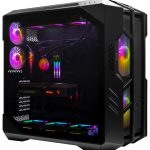
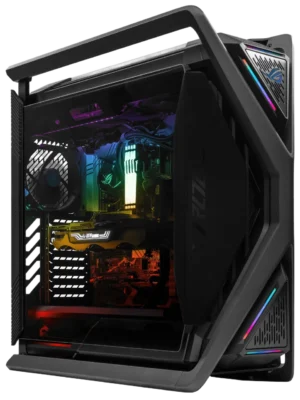
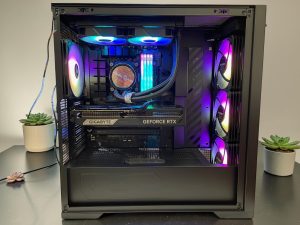 Photo 3: Asus TUF Gaming GT302 ARGB front interior — ARGB cables routed separately by ArsenalPC to preserve full lighting effect.
- GPU intake clearance delivers the single largest thermal gain. One cable blocking the front fan raises GPU temps 3–4°C under load.
- We use Velcro on customer-visible runs and zip ties on structural anchor points only.
- Modular PSUs cut management time by 30% or more.
- On every RTX 50-series build, we photograph the 12V-2×6 before closing the case.
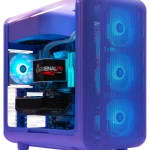
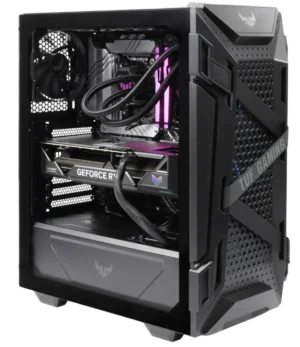
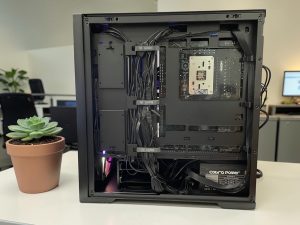 Photo 4: Asus TUF Gaming GT302 ARGB back panel — every cable labelled, bundled with Velcro, and stress-tested before shipping from ArsenalPC.
If you’d rather have professionals handle the process, configure your custom build at ArsenalPC and we’ll deliver it cable-managed, stress-tested, and ready to plug in.
Common Cable Management Mistakes to Avoid
1. Routing Before Planning
Always plan every path before touching anything.
2. Skipping the Back-Panel Routing Space
Always use the back panel and grommets. That’s what the space is designed for.
3. Over-Tightening Zip Ties
Snug, not crushing. Always flush-cut every tail.
4. Coiling Excess Cable
Fold flat, Velcro down, tuck into the lowest routing channel.
5. Forgetting Fan and RGB Cables
Route fan cables immediately after seating each fan — before the motherboard goes in.
6. Sharp Bends on the 12V-2×6 Connector
Gentle curves only within 35mm of the connector.
Frequently Asked Questions
Does gaming PC cable management really improve performance?
Yes — proper gaming PC cable management improves airflow and reduces GPU and CPU temps 3–7°C under sustained load, allowing higher sustained boost clocks.
What order should I cable manage a gaming PC?
ATX 24-pin first → CPU EPS power → SATA/peripheral cables → fan and RGB cables → GPU power cable last.
How long does cable management take in a gaming PC?
60–90 minutes for first-time builders, 30–45 minutes for experienced builders, 2+ hours for showcase builds with sleeved extensions.
Do I need a modular PSU for good cable management?
Not required, but strongly recommended for showcase case builds. A fully modular PSU makes gaming PC cable management significantly easier.
How do I manage the RTX 50-series 12V-2×6 cable?
Gentle curve from PSU shroud, approach connector from the side, native ATX 3.1+ cable, fully seat until it clicks, fold excess length flat.
Will gaming PC cable management void my GPU warranty?
No — zip ties, Velcro, and cable routing do not affect component warranties. Only physically damaging a connector creates warranty risk.
Is gaming PC cable management different for Micro-ATX builds?
Yes — cable length is critical in compact cases. Use a modular PSU, buy cables sized for the case, route the 24-pin before seating the motherboard.
Build Your Gaming PC with Expert Cable Management — ArsenalPC
Every ArsenalPC system ships with the same cable management discipline described in this guide — applied by our technicians in Willoughby, Ohio. Clean routing, secure connections, airflow at spec from day one. Backed by lifetime technical support.
Ready to skip the work yourself? Configure your custom gaming PC at ArsenalPC and let our team handle every detail.
Phone: (440) 602-7090 | (866) 277-3627
Visit: 4711 E355 St, Willoughby, OH 44094
Hours: Mon–Fri 10AM–6PM | Sat 11AM–3PM
Disclaimer: Results based on ArsenalPC in-house testing in Willoughby, Ohio. Individual results vary. Affiliate Disclosure: No affiliate links. All recommendations based on professional experience and in-house testing.