

The Power Problem Nobody Talks About
Most conversations about building an AI workstation start with the GPU and end with the chassis. The power budget gets treated as an afterthought, something to sort out after the exciting decisions are made. In our shop, we work through it in the opposite order, because the power math forces every other decision downstream.
Get it wrong and you are not just looking at instability; you are looking at melted connectors, throttled compute, and a system that cannot sustain the loads you bought it to run.
Start with the GPUs. A single RTX 5090 carries a 575W TDP, with 21,760 CUDA cores, 32 GB of GDDR7 VRAM on a 512-bit bus, and a 2.41 GHz boost clock. Put two of them in a system and you have 1,150W of GPU draw before a single other component is counted.
Add a Threadripper PRO processor, which can pull up to 350W TDP at full load, and you are already past 1,500W on just the CPU and GPUs combined. Memory, NVMe storage, fans, and board overhead push a fully loaded dual-GPU workstation well past 1,600W under sustained AI inference or training workloads.
RTX 5090 TDP (per card)
Two cards alone account for 1,150W of GPU draw before any other component is counted.
Threadripper PRO TDP
At full load, the CPU alone pushes the CPU+GPU combined draw past 1,500W on a dual-GPU platform.
Total System Draw Under AI Load
Memory, NVMe, fans, and board overhead push a fully loaded dual-GPU workstation well past this threshold under sustained inference or training workloads.
Why the PSU Decision Comes First
NVIDIA‘s own guidance calls for a 1,000W PSU minimum for a single RTX 5090 system. That figure assumes a modest platform. Dual RTX 5090 desktop workstation power requirements on a Threadripper PRO board are a different problem entirely, and no standard consumer or prosumer PSU addresses it cleanly.
The 16-pin 12V-2×6 connector each card requires is also a thermal concern: standard connectors run hot under sustained high-wattage draw, which is exactly the condition AI workloads create.
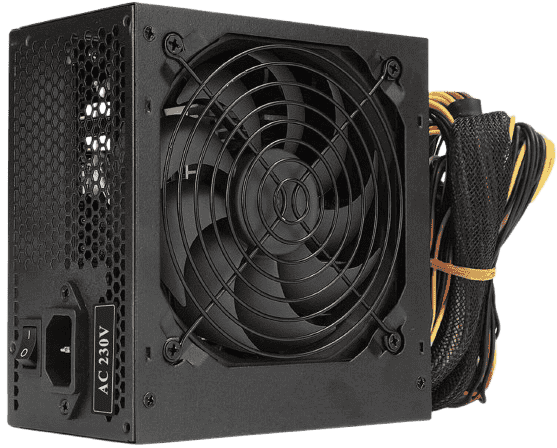
ASUS addressed this directly with the Pro WS Platinum PSU series, launched in June 2025. The lineup spans 1600W, 2200W, and 3000W. The 1600W model is rated to support up to two RTX 5090s; the 3000W model covers up to four. The series uses gold-plated copper PCIe connector pins, which ASUS rates at up to 10 degrees C lower connector temperatures versus standard 12V-2×6 connectors. On a platform running two 575W cards under continuous load, that thermal margin is not a minor detail.
Choosing the right PSU tier before selecting a chassis is not pedantic. A 4U rackmount and a full-tower desktop have very different PSU form factor constraints, and the 3000W Pro WS Platinum is not a unit you retrofit into an arbitrary enclosure. The power decision shapes the platform decision, which is why we start here.
What Rackmount Actually Means for AI Workloads
A rackmount server is not simply a desktop tipped on its side. The physical format drives every other decision: airflow architecture, power delivery, noise output, and where the machine can actually live. Understanding those constraints is the starting point for any honest platform comparison.
Form Factor Basics: 4U vs 6U
Rack units are measured in 1.75-inch increments. A 4U chassis is 7 inches tall; a 6U chassis is 10.5 inches. That extra height matters because multi-GPU AI systems need physical space for full-length, high-TDP cards, plus the airflow volume to cool them.
A 4U design like the Steiger Dynamics AI server can support up to eight AI graphics cards, but it does so with a tightly packed, high-static-pressure fan wall that moves enormous volumes of air at high velocity. A 6U design, like DVEO’s RTX 5090 AI server built on the Intel Eagle Stream platform with dual Xeon Scalable processors and 32 DDR5 slots, gains vertical clearance that allows slightly more relaxed airflow paths, though the fundamental cooling architecture remains the same: forced front-to-back air at datacenter fan speeds.
That airflow model is the core tradeoff. Desktop workstations use large, slow fans and open-air GPU coolers that exhaust heat upward or rearward at low RPM. Rackmounts use small, fast fans that generate 60 to 75 dB of continuous noise under load. The two approaches are not interchangeable in a shared workspace.
Who Rackmount Systems Are Actually For
Puget Systems builds dual RTX 5090 and dual RTX PRO 6000 Blackwell configurations in a 5U rackmount paired with AMD Threadripper PRO, running 2800W power supplies that require 200-240V dedicated circuits. They are explicit about the intended environment: they do not recommend using these systems at a desk, citing both the specialized power requirements and the high fan noise output.
That is an honest position, and it reflects what we see in our own shop. A system drawing close to 3000W at the wall belongs in a server room or colocation rack, not under a standing desk.
The COMINO GRANDO occupies an interesting middle position. It is a 4U chassis that can mount in a standard 19-inch rack but is also designed for desk use, supporting up to two RTX 5090 GPUs at boost frequencies with a noise profile low enough for an office environment. It is a hybrid answer to a real problem, though it trades GPU density for livability. For teams that need more than two high-end GPUs in a single node, a true rackmount in a dedicated space remains the only practical path.
The GPU Edition Problem: Workstation vs Max-Q vs Server
Choosing the RTX PRO 6000 Blackwell is not a single decision. NVIDIA ships three distinct variants, and the edition you pick is inseparable from the chassis you build around. Getting this wrong means either a thermally throttled desktop or an expensive passive card sitting in a box without the server airflow it requires.
Three Variants, Three Different Thermal Contracts
All three editions share the same core silicon: 24,064 CUDA cores, 96 GB GDDR7 ECC memory on a 512-bit bus, 1.8 TB/s memory bandwidth, 125 TFLOPS FP32, and 4,000 AI TOPS at FP4. The GB202 die underneath has 188 shader multiprocessors enabled, which is 10.6% more than the RTX 5090’s 170 SMs. The differences between editions are entirely about power delivery and cooling architecture.
Why the Max-Q Is the Desktop Multi-GPU Answer
The Max-Q’s blower design exhausts heat directly out the rear bracket rather than recirculating it inside the case. That matters enormously when you stack four cards. NVIDIA rates the Max-Q for up to four GPUs in a single system, which puts 384 GB of combined ECC GPU memory on one platform. It also supports Multi-Instance GPU (MIG), allowing up to four fully isolated instances per card, each with dedicated memory, cache, and compute.
For teams running concurrent inference jobs or isolated tenant workloads, that MIG ceiling changes the calculus on whether you need a rack at all.
The thermal validation data on four-card configs is worth understanding carefully. Exxact confirmed that four RTX PRO 6000 Max-Q cards running at full 300W TDP per card can stay below 90 degrees C, but only with a custom airflow solution. In stock configuration, the cards throttled. Three cards had previously been the informal thermal ceiling most integrators observed, with some moving to liquid cooling for four-card builds.
What this tells us is that a four-card air-cooled desktop is achievable, but it requires deliberate chassis selection and airflow engineering. It is not a plug-and-play outcome. When we configure quad-GPU desktop systems around the RTX PRO 6000 Max-Q vs Workstation vs Server Edition question, the Max-Q is the correct starting point, and the cooling architecture is the work that follows.
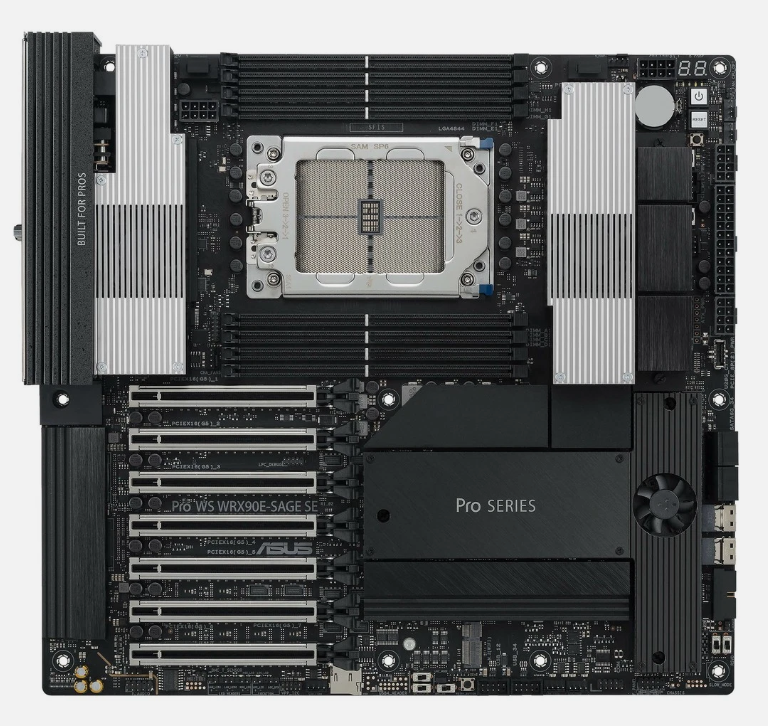
The ArsenalPC Desktop Platform: ASUS Pro WS WRX90E-SAGE SE
The board that makes a desktop AI build genuinely competitive with entry-level rackmount is the ASUS Pro WS WRX90E-SAGE SE. It uses the SSI EEB form factor (12″ x 13″), sits on the AMD WRX90 chipset, and supports AMD Ryzen Threadripper PRO 7000 WX-Series processors via the sTR5 socket. That means up to 96 cores in a single socket, which is the CPU tier where serious AI inference and training pipelines stop being CPU-bottlenecked.
Engineering Highlights: ASUS Pro WS WRX90E-SAGE SE
Seven PCIe 5.0 x16 Slots
Every slot runs at the generation the card needs, both GPUs operate at full PCIe 5.0 x16 simultaneously in a dual-GPU config, which most desktop platforms cannot claim. The RTX 5090 requires PCIe 5.0 x16 for full transfer bandwidth; drop it into a PCIe 4.0 slot and you leave measurable bandwidth on the table. Beyond the GPU slots, the board adds four PCIe 5.0 M.2 slots, two SlimSAS NVMe ports, dual Intel 10 Gb LAN, and two USB4 40 Gbps Type-C ports. The 32+3+3+3 power-stage design is sized for the full Threadripper PRO 7000 WX lineup under sustained workstation loads, not just peak burst.
2 TB ECC R-DIMM DDR5 Capacity
Eight DIMM slots support up to 2 TB of ECC R-DIMM DDR5 at 1DPC. That capacity matters for large-model inference where the working dataset needs to live in system memory rather than spilling to NVMe. ECC protection is a baseline requirement for any production AI workstation, and this board delivers it without compromise.
AST2600 BMC with Dedicated Management LAN
Full out-of-band IPMI remote management, power cycling, and console redirection are standard on rack servers and rare on desktop boards. On the WRX90E-SAGE SE, it is built in. For a machine running unattended overnight training jobs, that capability is not optional, and it is the feature that surprises customers most in our shop.
Dual PSU Support
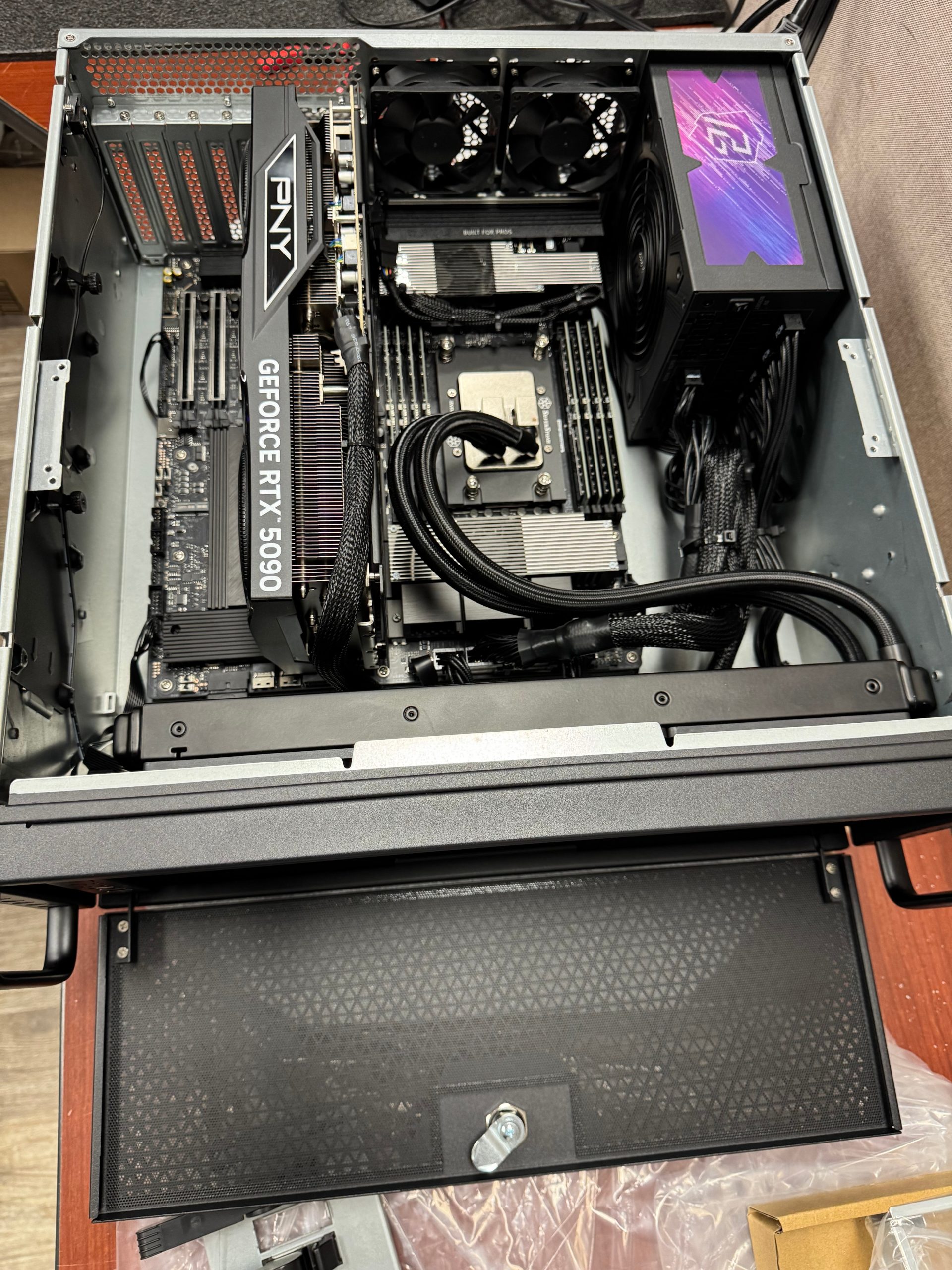
The board’s dual PSU support design allows a second power supply to be connected for high-wattage multi-GPU configurations. This is what makes an ASUS Pro WS WRX90E-SAGE SE multi-GPU AI workstation viable at the power levels the RTX 5090 and RTX PRO 6000 Blackwell demand. A single PSU serving a 96-core CPU plus two 600W GPUs is a thermal and electrical risk. Splitting the load across two units resolves that cleanly, without the custom power distribution hardware a rackmount chassis requires.
PSU Architecture for Dual RTX 5090 Builds
Powering two RTX 5090s in a desktop chassis is a wiring and thermal problem as much as a wattage problem. Each RTX 5090 draws up to 575W under sustained AI load, and the CPU, motherboard, and storage add another 200-300W on top. That puts total system draw well above 1,400W, which forces a deliberate choice about how to distribute that load.
Dual ASUS Pro WS 1600W Platinum
2 × 1600W
ASUS Pro WS 2200W Platinum
Single unit
The Dual 1600W Split Configuration
Our preferred approach for 120V North American builds is two ASUS Pro WS 1600W Platinum units. PSU 1 handles the first RTX 5090, the motherboard, and the CPU. PSU 2 handles the second RTX 5090, storage, and any remaining peripherals. Each unit stays well within its rated capacity, which keeps efficiency high and heat output per unit manageable.
This split also simplifies cable routing. Each GPU gets its power feed from a dedicated unit sitting close to its slot, which shortens cable runs and reduces the bundle density inside the chassis. A single 3000W unit would require routing all high-current cables from one point, creating a denser, hotter cable mass near the PSU bay. The dual configuration also provides a partial redundancy benefit: if one PSU faults, the system can be diagnosed and the affected GPU isolated without losing the entire build.
The Single-PSU Alternative: ASUS Pro WS 2200W Platinum
For shops or labs running 200-240V circuits, the ASUS Pro WS 2200W Platinum is a cleaner single-unit solution for dual RTX 5090 builds. It requires 200-240V AC input and delivers 2,200W output, which covers both GPUs plus the full platform load with headroom to spare. ASUS explicitly pairs this PSU series with the Pro WS WRX90E-SAGE SE as a recommended multi-GPU combination.
The 2200W unit ships with four native PCIe 5.1 16-pin connectors, so both GPUs connect directly without adapters. It also includes four PCIe 6+2-pin connectors, 12 SATA connectors, two CPU 4+4-pin connectors, and a 24-pin motherboard connector. The ATX 3.1 and PCIe 5.1 compliance matters here: transient spikes on the RTX 5090 can exceed 600W momentarily, and a PCIe 5.1 native connector handles that without the thermal stress that adapter cables introduce.
The unit measures 175mm in length, shorter than most competing high-wattage PSUs, which helps in chassis where PSU bay depth is constrained. Efficiency is 80 PLUS Platinum certified: 92% at 50% load and 89% at 100% load. The gold-plated copper PCIe connector pins lower connector temperatures by up to 10 degrees C compared to standard 12V-2×6 connectors, a meaningful margin when connectors are under sustained GPU load for hours. The 10-year warranty rounds out the case for this unit in a professional build context where the PSU is not a component you want to revisit.
Cooling Architecture: Desktop vs Rackmount
The thermal strategy for a rackmount AI system and a desktop workstation are fundamentally different, and choosing the wrong GPU variant for your chassis is the fastest way to end up with throttled performance. Rackmount enclosures use high-pressure axial fans to push air front-to-back in a straight, forced path. That airflow is engineered for server rooms, not offices, and it is what makes passive and blower-style GPU coolers viable at high TDPs in a 4U or 6U chassis.
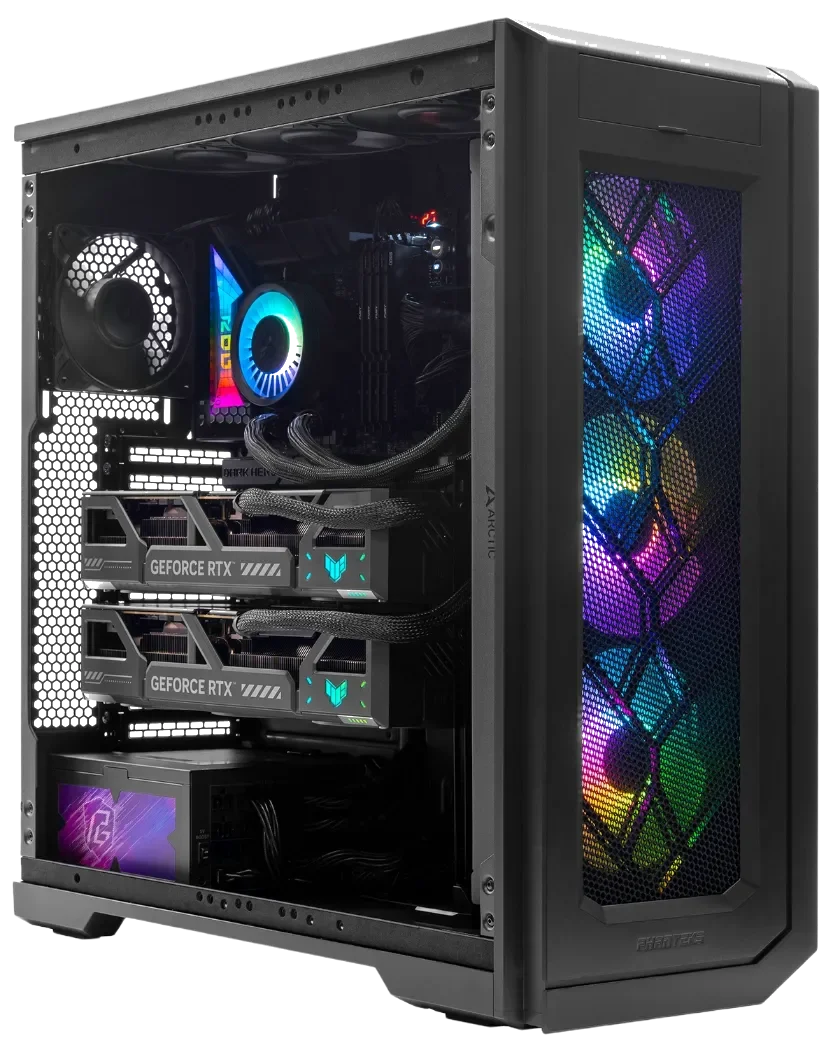
Desktop cases work differently. Open-air GPU coolers pull air from inside the chassis and exhaust it back into the same space, which means heat from one card can feed directly into the intake of the next. In a single-GPU build that is manageable. In a multi-GPU configuration, it becomes a compounding thermal problem.
Why GPU Cooler Design Determines Multi-GPU Viability
The RTX PRO 6000 Blackwell family ships in three distinct thermal configurations. The Workstation Edition runs at 600W TDP with a dual flow-through open-air cooler. The Server Edition is passively cooled, configurable from 300W to 600W, and depends entirely on chassis airflow to function. Neither of those variants belongs in a desktop tower.
The correct card for a desktop multi-GPU build is the Max-Q Workstation Edition: a dual-slot, standard-height blower at 300W TDP, measuring 4.4 inches high by 10.5 inches long. Its blower design exhausts heat directly out the rear IO bracket rather than recirculating it inside the case, which is the critical difference in a thermally constrained chassis.
Four-Card Air Cooling: What Validation Actually Shows
Four RTX PRO 6000 Max-Q cards in a single air-cooled workstation was considered beyond the thermal limit by most integrators until recently. Three cards was the accepted ceiling, with some builders moving to liquid cooling for four-card configurations rather than solving the airflow problem.
Exxact’s validation of four RTX PRO 6000 Max-Q GPUs at full 300W TDP per card is the most relevant data point we have: all four cards stayed below 90 degrees C, but only after custom chassis selection and deliberate airflow optimization. In stock configuration, the cards thermally throttled. That result confirms four-card air-cooled workstation thermal validation is achievable, but it is not a plug-and-play outcome.
At ArsenalPC, our approach to four-GPU desktop builds on the WRX90E-SAGE SE follows the same logic: chassis selection, fan curve tuning, and card spacing are all part of the build specification, not afterthoughts. The Max-Q blower design gives us a workable foundation, but the surrounding airflow architecture has to be validated per configuration.
The Gem: Max-Q Blower Exhaust
The Max-Q’s rear-bracket blower exhaust is the only RTX PRO 6000 Blackwell variant that prevents heat recirculation in a multi-GPU desktop tower, making four-card air-cooled builds physically possible.
The Catch: Stock Config Throttles at 4 Cards
Exxact’s validation confirmed all four Max-Q cards throttled in stock chassis configuration. Custom airflow optimization is required, this is not a plug-and-play outcome.
The Future: Validated Four-Card Desktop Path
With deliberate chassis selection and fan curve tuning, four Max-Q cards below 90°C is now confirmed achievable, raising the desktop GPU density ceiling without a rack.
Rackmount Noise at the Desk
Rackmount systems solve the thermal problem with brute-force airflow, but that comes with a direct tradeoff in acoustic output. Puget Systems explicitly advises against using their dual-GPU rackmount systems at a desk, citing specialized power requirements and high fan noise. That is an honest position, and it reflects a real constraint. A server-class chassis running multi-GPU workloads in a shared office or studio environment is a noise problem that no software setting fully resolves. For rackmount vs desktop AI workstation cooling noise tradeoffs, the rackmount wins on thermal headroom and loses on acoustics, consistently.
Who Should Choose Rackmount, and Who Should Not
The rackmount vs. desktop decision comes down to four practical variables: GPU count, power infrastructure, noise tolerance, and how the operator interacts with the machine. Neither form factor wins universally. The right answer depends on what your facility actually supports and how your workflow is structured.
When Rackmount Makes Sense
Rackmount is the correct choice when the system lives in a dedicated server room with 20A 240V circuits and managed cooling. Puget Systems, for example, builds their dual RTX 5090 and dual RTX PRO 6000 Blackwell configurations into a 5U chassis with 2800W power supplies that require 200-240V circuits. They explicitly do not recommend using those systems at a desk, citing specialized power needs and high fan noise. That is an honest position, and it reflects the real constraints of the form factor.
Rackmount also fits when GPU count exceeds four. DVEO’s 6U RTX 5090 AI server supports up to eight RTX 5090s on a dual Intel Xeon Scalable platform with 32 DDR5 memory slots. That density is simply not achievable in a desktop chassis. If your inference workload requires six to eight GPUs running simultaneously, a rackmount server in a proper data center environment is the only practical path. This is the clearest case for when to choose rackmount over desktop for LLM inference: when the model size or batch throughput demands more VRAM than four desktop GPUs can provide.
Rackmount
Built for the Server Room
Rackmount wins on GPU density, thermal headroom, and infrastructure integration. 5+ GPU configurations, 200, 240V dedicated circuits, and managed datacenter cooling are its native environment. Puget Systems’ 5U dual-GPU configs with 2800W PSUs are explicit: not for desk use.
Best for: ML teams with dedicated server rooms, colocation deployments, LLM inference at 6, 8 GPU scale, or any workload where noise and power infrastructure are not constraints.
Desktop Workstation
Built for the Office and Lab
Desktop wins on acoustics, accessibility, and infrastructure simplicity. 2, 4 GPU configurations on the ASUS Pro WS WRX90E-SAGE SE run on standard single-phase power, fit in any office, and include IPMI remote management for unattended jobs.
Best for: researchers, studios, and engineering teams running local LLM inference, fine-tuning, or multimodal workloads on 2, 4 GPUs without a dedicated server room.
When Desktop Is the Right Call
A desktop workstation makes more sense when the system needs to live in an office or lab, when standard single-phase 120V or 240V power is the only available infrastructure, and when the operator needs direct local access. Two to four GPUs is the practical range where a desktop platform competes on every dimension except raw GPU count.
The ASUS Pro WS WRX90E-SAGE SE handles this range cleanly. The ASUS Pro WS 1600W Platinum PSU is rated for two RTX 5090s. The 3000W model covers four. ASUS explicitly pairs this board with the Pro WS Platinum PSU series as a recommended multi-GPU combination, and the board’s seven PCIe 5.0 x16 slots leave room to grow. A dual RTX 5090 build on this platform runs on a standard 240V single-phase circuit without requiring a server room, a raised floor, or a facilities upgrade.
Decision
For most teams running 2, 4 GPU AI workloads, the desktop platform is the right call.
The ASUS Pro WS WRX90E-SAGE SE with dual RTX 5090s or up to four RTX PRO 6000 Max-Q cards delivers rackmount-class compute on standard office power, with IPMI remote management and office-acceptable acoustics. The rackmount form factor earns its place at five or more GPUs, or when the machine lives in a dedicated server room. Below that threshold, the desktop platform is the more practical choice for most environments.
Frequently Asked Questions
A dual RTX 5090 desktop build on the ASUS Pro WS WRX90E-SAGE SE can run on standard North American power, but the recommended approach is two ASUS Pro WS 1600W Platinum PSUs rather than a single high-wattage unit. Each 1600W unit operates at 100-120V, splitting the load so that PSU 1 handles the first GPU and CPU while PSU 2 handles the second GPU and storage. This keeps each unit well within its rated capacity and avoids the 200-240V dedicated circuit requirement that single high-wattage alternatives impose.
The core silicon is identical across both editions, with 24,064 CUDA cores, 96 GB GDDR7 ECC memory, and 125 TFLOPS FP32. The critical difference is the cooler. The Workstation Edition runs at 600W TDP with a dual open-air flow-through cooler that recirculates heat inside the chassis, making it unsuitable for multi-GPU desktop towers. The Max-Q Workstation Edition runs at 300W TDP with a dual-slot blower that exhausts heat directly out the rear IO bracket, preventing heat recirculation and enabling up to four cards in a single air-cooled system.
The RTX 5090 requires a PCIe 5.0 x16 slot for full transfer bandwidth. It will operate in a PCIe 4.0 slot, but at reduced bandwidth, which can become a bottleneck in data-intensive AI inference and training workloads where the GPU is continuously streaming large tensors across the bus. The ASUS Pro WS WRX90E-SAGE SE provides seven PCIe 5.0 x16 slots, so both GPUs in a dual-card configuration run at full PCIe 5.0 x16 simultaneously, a capability most desktop platforms cannot match.
Multi-Instance GPU partitioning allows a single RTX PRO 6000 Max-Q card to be divided into up to four fully isolated instances, each with its own dedicated memory, cache, and compute cores. In a four-card desktop configuration, that translates to up to 16 isolated compute partitions sharing 384 GB of combined ECC GPU memory. For teams running concurrent inference jobs, isolated tenant workloads, or mixed model sizes simultaneously, this can eliminate the need for a rack entirely by multiplying effective logical GPU count within a single desktop node.
The AST2600 BMC provides out-of-band IPMI remote management, including power cycling, sensor monitoring, and console redirection, without requiring the host operating system to be running. For AI workloads that run unattended overnight training jobs or multi-day fine-tuning runs, this means a hung system can be diagnosed and rebooted remotely without physical access to the machine. This capability is standard on rack servers and rare on desktop workstation boards, making it one of the features that most directly closes the gap between desktop and rackmount for production AI use cases.
The RTX 5090 delivers approximately 1.79 TB/s of memory bandwidth, a 78% improvement over the RTX 4090’s approximately 1 TB/s. This gain comes from switching from GDDR6X to GDDR7 memory on the same 512-bit bus. For AI inference workloads, memory bandwidth is often the primary bottleneck rather than raw compute throughput, particularly when serving large language models where the GPU must continuously load and stream model weights. Higher bandwidth directly translates to lower token latency and higher throughput per card at the same batch size.
No. The Server Edition is passively cooled with no onboard fan or heatsink, relying entirely on the high-pressure front-to-back airflow generated by server chassis fan walls to stay within thermal limits. Its TDP is configurable from 300W up to 600W, but neither setting is manageable without dedicated server airflow. Placing a passively cooled Server Edition card in a desktop tower, even one with aggressive case fans, will result in immediate thermal throttling and potential hardware damage. The Server Edition is designed exclusively for 4U and 6U rackmount enclosures with validated server-grade airflow.
A four-card desktop configuration using RTX PRO 6000 Max-Q GPUs on the ASUS Pro WS WRX90E-SAGE SE provides 384 GB of combined ECC GPU memory, which is sufficient for inference on many large language models in the 70B to 180B parameter range depending on quantization. A rackmount system like DVEO’s 6U RTX 5090 AI server supports up to eight GPUs, enabling significantly higher total VRAM for models that cannot be quantized without unacceptable accuracy loss. When the model size genuinely requires more than 384 GB of GPU memory, a rackmount in a dedicated server environment becomes the only practical path.
Need Help Choosing the Right AI Workstation?
ArsenalPC is based in Willoughby, Ohio with 27+ years of custom build experience. We spec, build, and validate multi-GPU AI workstations, including dual RTX 5090 and RTX PRO 6000 Blackwell configurations on the ASUS Pro WS WRX90E-SAGE SE platform, in-house before they ship. Every system is tested under sustained AI workloads, not just booted and boxed. Talk to a build expert about your power infrastructure, GPU edition, and cooling requirements before you commit to a platform.
- Phone: 866-277-3627 (Toll-Free) | 440-602-7090 (Local)
- Email: Contact Form
- Visit: 4711 E355 St, Willoughby, OH 44094
- Hours: Mon-Fri 10AM-6PM, Sat 11AM-3PM