
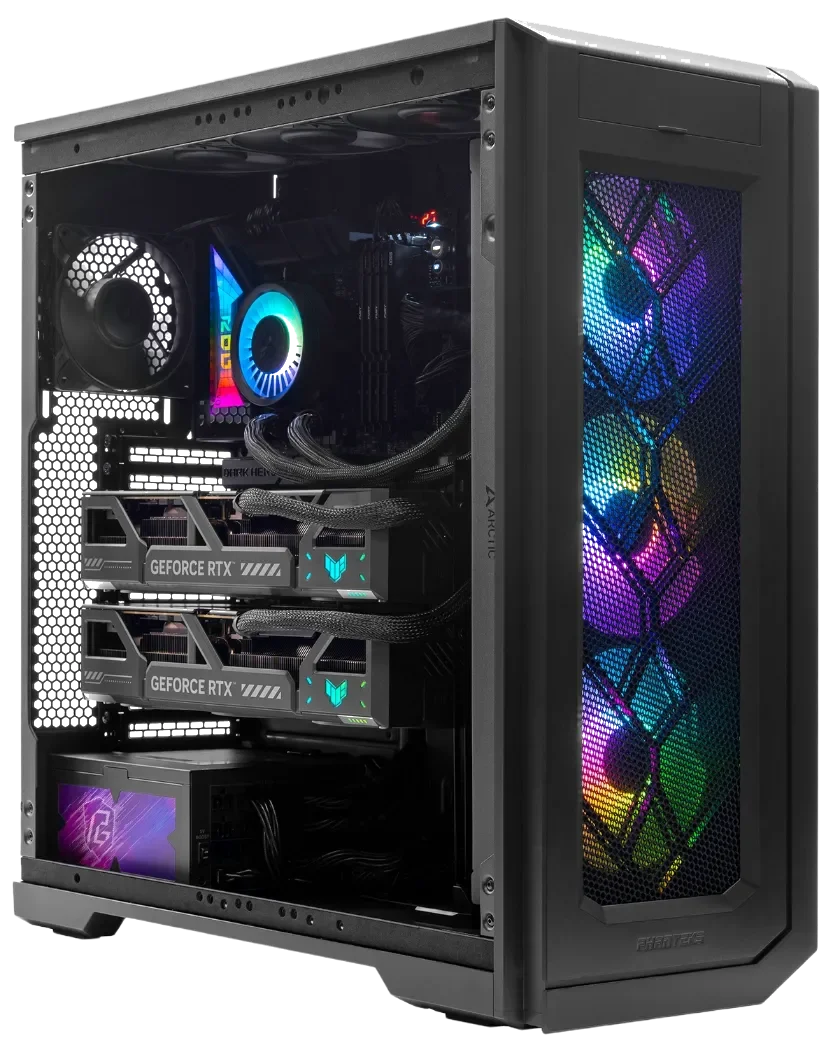

AI Workstation vs. Gaming PC: Why the Difference Actually Matters
The core AI workstation vs gaming PC differences come down to one fundamental split: sustained parallel compute versus real-time frame delivery. A gaming PC is built to produce high frame rates in short, intense bursts. An AI workstation is built to run at full load for hours, sometimes days, without thermal throttling, power instability, or memory exhaustion. Those two goals pull hardware requirements in opposite directions at nearly every layer of the system.
The GPU is where the gap is most visible. According to Seasonic, AI workstations use professional GPUs with large VRAM pools ranging from 24 GB to 96 GB or more, often in multi-GPU configurations, while gaming GPUs are optimized for real-time rendering through DirectX and Vulkan APIs. A model that cannot fit in VRAM spills to system RAM or simply fails to run. No frame-rate trick fixes that.
Power and cooling follow the same logic. Seasonic notes that AI workstations demand PSUs rated at 80 PLUS Platinum or Titanium efficiency, capable of sustaining heavy load around the clock. Gaming rigs can manage with lower sustained power because game loads spike and drop. On the thermal side, Tom’s Hardware points out that gaming cooling is designed to handle heat in bursts, while workstation cooling prioritizes long-term stability under continuous operation.
Gaming PC
What a Gaming PC Is Built For
Gaming PCs are optimized for one thing: delivering high frame rates at low latency. A single high-end GPU handles DirectX and Vulkan workloads in short, intense bursts. RAM configurations of 16 to 32GB are standard because games rarely need more. The CPU is tuned for single-threaded responsiveness, not sustained multi-threaded throughput. GamersNexus found the RTX 5090 delivers roughly 20 to 50% faster 4K rasterization than the RTX 4090, a meaningful generational leap for gaming. For AI workloads, though, raw shader throughput is only part of the equation. As Tom’s Hardware notes, gaming systems prioritize burst cooling sized for short thermal spikes, not continuous full-load operation. For casual AI experimentation a gaming PC is adequate, but the limits appear quickly once workloads scale.
Best for: high-refresh gaming, casual local AI experimentation, single-GPU inference on small quantized models.
AI Workstation
What an AI Workstation Is Built For
An AI workstation is designed around one constraint gaming PCs never face: sustained, continuous GPU utilization. Training or running inference at scale is not a burst workload; it runs for hours or days at full load. Seasonic’s workstation comparison notes that serious AI builds require 128 to 512GB or more of system RAM to handle large datasets without constant swapping. GPU selection follows a different logic: professional GPUs with 24 to 96GB or more of VRAM, often in multi-GPU configurations, paired with 80 PLUS Platinum or Titanium PSUs rated for 24/7 heavy load. A properly configured build also runs a validated software stack, Ubuntu LTS or Windows 11 Pro with CUDA, cuDNN, TensorFlow, and PyTorch confirmed against the driver version. Data locality adds a practical advantage: full control over model weights, training data, and checkpoints with no cloud billing or queue time.
Best for: AI researchers, data scientists, fine-tuning open-weight models, production inference serving, regulated-data environments.
The VRAM Problem: Why Model Size Dictates Your Hardware
VRAM is the single biggest constraint for running local LLMs. The baseline rule is straightforward: approximately 2GB of VRAM per 1 billion parameters at FP16 precision. Q8 quantization cuts that in half; Q4 cuts it to roughly one quarter. Those reductions sound generous until you look at what today’s capable models actually demand.
The Math Behind 70B Models
Flagship models in the 27B to 70B range require 18 to 40GB of VRAM just for weights, according to the HuggingFace LLM Performance Leaderboard. A 27B model fits on a single RTX 4090 with aggressive quantization. A 70B model does not. At Q4_K_M quantization with an 8K context window, a 70B model requires approximately 42GB to hold weights, KV cache, and overhead simultaneously. No single consumer GPU reaches that threshold without offloading part of the model to system RAM, which collapses inference speed.
70B Inference Floor
A 70B model at Q4_K_M with 8K context requires ~42GB for weights, KV cache, and overhead, ruling out every single consumer GPU available today.
MES2X Combined VRAM
The dual RTX 5090 configuration provides 64GB of combined GDDR7 VRAM, clearing the 70B inference ceiling and leaving headroom for multi-model parallel experimentation.
Full Fine-Tuning Demand
Full fine-tuning of a 7B model at half precision with 8-bit optimizers can require approximately 70GB of VRAM, making LoRA and QLoRA the practical paths for most users.
If you are asking how much VRAM you need to run a 70B LLM locally without offloading, the answer is at least 40 to 48GB of GPU memory, accounting for context and overhead. That number rules out every single-GPU consumer card available today.
VRAM Tiers and What They Unlock
The math behind VRAM requirements is straightforward. Modal’s inference guide establishes the baseline: roughly 2GB per 1B parameters at FP16. Q8 quantization cuts that in half; Q4 cuts it to roughly a quarter. Those ratios set the floor for every tier below.
| VRAM Tier | Models Unlocked | Capability Outcome |
|---|---|---|
| 8, 16 GB (e.g., RTX 4070, RTX 4080) |
3B, 13B models (Q4 / Q8 / FP16 depending on card) | Limited Covers everyday chat and summarization. An 8GB card handles 3B, 7B at Q4; 16GB opens 13B at Q8 and 7B at FP16. System RAM: 16GB for 3B, 32GB for 7B, 13B per Modal’s fine-tuning requirements. Hard ceiling with larger models. |
| 24, 32 GB (e.g., RTX 3090, RTX 4090) |
27B, 30B models; 70B requires offloading | Partial A 24GB card runs 27B at Q4 and handles the lower end of the 18 to 40GB range documented by the HuggingFace LLM Performance Leaderboard. 32GB is not enough for 70B without offloading; a 70B model at Q4_K_M requires ~42GB per Hugging Face GPU inference documentation. System RAM of 64GB essential. |
| 64 GB (Dual RTX 5090, MES2X) |
70B+ inference, multi-model parallel runs, LoRA fine-tuning | Do It Clears the 42GB threshold for 70B inference without CPU offloading. Supports running multiple models in parallel and LoRA fine-tuning workflows. Full fine-tuning of a 7B model at half precision with 8-bit optimizers can demand ~70GB on its own per Modal, making LoRA/QLoRA the practical path. System RAM of 128GB optimal for 200B+ work. |
The ArsenalPC MES2X: A Dual-GPU Workstation That Also Games
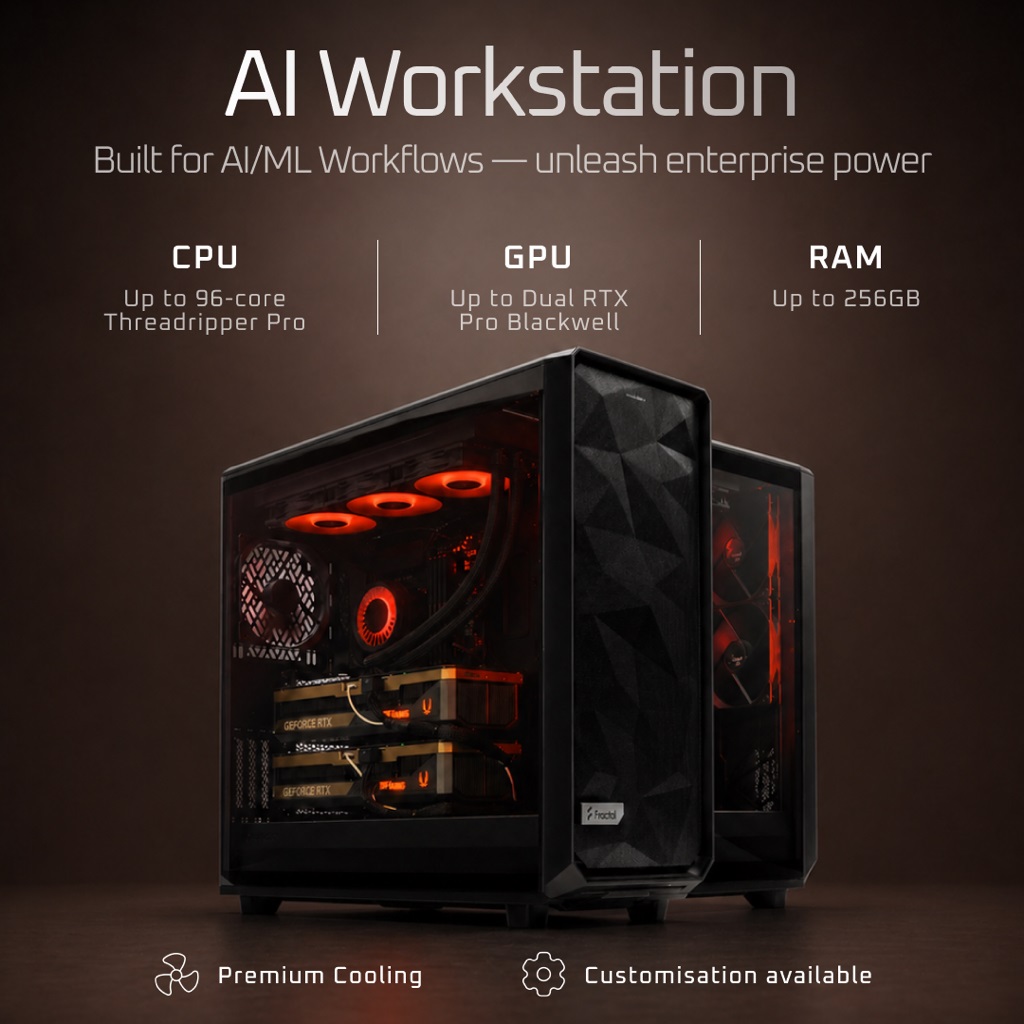
The ArsenalPC MES2X is built around a Socket AM5 platform with an AMD Ryzen 9 9950X, 256GB DDR5, and dual GeForce RTX 5090 GPUs. Combined, those two GPUs deliver 64GB of GDDR7 VRAM and 6,704 AI TOPS, which puts the system well above the thresholds needed for serious local LLM inference and fine-tuning work. It is also a fully capable high-refresh gaming machine.
For buyers wondering what the best AI workstation is for quickly switching between gaming and work, the practical answer is one machine that does both on the same validated OS. ArsenalPC confirms CUDA, cuDNN, and PyTorch/TensorFlow on Windows 11 Pro for every MES2X, so you can end a training or inference session and launch a 4K game without rebooting into another OS or moving to a second PC.
Core Specifications
ArsenalPC MES2X
From $7,602
Configurations with dual RTX 5080 GPUs are also available for workloads that do not require the full 64GB VRAM ceiling. The MES2X product page lists the base configuration starting at $7,602 as of October 2025. That figure may have changed, so verify current pricing directly on the product page before making a decision.
Every MES2X is hand-assembled and stress-tested in Willoughby, Ohio. The system ships with a one-year limited hardware warranty and lifetime technical support. For anyone evaluating a dual RTX 5090 AI workstation for local LLM inference, those post-sale terms matter as much as the spec sheet.
Thermal and Power Reality of Dual RTX 5090
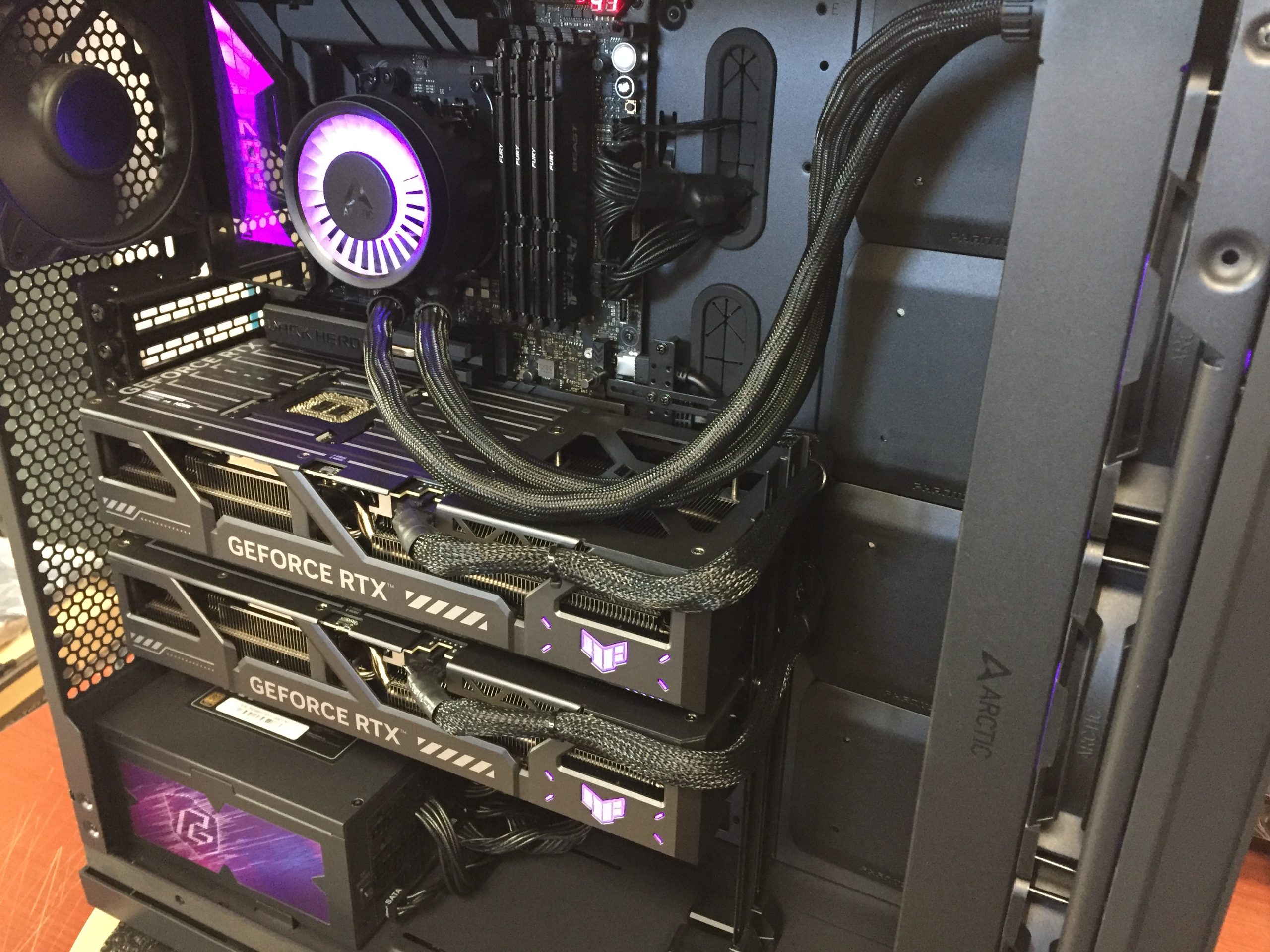
Running two RTX 5090 cards at full AI training load is a serious thermal event. Each card carries a 575W TDP per NVIDIA’s spec sheet, and under sustained compute both cards together generate approximately 1,150W of heat. That figure does not include the CPU, storage, or system board draw. The total system load pushes well past what a 1,200W or 1,400W PSU can safely sustain.
A 1,600W PSU is the practical minimum for this configuration. Anything below that leaves no headroom for transient spikes, and PSUs running near their rated ceiling for hours at a time degrade faster. The 1,500W to 1,600W range covers GPU draw plus the overhead of a high-core-count AM5 CPU and NVMe storage without forcing the supply to operate at its limit continuously.
Observed Temperatures in Sustained Sessions
ArsenalPC’s own logged data from multi-hour training runs shows GPU temperatures of approximately 82°C on the primary card and 77°C on the secondary. Both readings fall within the target envelope for long sessions. The asymmetry is expected: the primary card sits in a denser airflow zone and absorbs more radiant heat from the card below it.
Chassis selection and CPU cooling matter here. The MES2X uses a Fractal Design chassis chosen for its ventilation geometry and radiator mounting options, paired with the Arctic Liquid Freezer III to keep the CPU stable under concurrent CPU-GPU workloads. Room airflow is also a real variable: a poorly ventilated office will raise ambient temperatures and push GPU thermals several degrees higher over a multi-hour training run.
AI Efficiency Without NVLink
Running a dual GPU workstation without NVLink over PCIe 5.0 on AI training workloads delivers strong results in practice. The dual-RTX 5090 MES2X reaches 85 to 92% dual-GPU efficiency on training tasks compared to a single card, and inference serving scales near-linearly as concurrent request volume increases. Those numbers hold because most practical AI workloads distribute work across cards in ways that do not require constant cross-card communication.
The one area where the PCIe 5.0 interconnect shows its limits is model-parallel inference on very large architectures. When individual transformer layers must pass activations back and forth between cards at high frequency, the bandwidth gap between PCIe 5.0 and NVLink becomes measurable. For those specific workloads, a single high-VRAM card or an NVLink-capable configuration would be preferable.
Where Efficiency Holds
Data-parallel training, multi-user inference serving, and fine-tuning runs that fit each model shard cleanly onto one card all work well over PCIe 5.0, covering the majority of local AI use cases.
Where PCIe Shows Its Limits
Model-parallel inference on very large architectures, where transformer layers pass activations between cards at high frequency, exposes the bandwidth gap vs. NVLink. Those workloads need a professional Hopper or Blackwell platform.
Mixed-Precision Gains
NVIDIA’s 5th-gen Tensor Cores support FP4 and FP8, delivering meaningful throughput gains over FP16 for training workloads that tolerate reduced numerical precision, making the MES2X competitive on training throughput even without NVLink.
Local Compute vs. Cloud: The Economics
The local AI compute vs. cloud GPU cost comparison comes down to a simple question: how many hours per month do you actually need the hardware? Cloud GPU instances bill continuously, and for sustained research or production workloads those costs compound quickly. Bandwidth charges, egress fees, and cold-start latency add friction that rarely shows up in initial estimates.
Data privacy is a separate, harder argument. Sensitive datasets, proprietary model weights, and regulated medical or financial data cannot always leave your infrastructure. Cloud providers offer compliance frameworks, but the attack surface is larger and the audit trail is more complex. A local workstation keeps the data on hardware you physically control.
The Cost Framing for Research Workloads
ArsenalPC positions the MES2X with a specific claim: dual RTX 5090 delivers roughly 80% of H100 throughput at approximately 20% of the hardware cost for research, prototyping, and small-to-medium production workloads. That figure is vendor-reported and has not been independently verified by a neutral third-party benchmark, so treat it as directional rather than definitive. The underlying logic is sound: H100 hardware carries a significant price premium, and for workloads that do not require full datacenter-class throughput, consumer-tier GPUs close a meaningful portion of that gap.
Cloud still wins in specific scenarios. Burst workloads that spike for hours rather than weeks, multi-node distributed training, and teams that need to spin up dozens of parallel experiments simultaneously are all better served by elastic cloud capacity. A local workstation is a fixed asset. If utilization is low or workload size is unpredictable, the economics shift back toward renting.
Decision
For teams running continuous workloads, local compute wins on economics.
For teams running continuous fine-tuning, nightly training jobs, or iterative inference testing, the break-even point against cloud rental arrives faster than most expect. The MES2X is a one-time capital expense with no recurring GPU instance fees. Cloud remains the right call for unpredictable burst workloads or multi-node distributed training at scale.
Who the MES2X Is For (and Who It Is Not)
The MES2X fits a specific profile: users who need serious local AI compute but are not running cloud-scale distributed training across dozens of nodes. AI researchers, data scientists, and developers building and serving models locally are the primary audience. Content creators using AI-accelerated tools, small businesses that want predictable compute costs instead of variable cloud bills, and users who also game at 4K round out the target group. The dual-RTX 5090 configuration delivers 85 to 92 percent dual-GPU efficiency on training workloads and near-linear scaling for concurrent inference requests, which covers the vast majority of practical local AI use cases.
VRAM capacity is the clearest reason this system fits those workloads. Running a local LLM requires roughly 2GB of VRAM per 1B parameters at FP16, with Q8 quantization halving that and Q4 quartering it. Two RTX 5090 cards give you enough headroom to run large models without aggressive quantization, which matters for output quality in production use.
Configuring the MES2X: Options and Upgrade Path
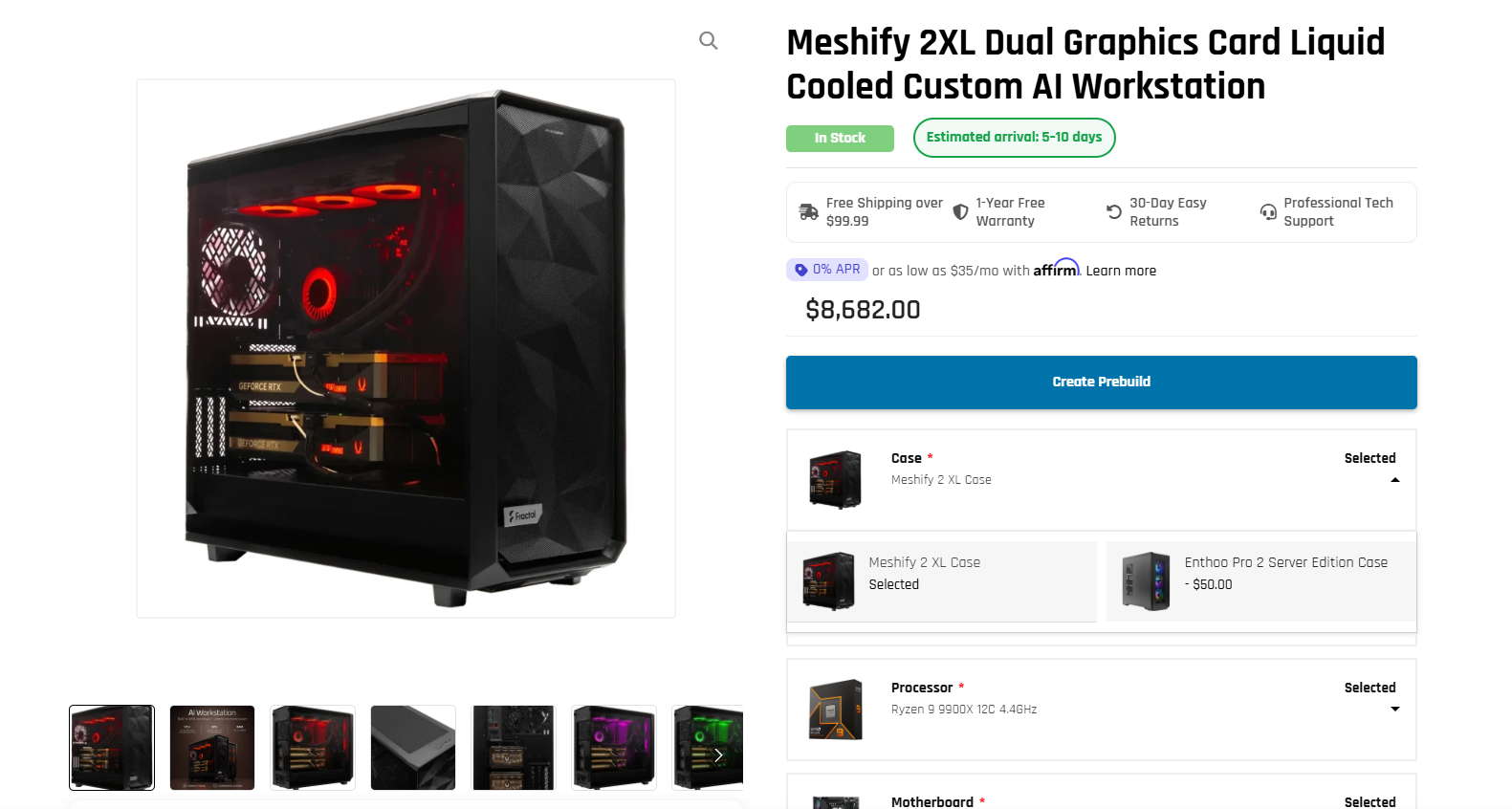
The MES2X ships in several distinct configurations, so the first decision is matching GPU choice to workload. ArsenalPC’s product page lists dual NVIDIA GeForce RTX 5080 or RTX 5090 as the consumer-tier GPU options, alongside dual RTX PRO 6000 Blackwell for workloads that demand ECC memory and professional driver certification. All configurations are paired with a 1600W 80 Plus Platinum PSU to handle sustained dual-GPU draw.
CPU, Memory, and Storage Tiers
CPU options are the AMD Ryzen 9 9900X (12-core) or the Ryzen 9 9950X (16-core). The 9950X is the better choice for pipelines that keep the CPU busy during GPU preprocessing, such as tokenization-heavy NLP or large-batch data loading. Memory runs 128GB or 256GB DDR5; choose 256GB if you plan to stage large datasets in system RAM alongside two high-VRAM GPUs. Storage is 4TB or 8TB NVMe SSD, with the 8TB configuration suited to teams managing multiple model checkpoints locally.
Need Help Choosing the Right PC?
ArsenalPC has been hand-building and stress-testing custom PCs in Willoughby, Ohio for 27+ years. Whether you need a dual-GPU AI workstation like the MES2X or a high-end gaming build, our team can walk you through every configuration decision, VRAM requirements, PSU sizing, cooling, and software validation included. Every system ships with lifetime technical support.
- Phone: 866-277-3627 (Toll-Free) | 440-602-7090 (Local)
- Email: Contact Form
- Visit: 4711 E355 St, Willoughby, OH 44094
- Hours: Mon-Fri 10AM-6PM, Sat 11AM-3PM