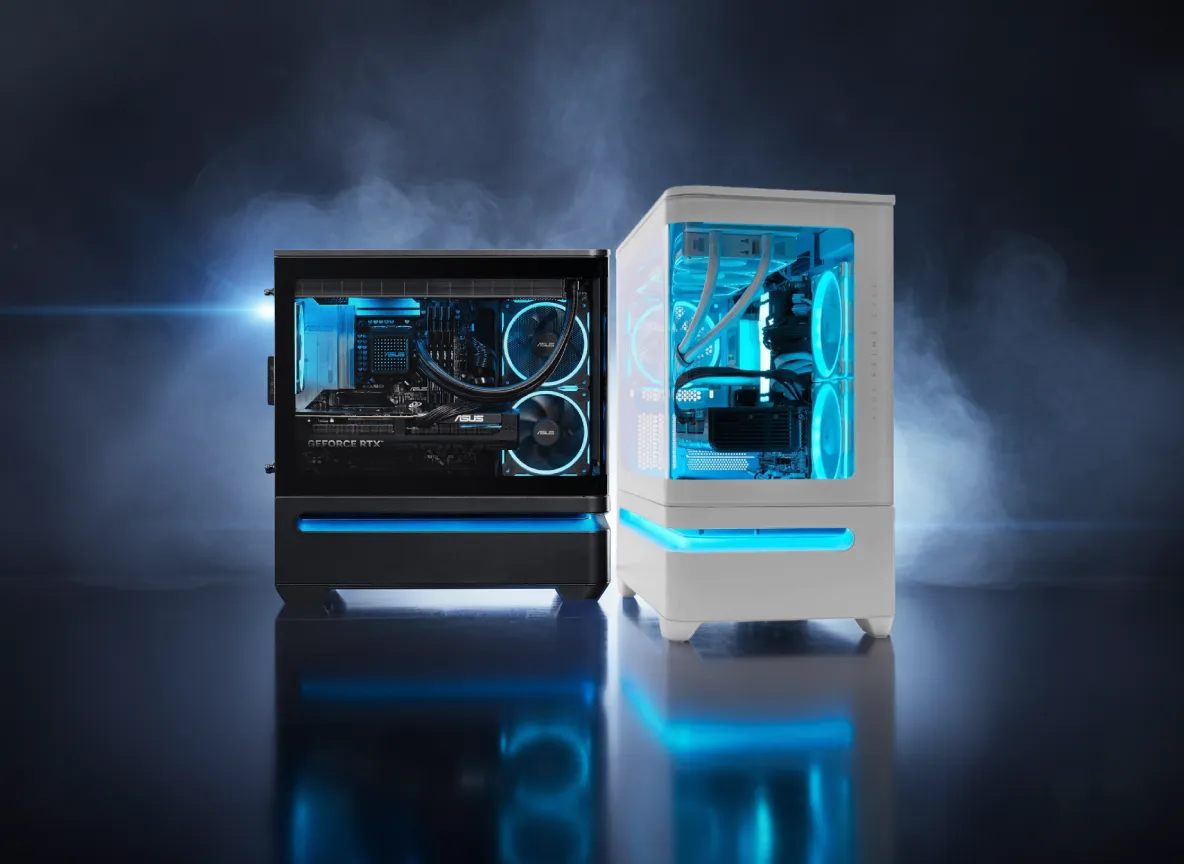

What Makes the RTX 5090 the Right GPU for a 2026 4K Build
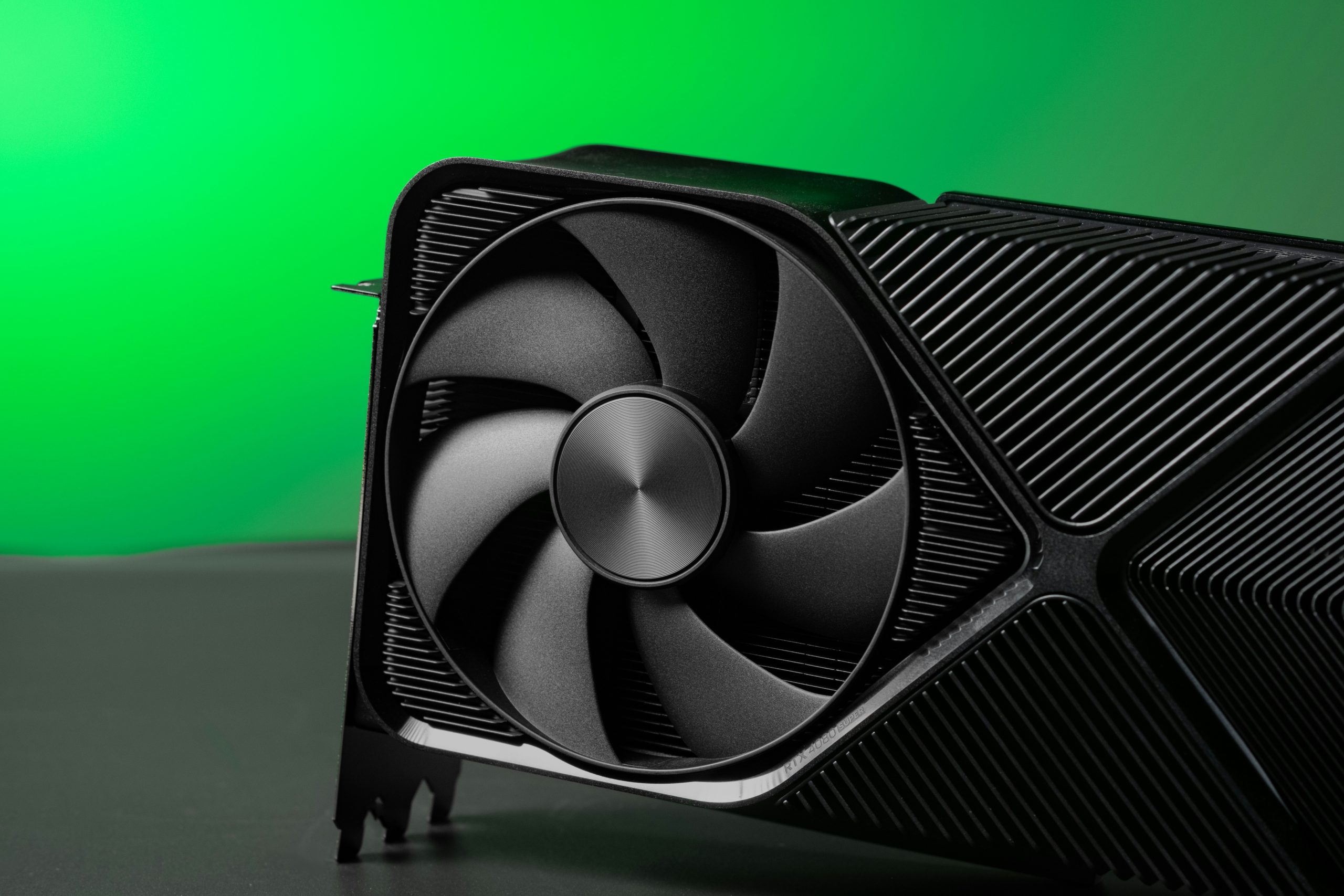
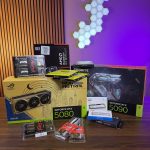
The RTX 5090 is the clearest choice for a 4K gaming build in 2026, and the performance data backs that up without much debate. Built on NVIDIA’s Blackwell architecture using the GB202 die and TSMC’s 4NP process, it pairs 21,760 CUDA cores with 32 GB of GDDR7 VRAM on a 512-bit bus. Memory bandwidth hits 1,792 GB/s, which is a meaningful step beyond anything the previous generation could deliver. That bandwidth advantage shows up most at 4K, where the GPU is feeding a massive amount of pixel data every frame.
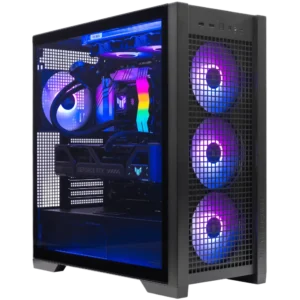
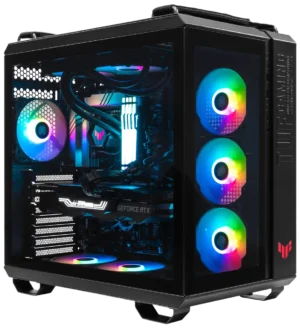
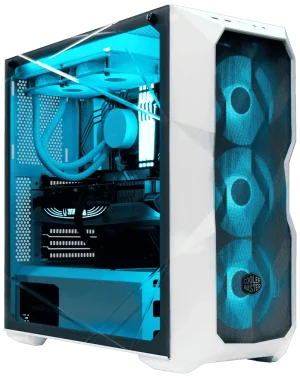
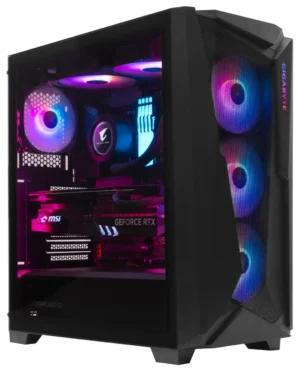
Top RTX 5090 Builds from ArsenalPC
Updated monthly
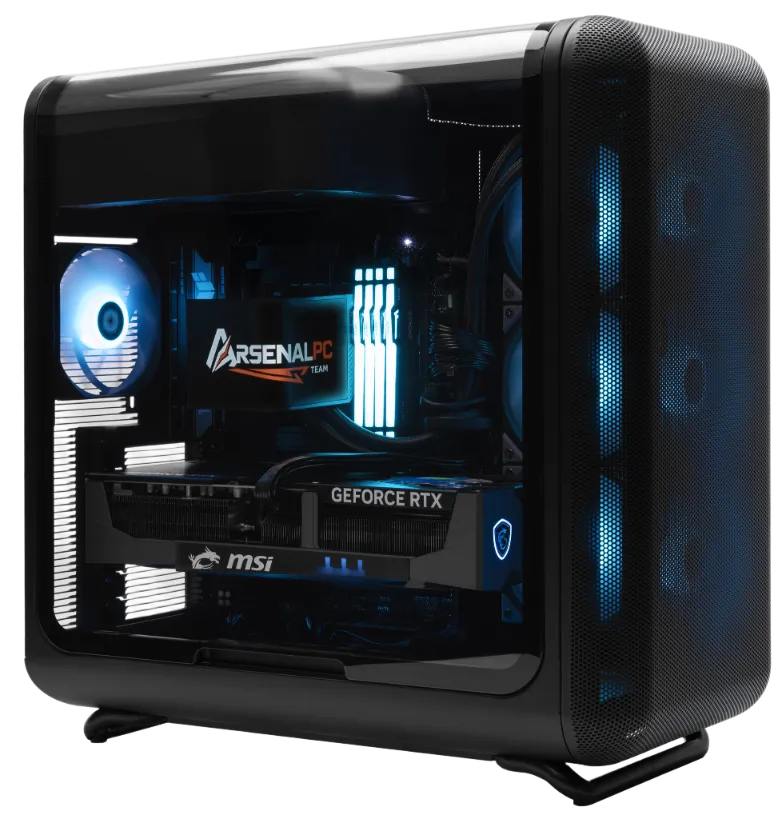
Flagship Build
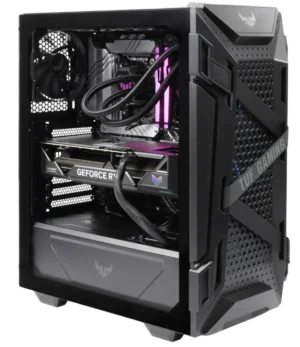
HYTE X50, GeForce RTX 5090 32GB, Ryzen 9 9950X3D, DDR5 32GB, 8TB NVMe SSD (2x4TB RAID), 8TB HDD, Gaming PC
The good
- Ryzen 9 9950X3D delivers elite gaming and creator performance in one chip
- 8TB NVMe RAID array future-proofs storage for years
- HYTE X50 chassis provides exceptional airflow for a 575W GPU
- Full PCIe 5.0 x16 platform on X870E chipset
The trade-offs
- Premium price tier, most buyers won’t need the 9950X3D for pure gaming
- Large chassis footprint requires desk or floor space planning
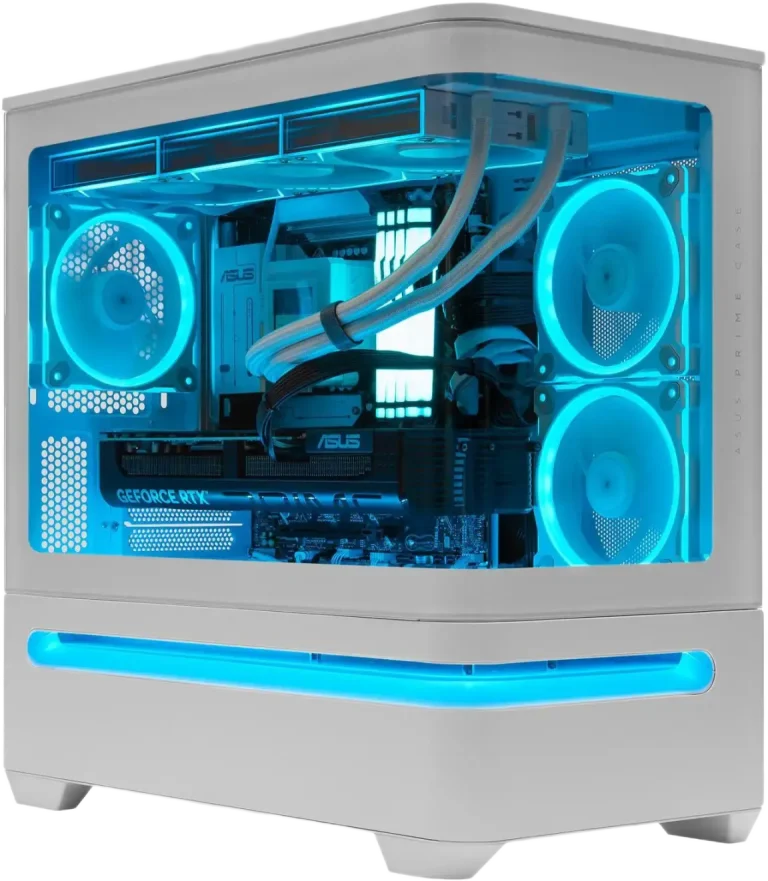
Best Value High-End
ASUS Prime AP202 White, GeForce RTX 5090 32GB, Ryzen 9 9950X3D, DDR5 32GB, 1 TB NVMe SSD, Gaming PC
The good
- Clean white ASUS Prime AP202 aesthetic suits modern setups
- RTX 5090 + 9950X3D pairing handles 4K gaming and content creation equally well
- Lower entry price than the flagship HYTE build
- X870E platform ensures PCIe 5.0 x16 bandwidth to the GPU
The trade-offs
- 1 TB NVMe is tight for a modern game library, plan to add storage
- Mid-tower form factor limits future expansion compared to full-tower options
4K Rasterization Lead vs RTX 4090
In our build experience, corroborated by GamersNexus independent testing, the RTX 5090 outperforms the RTX 4090 by 20 to 50 percent in 4K rasterization, not marginal gains.
4K Ray Tracing Advantage
Roughly 27 to 35 percent faster than the RTX 4090 in 4K ray tracing workloads, where the 512-bit GDDR7 bus and 1,792 GB/s bandwidth make the biggest difference.
1440p Gap (Narrowed)
At 1440p the advantage narrows to around 20 percent, and at 1080p CPU bottlenecks compress it further. The 5090 is specifically engineered to shine at 4K.
Compute Specs and Interface
NVIDIA GeForce RTX 5090
Blackwell / GB202
The RTX 5090 will seat in a PCIe 4.0 slot without issue, but PCIe 3.0 systems will see restricted performance. Any serious 4K build in 2026 should be on a platform that gives the card the full bandwidth it expects. NVIDIA’s Founders Edition uses a dual flow-through cooler with liquid metal thermal interface and a triple-walled gasket, which keeps thermals in check at stock settings. Power delivery planning is not optional at this TDP tier.
DLSS 4 and the RTX 5090 vs RTX 5080 Question
RTX 5090
The 4K Maximum-Settings Choice
DLSS 4 Multi Frame Generation adds up to three additional frames per rendered frame in Ultra Performance mode, exclusive to Blackwell hardware. At 4K with ray tracing enabled, this closes the gap between native and AI-assisted rendering in a way earlier DLSS versions could not. If 4K at maximum settings with ray tracing is the target, the 5090 leaves nothing on the table.
Best for: 4K high-refresh gamers, path-tracing enthusiasts, and creator-gamers who need the VRAM headroom.
Half the GPU Cost, Strong 1440p Value
The RTX 5080 launched at $999 MSRP, half the $1,999 MSRP of the RTX 5090. For many workloads that trade-off is reasonable, but at 4K with demanding titles and ray tracing enabled, the performance gap is meaningful enough that the 5090 justifies its position at the top of the stack.
Best for: 1440p-primary gamers, budget-conscious high-end buyers, and those who don’t need path tracing at 4K.
The CPU Pairing: Why the Ryzen 9800X3D (and Its Successors) Belong Here
Choosing the best CPU for an RTX 5090 build in 2026 comes down to one question: which processor can keep the GPU fed without becoming the bottleneck? From what we see in the shop, the answer is consistently the Ryzen 7 9800X3D or its direct successor, the 9850X3D.
Total L3 Cache, AMD 3D V-Cache Advantage
Both the 9800X3D and 9850X3D use AMD’s 3D V-Cache technology, stacking an additional 64 MB of L3 cache directly on top of the compute die to reach 96 MB total. That cache pool dramatically reduces how often the CPU reaches out to slower system memory, delivering a 10 to 20 percent gaming performance advantage over non-X3D variants at the same clock speed in CPU-bound titles.
Bottleneck Profile at 1440p and 4K
The RTX 5090 and Ryzen 9800X3D bottleneck picture at 4K is essentially a non-issue. Our own build data, consistent with what GamersNexus reported in their RTX 5090 review, shows the GPU remaining the clear limiting factor at 4K in virtually every title we test. At 1440p the story is nearly as clean, with only the most CPU-sensitive games showing any measurable processor constraint.
Even at 1080p, the 9800X3D held its own against the RTX 5090 without major bottlenecking in several benchmarks, which tells you the headroom at higher resolutions is substantial.
Which X3D Chip Fits Your Build
AMD Ryzen 7 9850X3D, $499 MSRP
Launched January 2026. Same 8-core/16-thread design and 96 MB L3 cache as the 9800X3D, but boost clock jumps from 5.2 GHz to 5.6 GHz. The sweet spot for dedicated gaming: strong single-thread speed, massive cache, and a price tier that leaves budget for the rest of the platform.
Our Pick
AMD Ryzen 9 9900X3D, $599 MSRP
Sits between the 9850X3D and 9950X3D. Suits buyers who want a moderate core-count bump without committing to the full 9950X3D price tier. Good for mixed gaming and light creative work.
Mid Tier
AMD Ryzen 9 9950X3D, $699 MSRP
Adds more cores for rendering and encoding workloads while retaining the 3D V-Cache advantage in games. The right call for buyers who split time between high-end gaming and content creation.
Creator Pick
AM5 Platform Longevity
Pairing the RTX 5090 with an AM5 platform is a performance decision and a long-term upgrade decision. AMD has confirmed AM5 socket support through Zen 6, meaning the motherboard you buy today will accept at least two more CPU generations. That kind of socket continuity is rare in the desktop market and meaningfully extends the useful life of the platform investment.
Building the Platform: Motherboard, RAM, and Storage
The X870E chipset is the correct foundation for an RTX 5090 build, and the choice is not close. It delivers PCIe 5.0 x16 bandwidth to the GPU, PCIe 5.0 M.2 slots for storage, DDR5 support with overclocking headroom past 8,000 MT/s, and up to 192 GB DDR5 capacity on four-DIMM boards. For a system built around the most demanding consumer GPU available, that headroom matters both now and over the life of the build.
Our go-to recommendation for the best motherboard for RTX 5090 X870E builds is the ASUS ROG Crosshair X870E Hero. It provides the full PCIe 5.0 x16 slot the 5090 needs, robust VRM delivery for the 9800X3D, and reliable memory training at the DDR5 frequencies we target. ASUS X870E boards also include at least one PCIe 5.0 M.2 slot, with some models offering two, which keeps storage from becoming a bottleneck as PCIe 5.0 NVMe drives become standard.
RAM: Frequency, Capacity, and the DDR5 Sweet Spot
Storage and Case Sizing
The primary drive should be a 2 TB PCIe 5.0 NVMe. The RTX 5090 supports DirectStorage, which uses fast NVMe to stream game assets directly to VRAM, bypassing the CPU. A PCIe 5.0 drive keeps that pipeline from becoming a bottleneck in titles that implement DirectStorage well. We treat 2 TB as the floor for a build at this tier, given modern game install sizes.
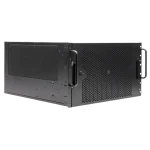
Case selection deserves attention here. Most AIB RTX 5090 cards exceed 36 cm in length and occupy 3.5 to 4 expansion slots. A full tower or a large mid-tower is required for physical clearance and adequate airflow around the card. Fitting a 5090 into a compact case is possible in some configurations, but it creates thermal and cable-routing problems we prefer to avoid from the start.
PSU and Connector Safety: The Detail That Can Wreck a $5,000 Build
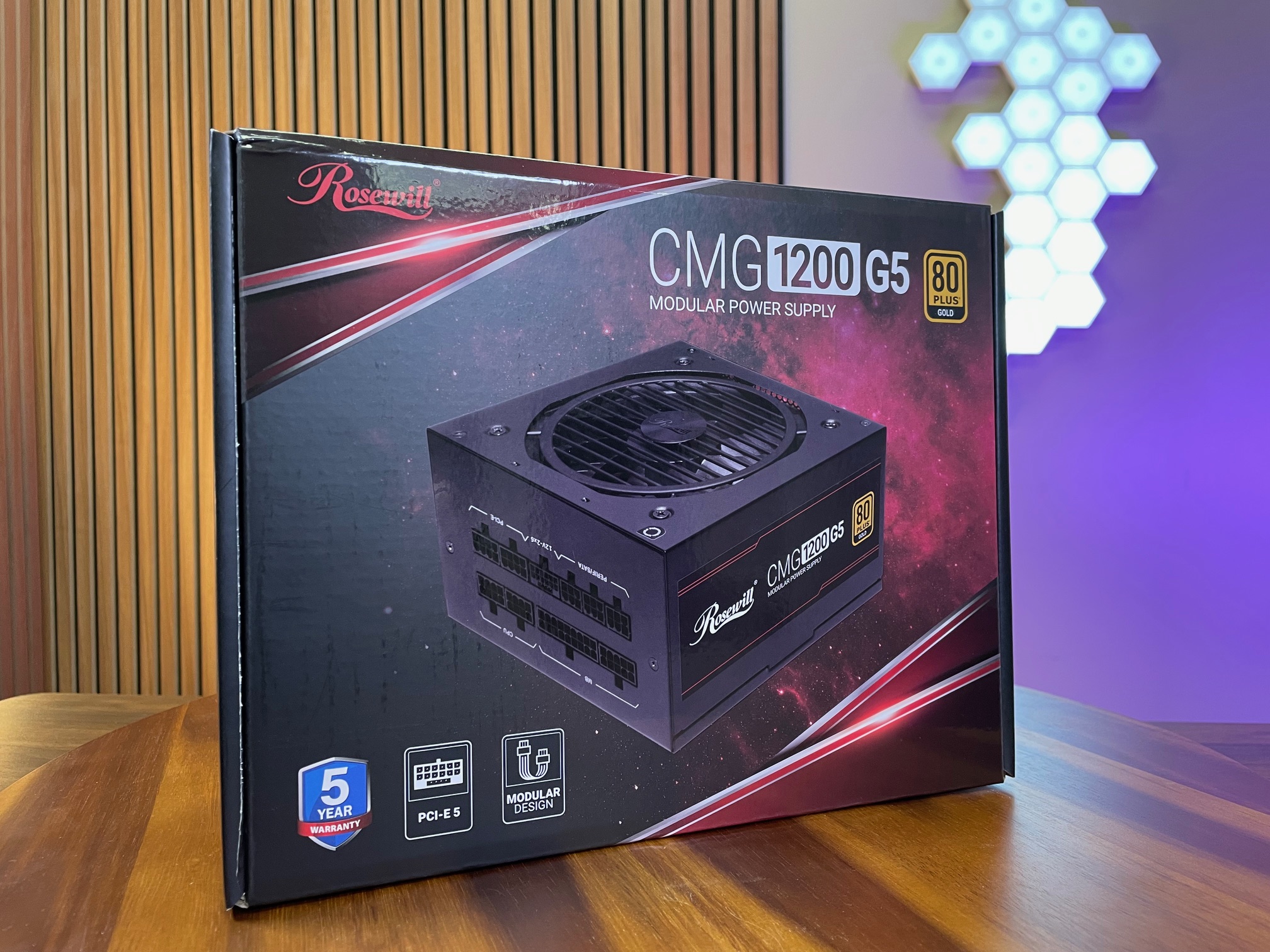
NVIDIA’s official minimum PSU spec for the RTX 5090 is 1,000W. That number is a floor, not a target. In a system pairing the RTX 5090 with a Ryzen 9800X3D, a high-speed NVMe array, and active cooling, the real-world draw under sustained load pushes that spec uncomfortably close to the limit. We spec every RTX 5090 build at 1,200W, and we require 80+ Platinum efficiency and full ATX 3.1+ certification. That is not overcaution; it is the correct margin for a system at this power tier.
The AIB OC variable makes the headroom argument even clearer. Founders Edition cards run at a defined 575W TDP, but premium AIB partner models with enhanced cooling and factory overclocks can reach up to 600W on the GPU alone. Add a 9800X3D under a gaming load and you are looking at a combined draw that a 1,000W unit handles only on paper. A 1,200W 80+ Platinum PSU with ATX 3.1+ certification keeps the system well inside the unit’s rated output, which also means the PSU runs cooler and lasts longer.
The Connector Problem
Hardware Damage Risk, Adapter Cables: The RTX 5090 uses a 16-pin 12V-2×6 connector. Low-quality adapter cables that bundle multiple PCIe connectors into a single 16-pin plug have caused connector melting under the RTX 50-series’ aggressive power delivery profile. This failure mode is documented by independent hardware outlets and consistent with what we see when customers bring in third-party builds for diagnosis. Do not use adapter cables with the RTX 5090.
The RTX 5090 uses a 16-pin 12V-2×6 connector. That connector, when mated to a native cable from a certified ATX 3.1+ PSU, handles the card’s transient power spikes cleanly. The problem arises when builders use adapter cables, particularly low-quality adapters that bundle multiple PCIe connectors into a single 16-pin plug. Under the RTX 50-series’ aggressive power delivery profile, those adapters have caused connector melting, a failure mode documented by independent hardware outlets and consistent with what we see when customers bring in third-party builds for diagnosis.
Our standard for a 1200W PSU RTX 5090 ATX 3.1 12V-2×6 build is straightforward: the PSU must ship with a native 12V-2×6 cable, not an adapter. If a unit does not include one, it does not go into an RTX 5090 system we build. This is one of the areas where boutique builder experience directly protects the customer. A first-time builder sourcing parts individually may not know to check for native cable support. We check it before the order is placed.
“Every RTX 5090 system we configure leaves the shop with a native 12V-2×6 cable from the PSU. No adapters. No exceptions.”
ArsenalPC Build Standard
The PSU is the component most often under-specced in high-end builds, and it is the one most likely to cause catastrophic failure when it is wrong. At the RTX 5090’s power level, getting this right is not optional.
Prebuilt RTX 5090 PCs vs. a Custom ArsenalPC Build
The RTX 5090 supply situation has created an unusual pricing dynamic that makes the RTX 5090 prebuilt vs custom PC price comparison more interesting than it has been in years. In January 2026, standalone RTX 5090 cards were appearing at retail anywhere from $3,399 to $5,495, with real, in-stock offers clustering around $4,000. At the same time, complete RTX 5090 prebuilt desktops were listed between $4,400 and $4,700. The gap between a bare card and a full system had compressed to a few hundred dollars. Verify current prices before making any purchasing decision, as this market is moving quickly.
Why the Price Gap Closes
The compression is not accidental. System builders who access OEM purchasing channels can lock GPU pricing before retail spot prices spike. The margin that would otherwise go to a marketplace reseller gets redirected into the rest of the build. That is the mechanism VideoCardz identified in their January 2026 analysis, and it matches what we see from our own supplier relationships at ArsenalPC. A boutique builder is not simply assembling parts at retail cost and adding labor on top.
For some buyers, a prebuilt is the only practical path to the card at all. Stock availability at retail has been inconsistent enough that PC Guide noted a prebuilt may be the only feasible way to obtain an RTX 5090 for certain buyers. If you are waiting on an in-stock standalone card, you may be waiting longer than you expect.
What Separates a Boutique Build from a Mass-Market Prebuilt
Not all prebuilts are equivalent. Mass-market systems at this price point frequently use filler components: budget motherboards that limit PCIe bandwidth, undersized PSUs that push connector safety margins, and RAM running at stock JEDEC speeds rather than tuned EXPO profiles. Those choices protect the builder’s margin, not your system’s performance.
An ArsenalPC RTX 5090 configuration is specced around the card’s actual requirements:
- GPU: RTX 5090 with a verified 16-pin adapter and cable management that keeps bend radius safe
- CPU: Ryzen 9 9800X3D on an X870E board with full PCIe 5.0 x16 support
- Memory: 32 GB or 64 GB DDR5-6000 in dual-channel, tuned to EXPO profile
- PSU: 1,200W or higher, 80 Plus Gold or Platinum, with a native 16-pin connector
- Warranty and support: Direct access to the team that built the system, not a call center script
The component list is not padded to hit a price point. Every part earns its place based on what the RTX 5090 actually needs to run correctly. That is the practical difference between a boutique build and a volume prebuilt at a similar sticker price.
Who Should Actually Buy an RTX 5090 Build in 2026
The RTX 5090 is the right card for a specific type of buyer. If you are running a 4K 144Hz or higher refresh rate display and want to hit those frame rates in demanding titles with path tracing enabled, this GPU earns its place. The same applies if you split your rig between high-end gaming and GPU-accelerated content creation work like 3D rendering or video encoding, where the 5090’s memory bandwidth and VRAM capacity translate directly into faster output.
DLSS 4 Multi Frame Generation changes the calculus on path-traced performance in a meaningful way. NVIDIA’s implementation can generate up to three additional frames per rendered frame in Ultra Performance mode, which pushes effective frame rates well past what raw rasterization numbers suggest. In practice, we see this enabling 100-plus effective fps in path-traced workloads that would otherwise land in the 40s or 50s on rendered frames alone. For anyone targeting smooth, visually rich 4K gameplay, that is a genuine capability shift.
The Gem: DLSS 4 Frame Generation
Up to three additional frames per rendered frame in Ultra Performance mode enables 100+ effective fps in path-traced 4K workloads, a capability shift exclusive to Blackwell hardware.
The Catch: Thermal Expectations
Memory temperatures of 88 to 90 degrees C under sustained load sit right at NVIDIA’s 90 degree C maximum GPU temperature specification. Case airflow and cooling configuration matter more with this card than any mid-range option.
The Future: AM5 Socket Longevity
AMD has confirmed AM5 support through Zen 6. The platform you build today accepts at least two more CPU generations, rare socket continuity that extends the value of the entire investment.
Sample RTX 5090 Build Configuration
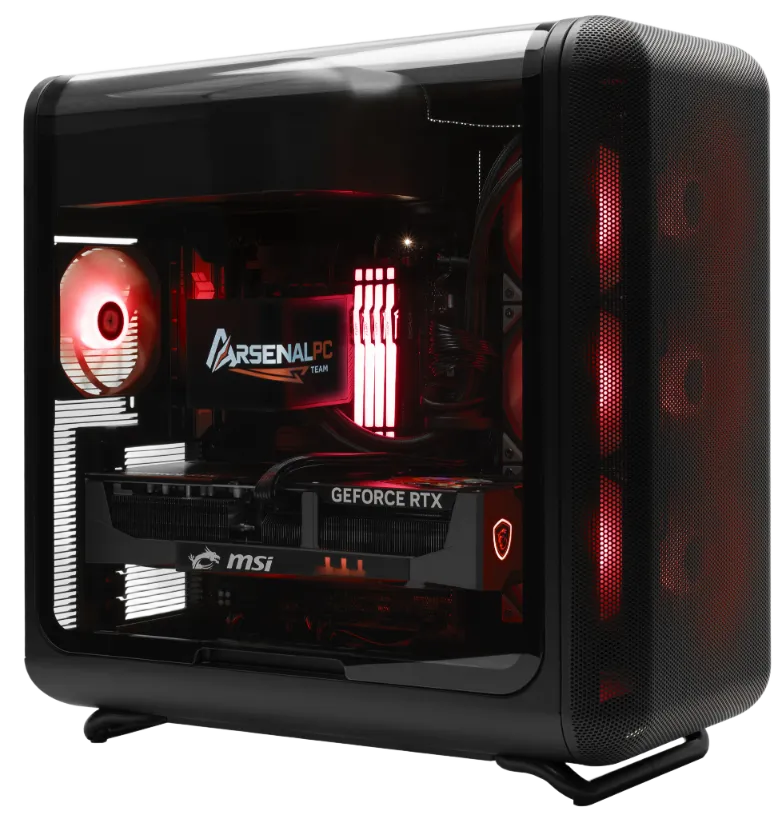
The following component list represents the configuration we recommend most often for a high-end RTX 5090 gaming PC build in 2026. Every choice here has a specific rationale rooted in compatibility, thermal headroom, and long-term stability. This is not a minimum-viable build; it is a platform sized correctly for a 575W GPU and a CPU that runs hot under sustained load.
Component List and Rationale
RTX 5090 Build, Engineering Highlights
GPU: NVIDIA GeForce RTX 5090
The GB202 die on TSMC’s 4NP process delivers 21,760 CUDA cores and 32 GB GDDR7 on a 512-bit bus with 1,792 GB/s of memory bandwidth. At a 575W TDP, every other component in the build must be sized around it.
CPU: AMD Ryzen 7 9850X3D
Launched at $499 MSRP, the 9850X3D pushes the boost clock to 5.6 GHz (up from 5.2 GHz on the 9800X3D) while retaining the same 8-core/16-thread design and 96 MB L3 cache. The 9800X3D at $479 MSRP is a valid alternative if the 9850X3D is unavailable; the gaming delta is small.
Motherboard: AMD X870E
X870E is the correct chipset for this tier. It provides PCIe 5.0 x16 for the GPU, PCIe 5.0 M.2 slots, and DDR5 support well above 6,400 MT/s on quality boards. Four-DIMM boards support up to 192 GB DDR5 for future expansion.
RAM: 32 GB DDR5-6400 (Dual-Channel)
Two 16 GB sticks at 6,000 to 6,400 MHz is the sweet spot for Ryzen 9000-series gaming performance. Content creators who also render or work in large datasets should step up to 64 GB.
Storage: 2 TB PCIe 5.0 NVMe
A PCIe 5.0 primary drive pairs well with the RTX 5090’s DirectStorage support, enabling faster asset streaming in titles that use the API. Two terabytes is the practical minimum for a modern game library.
PSU: 1,200W 80+ Platinum, ATX 3.1+ with Native 12V-2×6
This is non-negotiable. Adapter-based connectors have caused melting issues on high-power RTX 50-series cards. A native 12V-2×6 cable from an ATX 3.1-certified unit eliminates that risk entirely.
CPU Cooler: 360mm AIO Liquid Cooler
The 9800X3D and 9850X3D both run warm under sustained all-core loads. A 360mm AIO keeps junction temperatures in a safe range and avoids the thermal throttling that a mid-range tower cooler can trigger during long gaming sessions.
Case: Full Tower or Large Mid-Tower
Most AIB RTX 5090 cards exceed 36 cm in length and occupy 3.5 to 4 slots. A full tower or large mid-tower is required for physical clearance and to maintain the airflow a 575W GPU demands.
Decision
Configure your RTX 5090 build through ArsenalPC for a validated, safe, and fully supported system.
Every configuration we ship through our ArsenalPC configurator starts from a validated baseline like this one. Component pairings are tested for compatibility before they reach a customer, and PSU and cooler selections are reviewed against the actual thermal and power load of the final build, not just the spec sheet. If you want the best 4K gaming PC available in 2026 without the risk of under-specced components, this is the right path.
Frequently Asked Questions
The RTX 5090 is the first gaming GPU built on a PCIe 5.0 x16 interface, but it will physically seat and operate in a PCIe 4.0 slot. In practice, the bandwidth difference between PCIe 4.0 x16 and PCIe 5.0 x16 has minimal impact on gaming frame rates at 4K, because the GPU’s internal compute and memory bandwidth are the real bottlenecks, not the slot. Where you will notice a difference is in PCIe 3.0 systems, where restricted bandwidth can measurably limit performance. For a new 2026 build, pairing the RTX 5090 with an X870E board and its native PCIe 5.0 x16 slot is still the correct choice for long-term headroom.
The honest answer depends almost entirely on your display. GamersNexus independent testing found the RTX 5090 outperforms the RTX 4090 by 20 to 50 percent in 4K rasterization and roughly 27 to 35 percent in 4K ray tracing. If you are gaming at 4K on a high-refresh panel with path tracing enabled, that uplift is real and noticeable. If you are on a 1440p display, the gap narrows to around 20 percent, which is a harder upgrade to justify from a 4090. The addition of DLSS 4 Multi Frame Generation, exclusive to Blackwell hardware, is the stronger argument for upgrading, since it enables effective frame rates that raw rasterization numbers alone cannot achieve.
Multiple independent reviews have reported GDDR7 memory temperatures of 88 to 90 degrees Celsius under sustained load, which sits right at NVIDIA’s official 90 degree maximum GPU temperature specification. This is a consequence of the RTX 5090’s 575W TDP and the density of the GB202 die. The Founders Edition’s dual flow-through cooler with liquid metal thermal interface manages the GPU die effectively, but GDDR7 memory modules on a 512-bit bus generate significant heat of their own. Adequate case airflow is not optional at this power level. A full tower or large mid-tower with positive pressure airflow keeps memory temperatures from dwelling at the ceiling during long gaming sessions.
At 4K the RTX 5090 and Ryzen 9800X3D pairing is essentially bottleneck-free, with the GPU remaining the clear limiting factor in virtually every title. At 1440p, only the most CPU-sensitive games show any measurable processor constraint, and the 9800X3D’s 96 MB of L3 cache keeps those cases rare. The 3D V-Cache architecture reduces how often the CPU reaches out to slower system memory, which is precisely why it outperforms non-X3D variants by 10 to 20 percent in CPU-bound titles. For a 1440p or 4K gaming focus, the 9800X3D is not a weak link in this platform.
Low-quality adapter cables that bundle multiple PCIe connectors into a single 16-pin plug have caused connector melting under the RTX 50-series’ aggressive power delivery profile. This is not a theoretical risk; it is a documented failure mode reported by independent hardware outlets. The RTX 5090’s 575W TDP, and up to 600W on premium AIB OC models, creates transient power spikes that a native ATX 3.1-certified 12V-2×6 cable handles cleanly. An adapter cable introduces resistance and contact variability that the card’s power delivery profile can exploit under load. Any PSU going into an RTX 5090 build must ship with a native 12V-2×6 cable, not a bundled adapter.
DLSS 4 Multi Frame Generation is a Blackwell-exclusive feature that generates up to three additional frames for every frame the GPU actually renders in Ultra Performance mode. The practical effect is that path-traced workloads which might otherwise deliver 40 to 50 rendered frames per second can reach 100-plus effective frames per second on screen. Earlier DLSS versions generated one additional frame per rendered frame, so the multiplier effect here is substantially larger. The key distinction is that this is not simply upscaling resolution; it is temporal frame synthesis that uses the GPU’s 5th-generation Tensor Cores to predict and construct intermediate frames, making high-refresh 4K path tracing viable in a way it was not on previous hardware generations.
AMD has confirmed AM5 socket support through Zen 6 and beyond, which means the X870E motherboard you purchase today will accept at least two more CPU generations without a platform change. In practical terms, a buyer who starts with a Ryzen 9800X3D or 9850X3D can upgrade to a future Zen 5 or Zen 6 processor by swapping the CPU alone, preserving the DDR5 memory, PCIe 5.0 storage, and the rest of the platform investment. That kind of socket continuity is uncommon in the desktop market and meaningfully changes the total cost of ownership calculation over a four to five year ownership window, especially when the GPU itself already represents a significant capital outlay.
In January 2026, standalone RTX 5090 cards were appearing at retail between $3,399 and $5,495, with real in-stock offers clustering around $4,000, while complete RTX 5090 prebuilt desktops were listed between $4,400 and $4,700. The gap between a bare card and a full system had compressed to a few hundred dollars. This happens because system builders who access OEM purchasing channels can lock GPU pricing before retail spot prices spike, redirecting the margin that would otherwise go to a marketplace reseller into the rest of the build. Prices in this market are moving quickly, so verifying current figures before purchasing is essential, but the structural pricing dynamic that makes boutique prebuilts competitive with standalone GPU purchases is real and documented.
Need Help Choosing the Right PC?
ArsenalPC is based in Willoughby, Ohio with 27+ years of custom PC building experience. Every RTX 5090 system we configure is tested for compatibility, thermal performance, and PSU safety before it ships. Talk to the team that built your system, not a call center script.
- Phone: 866-277-3627 (Toll-Free) | 440-602-7090 (Local)
- Email: Contact Form
- Visit: 4711 E355 St, Willoughby, OH 44094
- Hours: Mon-Fri 10AM-6PM, Sat 11AM-3PM