
What DLSS 4 Multi Frame Generation Actually Does
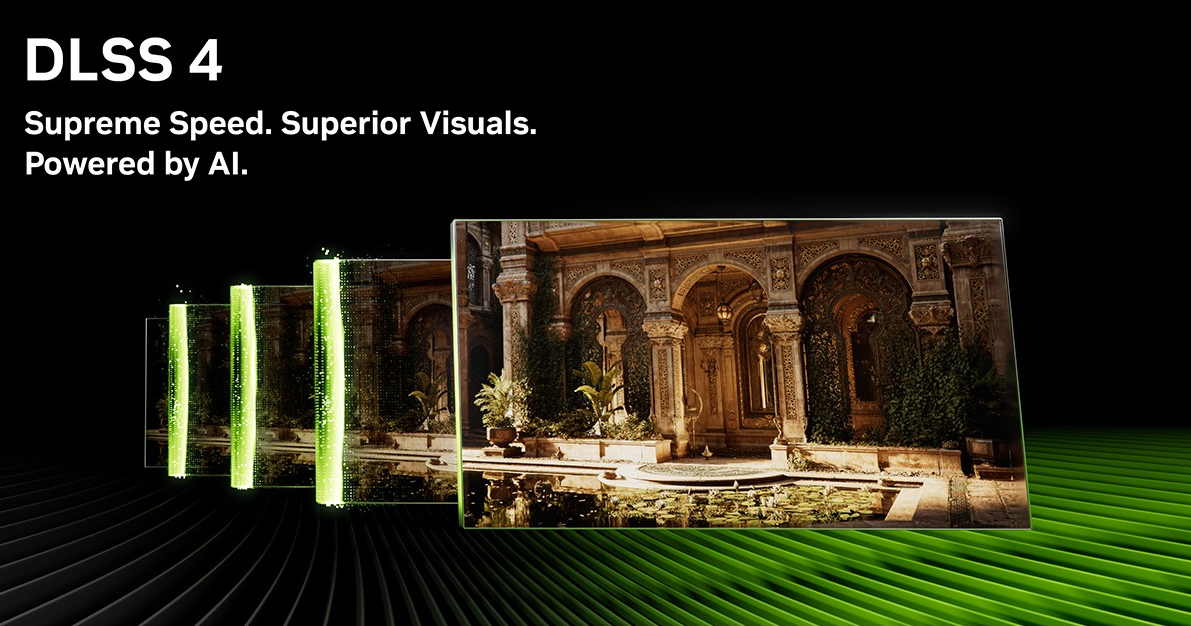
DLSS 4 Multi Frame Generation explained simply: it is an AI-driven frame multiplier that takes one rendered frame and produces up to four total frames for display. That is a meaningful step beyond DLSS 3 Frame Generation, which shipped with RTX 40 series and produced one additional frame per two rendered frames, a 2x output. DLSS 4 MFG generates up to three additional frames per rendered frame, a 4x output, and it is exclusive to RTX 50 series hardware. This distinction matters when evaluating whether an RTX 40 series system can be patched into the same capability. It cannot.
The mechanic is interpolation, not extrapolation. The GPU renders two real base frames, and the AI model creates synthetic frames to fill the gaps between them. Those generated frames are informed by motion vectors and scene data from the surrounding rendered frames, which is why the technique holds up better in motion than earlier frame pacing approaches.
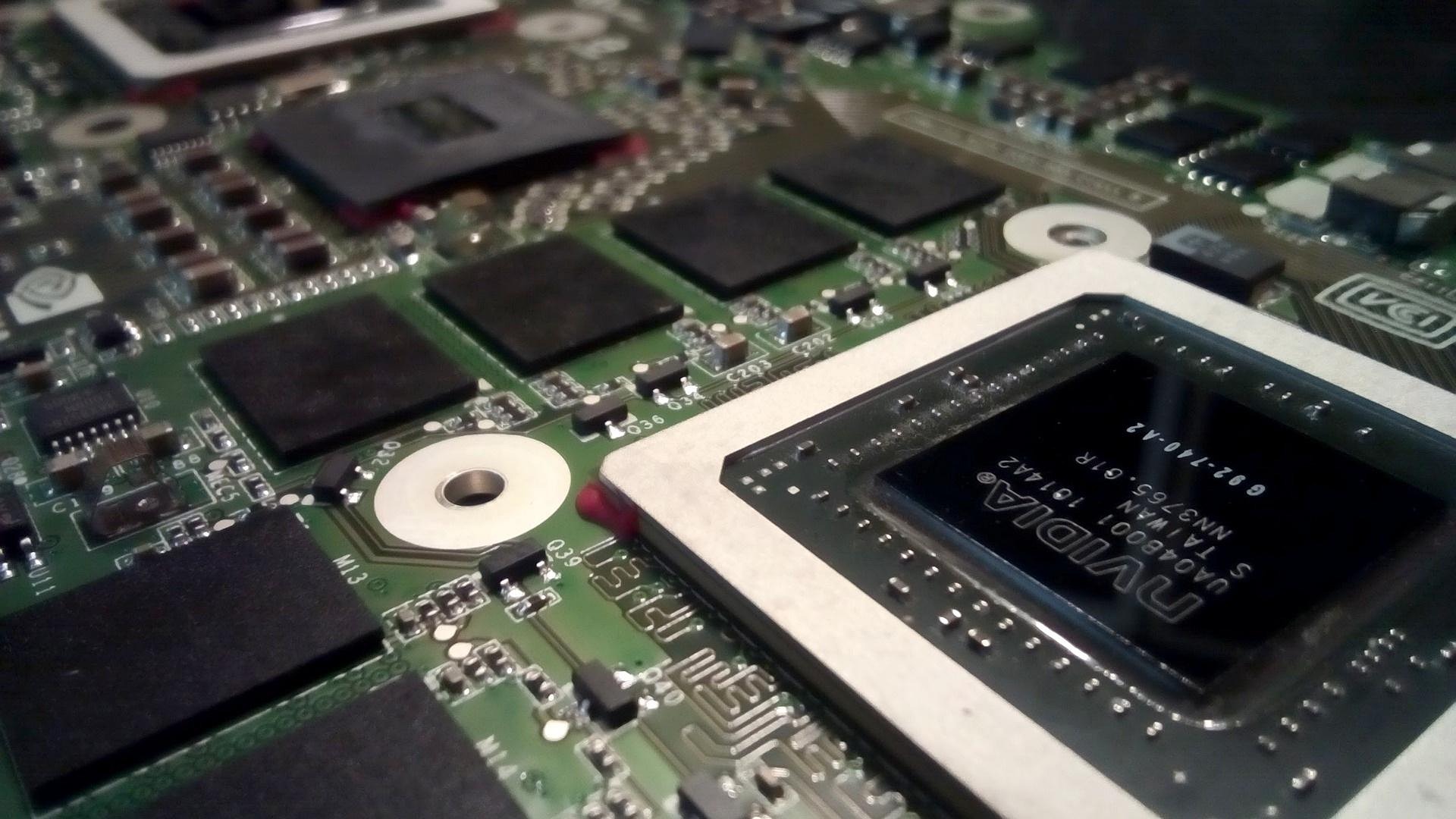
Blackwell handles all of this on Tensor Cores directly. NVIDIA removed the dedicated Optical Flow Accelerator that RTX 40 series used for DLSS 3 Frame Generation, consolidating the workload onto the same Tensor Core architecture that runs the rest of the DLSS pipeline.
What the Multiplier Numbers Actually Represent
Average Multiplier at 1440p
NVIDIA’s own data shows a 5.5x average performance multiplier at 1440p, reaching up to 290 FPS on RTX 50 series hardware.
Average Multiplier at 1080p
At 1080p, the multiplier reaches 5.1x, with the RTX 5090 hitting up to 400 FPS in NVIDIA’s testing.
Full DLSS Suite Peak Claim
When Super Resolution, Ray Reconstruction, DLAA, and MFG are all active simultaneously, NVIDIA claims up to 8x over traditional brute-force rendering. We treat those peak figures as ceiling numbers, not typical results.
Real-world gains depend heavily on base frame rate, scene complexity, and per-game implementation quality. The transformer model upgrade that improves Super Resolution, Ray Reconstruction, and DLAA is available to all GeForce RTX GPUs through the NVIDIA App. That part of DLSS 4 is not gated to RTX 50 series. Multi Frame Generation itself remains RTX 50 exclusive.
DLSS 4 launched on January 30, 2025 with support for 75 games; by early 2026 that library had grown to over 250 titles, which is consistent with what we see in the shop when customers ask about game compatibility before committing to a build.
The “Fake Frames” Argument, Addressed Honestly
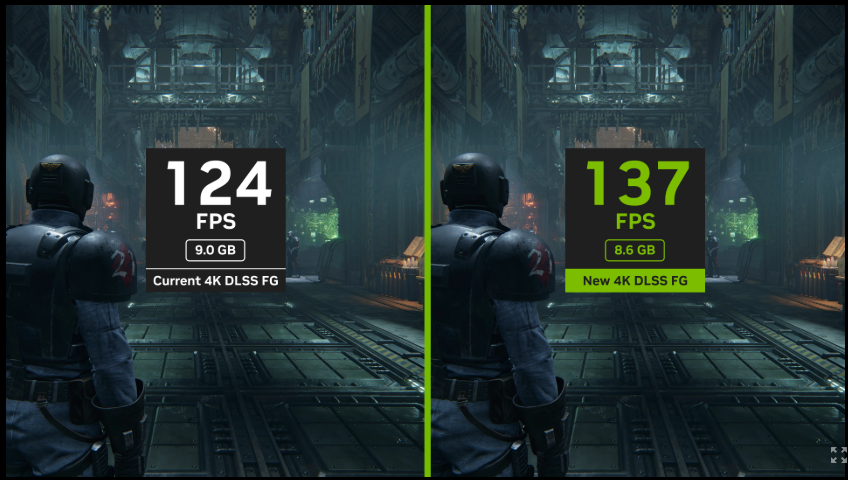
The criticism is legitimate. DLSS 4 MFG does produce frames the GPU did not fully render, and calling them “fake” is technically accurate. The more useful question is whether that distinction matters in practice, and the answer depends almost entirely on your base frame rate and display setup.
Where the Critics Are Right
MFG increases FPS output but latency either stagnates or regresses vs. native rendering, reaching as high as 50 ms in some scenarios. Frametime spikes in the base render pass through unchanged, and artifact risk around fast-moving objects or UI elements is real.
Where the Argument Loses Steam
DLSS Frame Generation mandates NVIDIA Reflex, which cuts CPU-side latency and partially compensates for MFG’s cost. The 50 ms ceiling is a fixed cost; it does not scale as the multiplier rises from 2x to 4x. Once base frame rate holds above roughly 40 FPS, responsiveness is largely acceptable.
The Ideal Use Case
Take an already-acceptable frame rate and push it into extra-smooth territory on a high-refresh display. The “are DLSS 4 frames fake” debate is mostly irrelevant once you accept that framing: the question is whether the experience is better than the alternative at a given base rate.
“Jensen Huang’s CES 2025 claim that the RTX 5070 delivers ‘RTX 4090 performance’ relies on DLSS 4 upscaling and MFG combined. It is not a statement about raw rasterization throughput. That distinction matters when you are sizing a build.”
ArsenalPC Build Analysis
When MFG Helps vs. When It Hurts
MFG is a multiplier, and multipliers only work well when the base number is already solid. The clearest rule we apply in our builds: if the base frame rate is not consistently above 40 FPS, do not enable MFG. Below that threshold, the interpolated frames carry too much stale motion data, and the result is visible artifacting and inconsistent frametimes rather than smooth playback. This aligns with what testing from HotHardware found: responsiveness is largely acceptable once the base rate holds above roughly 40 FPS.
Even above that floor, the use case matters enormously. Cinematic single-player games at 4K with path tracing enabled are the strongest argument for MFG. The base frame rate in those scenarios often sits in the 50 to 70 FPS range on an RTX 5080, and MFG can push the display output to 100 FPS or beyond on a high-refresh panel. That is a meaningful perceptual improvement in a context where latency is not critical.
“MFG works best when the GPU is already doing its job well. It amplifies good performance. It does not rescue poor performance.”
ArsenalPC Build Guidance
RTX 5090 and RTX 5080 Native Performance Reality Check
Before MFG enters the picture, it helps to understand what these cards actually deliver at native 4K. The RTX 5090 vs RTX 5080 native 4K benchmarks tell a story that is more nuanced than the spec sheet suggests, and the gap between the two cards is wider than most buyers expect.
RTX 5090: Meaningful Lead Over the 4090
In Black Myth: Wukong at 4K with no upscaling, the RTX 5090 delivers around 62 FPS against the RTX 4090’s 48 FPS. That is a 31% lead for a card that is nominally one generation newer. Cyberpunk 2077 path tracing at 4K tells an even sharper story: the 5090 hits 59 FPS while the 4090 manages 43 FPS, a 37% advantage. These are native numbers with no AI assistance involved.
Across a broader game library, the 5090 outpaces the 5080 by 30% to nearly 70% depending on the title, with most results clustering in the 45 to 55% range. A gap that wide means the two cards are not competing for the same buyer. The 5090 is a different performance tier, particularly in path-traced workloads where shader throughput and memory bandwidth both matter.
RTX 5080: Strong Raster Card, Honest Limitations
NVIDIA‘s own CES 2025 figures put the 5080 at only 18% faster than the RTX 4080 in non-DLSS, non-Frame Generation raster performance. That is a modest generational step for a flagship-tier price. In rasterized 4K gaming, the RTX 4090 still leads the 5080 by roughly 16 to 24% depending on the workload, meaning the 5080 delivers approximately 80 to 86% of the 4090’s raw speed.
In Cyberpunk 2077 path tracing at 4K, the 5080 drops to 32 FPS with no DLSS. That number matters because 32 FPS is below the threshold where MFG produces smooth, responsive output. The 5080 needs upscaling and MFG to reach playable frame rates in the heaviest path-traced scenes, which is a real constraint to understand before configuring a build around it.
For boutique build decisions, the 5080 makes sense as a high-refresh 4K raster card where MFG will be used consistently. The 5090 earns its premium specifically in path-traced workloads and in scenarios where the base frame rate needs to be high enough that MFG can multiply it into triple-digit territory. Neither card is a poor choice, but they serve different use cases.
DLSS 4 Benchmarks at 4K: What the Numbers Mean for Real Builds
The native performance gap between the RTX 5090 and RTX 5080 covered in the previous section matters more once MFG enters the picture. A frame-rate multiplier compounds whatever base the GPU produces, so a stronger native result translates into a proportionally larger absolute gain at the output end.
How the Multiplier Stacks in Practice
The table below applies representative 2x and 4x MFG multipliers to the native 4K figures from our earlier section. These are not theoretical ceilings; they reflect the kind of output frame rates a well-configured build can sustain when latency headroom is adequate.
| Title / Setting | GPU | Native 4K | 2x MFG | 4x MFG |
|---|---|---|---|---|
| Black Myth: Wukong (no DLSS) | RTX 5090 | 62 FPS | ~124 FPS | ~248 FPS |
| Black Myth: Wukong (no DLSS) | RTX 4090 | 48 FPS | ~96 FPS | ~192 FPS |
| Cyberpunk 2077 Path Tracing | RTX 5090 | 59 FPS | ~118 FPS | ~236 FPS |
| Cyberpunk 2077 Path Tracing | RTX 5080 | 32 FPS | ~64 FPS | ~128 FPS |
The RTX 5080’s 32 FPS native floor in Cyberpunk path tracing is the number that matters most here. At 4x MFG it reaches roughly 128 FPS on paper, but that base is thin enough that any scene-level dip below 30 FPS will push output latency into uncomfortable territory. The RTX 5090 starts 27 FPS higher in the same title, which means its 4x output stays well above the point where latency artifacts become noticeable.
The 8x Claim and What It Actually Requires
NVIDIA‘s headline figure of up to 8x performance over traditional rendering is real, but it requires the full DLSS suite stack: Super Resolution, Ray Reconstruction, and DLAA all active simultaneously alongside MFG. At 1440p, NVIDIA’s own data shows a 5.5x average multiplier reaching up to 290 FPS on RTX 50 series hardware. At 1080p, the figure is 5.1x, with up to 400 FPS on the RTX 5090.
In practice, most 4K builds will land somewhere between 2x and 4x effective output gain, depending on which DLSS features the title supports and how aggressively Super Resolution is configured. The 8x ceiling is achievable in specific, well-optimized titles at lower resolutions. For a 4K high-refresh-rate build, a realistic planning target is 3x to 4x on a strong native base, not 8x across the board.
The Compounding Advantage Is Real
What the numbers confirm is straightforward: the RTX 5090’s native lead over both the RTX 5080 and the RTX 4090 does not shrink after MFG is applied. It grows in absolute FPS terms. A 31% native advantage in Black Myth becomes a 56 FPS absolute gap at 4x MFG output. That gap is the difference between a build that comfortably drives a 240 Hz panel and one that is working at its limit to do so.
DLSS 4.5 and Dynamic Multi Frame Generation: The 2026 Update
NVIDIA announced DLSS 4.5 at CES on January 6, 2026, and pushed it live on March 31, 2026 via a standard NVIDIA App update. The release landed across more than 400 supported games and apps, making it one of the broadest same-day rollouts the DLSS ecosystem has seen. The headline addition is a new 6x MFG multiplier: five AI-generated frames for every one traditionally rendered frame, exclusive to RTX 50 series hardware.
Moving from 4x to 6x MFG translates to up to a 35% increase in 4K frame rates in path-traced titles on RTX 50 series cards. The stated target is 240+ FPS with path tracing enabled at 4K, which would have been an unrealistic goal even one generation ago. That number depends heavily on base frame rate headroom, a point covered in earlier sections, but the ceiling has moved meaningfully higher.
Dynamic MFG: Automatic Rate Adjustment
The more practically useful addition is Dynamic Multi Frame Generation. Rather than locking the multiplier at a fixed value, this mode automatically adjusts the MFG rate anywhere between 0x and 6x to hit a user-defined FPS target. Think of it as an automatic transmission for frame generation: the system reads scene complexity and GPU load, then applies only as much AI interpolation as needed to stay at the target. It does not touch the Super Resolution factor, so image quality from the upscaling pass stays consistent.
This mode is exclusive to RTX 50 series. NVIDIA confirmed there is no limited version coming to RTX 40 series. For builds targeting a locked 120 or 165 FPS at 4K, the automatic rate adjustment means the GPU is not burning extra latency budget on 6x interpolation during scenes that only need 2x to hit the target.
Image Quality and UI Improvements
DLSS 4.5 also ships a second-generation transformer model for Super Resolution. It requires 5x more compute than the original transformer, but NVIDIA runs it with only a minor performance tradeoff on both Ada and Blackwell architectures using FP8 precision. The result, per NVIDIA, is that Performance Mode image quality is now comparable to, and can in some cases beat, native rendering quality.
A separate addition called Enhanced Frame Generation Preset B addresses one of the more persistent complaints about frame generation: UI smearing. Preset B uses depth information to identify and exclude game UI elements from the interpolation pass, keeping HUD elements sharp. This one is available on both RTX 40 and RTX 50 series, so existing builds benefit without a hardware upgrade.
Taken together, the DLSS 4.5 dynamic multi frame generation 6x mode, the improved SR model, and the UI-aware Preset B represent a meaningful generational step rather than a minor patch. The 6x ceiling and the automatic rate adjustment are RTX 50 series exclusives, which reinforces why platform selection matters for anyone targeting 4K at high refresh rates.
Building for DLSS 4: What the System Around the GPU Needs
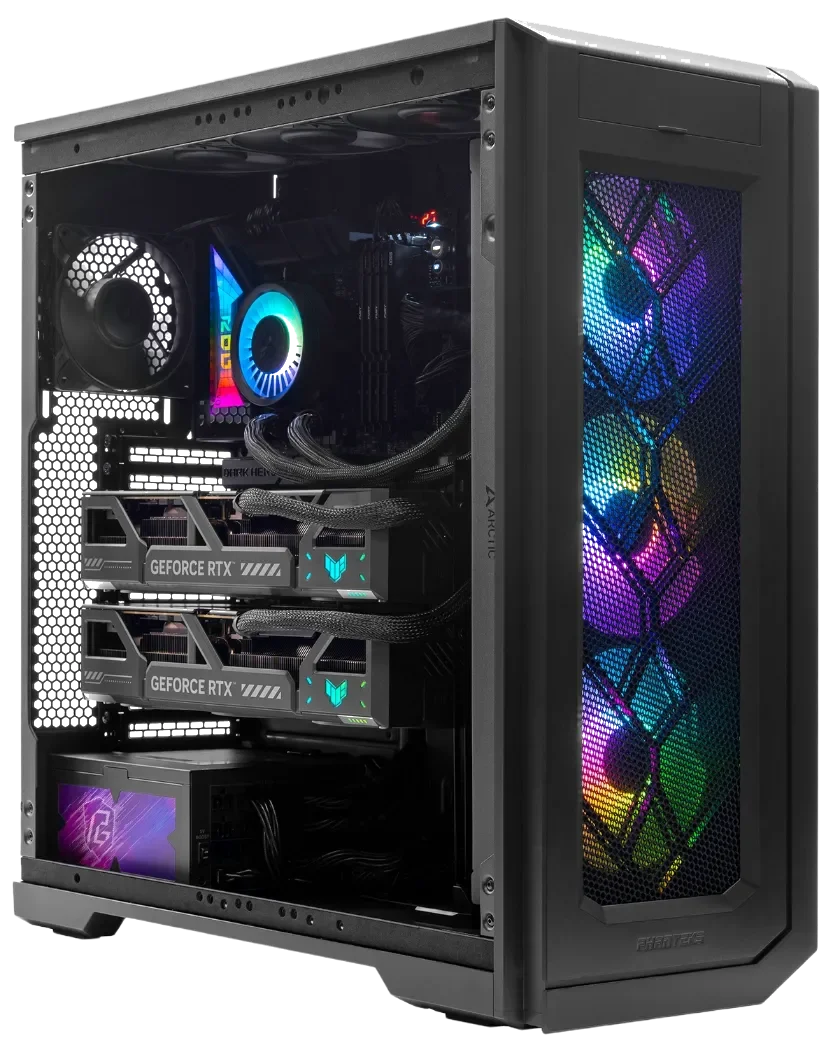
The GPU is the centerpiece, but the rest of the system determines whether it performs at its ceiling. An RTX 5090 or RTX 5080 paired with an undersized PSU, a bandwidth-limited motherboard, or a display that tops out at 144 Hz leaves real performance on the table. From what we see in the shop, these surrounding components are where builds most often fall short.
System Requirements for RTX 50 Series Builds
Power Supply Requirements
The RTX 5090 carries a 575 W TDP, and NVIDIA specifies a 1,000 W PSU as the minimum for a complete system. In practice, we recommend 1,200 W for any build that includes overclocking headroom or a high-core-count CPU. The RTX 5080 is more manageable at 360 W TDP, and an 850 W unit covers a typical system build comfortably. An 80 Plus Gold or Platinum unit at 1,200 W keeps heat output and power draw reasonable under sustained load.
- RTX 5090: 1,000 W minimum, 1,200 W recommended (overclocking headroom)
- RTX 5080: 850 W minimum, 1,000 W recommended for high-end CPU pairings
Motherboard, Connectivity, and Display
Both the RTX 5090 and RTX 5080 are the first consumer GPUs to use PCIe 5.0 connectivity. A PCIe 4.0 slot will run either card, but at reduced bandwidth. For a build centered on 4K high-refresh performance, a PCIe 5.0 motherboard is the correct pairing.
On the display side, Multi Frame Generation at 4K only delivers its full benefit on a monitor that can actually render the output. A 240 Hz 4K panel is the practical target for current MFG builds. Both cards support DisplayPort 2.1, which handles 4K 12-bit HDR at up to 480 Hz, so the interface is not the bottleneck. The monitor is.
CPU Pairing
MFG generates frames on the GPU, but the CPU still feeds the render pipeline. A slow CPU creates a latency floor that MFG cannot fix. We pair RTX 5090 builds with a current-generation Intel Core Ultra or AMD Ryzen 9 processor to keep the CPU from becoming the constraint. For RTX 5080 builds, a mid-to-high-tier CPU from the same generation is sufficient. The goal is a balanced system where no single component is waiting on another.
RTX 5090 Build vs. RTX 5080 Build: Where the Money Goes
The RTX 5090 and RTX 5080 launched on January 30, 2025, at MSRPs of $1,999 and $999 respectively. That $1,000 gap is the first question every customer asks us, and the honest answer is that the right choice depends on what you are actually doing at the desk, not on which number sounds more impressive.
RTX 5090 VRAM (512-bit bus)
The 5090 carries 32 GB of GDDR7 on a 512-bit bus with roughly 1,792 GB/s of memory bandwidth, headroom for large texture sets, AI workflows, and heavy path tracing.
RTX 5080 VRAM (256-bit bus)
The 5080 runs 16 GB on a 256-bit bus at around 960 GB/s, sufficient for 4K gaming with DLSS 4 active, but a real constraint in VRAM-heavy professional workloads.
RTX 5090 AI Throughput
The 5090 delivers 3,352 AI TOPS against the 5080’s 1,801 AI TOPS. That AI throughput advantage is what lets the 5090 sustain higher quality DLSS output at extreme resolutions.
In native 4K rasterization, the 5090 leads the 5080 by roughly 45 to 55 percent across most titles, with some games showing gaps as wide as 69 percent. That is a meaningful difference if you are targeting 120-plus fps at 4K without leaning on frame generation. If your target is 60 to 80 native fps as a base for MFG to multiply, the 5080 gets you there in the majority of current titles.
RTX 5090
Three Use Cases That Justify the Premium
Content creators working with large texture sets, 3D renders, or AI-assisted workflows will use all 32 GB of VRAM regularly. Path-tracing enthusiasts running Cyberpunk 2077 or Alan Wake 2 at full fidelity need the bandwidth headroom to avoid frame-time spikes. Long-term buyers who want a single GPU to remain competitive for five or more years without a mid-cycle upgrade have a reasonable case for the top card.
Best for: creators, path-tracing enthusiasts, and buyers planning a 5+ year platform.
RTX 5080
The More Practical Platform for Most Builds
The 5080 handles 4K high-refresh gaming with DLSS 4 MFG enabled, runs comfortably within a 360 W TDP, and leaves budget for a stronger CPU, faster storage, or more RAM. If the 5080 feels like more than needed, the RTX 5070 Ti launched at $749 and represents a capable mid-tier alternative for 1440p-primary builds that still want Blackwell’s MFG architecture.
Best for: 4K gaming builds, high-refresh 1440p, and buyers who want Blackwell MFG without the 5090 price tag.
Decision
For most 4K gaming builds, the RTX 5080 is the right platform.
The RTX 5090 vs RTX 5080 question ultimately comes down to whether your workload saturates 16 GB of VRAM or demands the top tier of AI throughput. For pure gaming at 4K with DLSS 4 active, the 5080 closes most of that performance gap at half the GPU cost. The 5090 earns its price in path-traced workloads, large VRAM workflows, and long-horizon platform builds, not in everyday 4K gaming where MFG does the heavy lifting.
Frequently Asked Questions
No. DLSS 4 Multi Frame Generation, which generates up to three additional frames per rendered frame for a 4x total output, is exclusive to RTX 50 series Blackwell hardware. RTX 40 series cards supported DLSS 3 Frame Generation, a 2x output that added one frame per two rendered frames. What RTX 40 series owners do gain from DLSS 4 is the transformer model upgrade for Super Resolution, Ray Reconstruction, and DLAA, available via the NVIDIA App override at no cost. The frame multiplication itself cannot be patched in through software.
DLSS 4 Multi Frame Generation, which launched January 30, 2025, caps the multiplier at 4x, meaning three AI-generated frames per one rendered frame. DLSS 4.5, announced at CES 2026 and released March 31, 2026, raises that ceiling to 6x, producing five AI-generated frames per rendered frame. That shift delivers up to a 35% increase in 4K frame rates in path-traced titles on RTX 50 series hardware. DLSS 4.5 also introduced Dynamic Multi Frame Generation, which automatically adjusts the multiplier between 0x and 6x to hit a user-defined FPS target rather than locking it at a fixed rate.
Yes, in rasterized workloads the RTX 4090 still leads the RTX 5080 by roughly 16 to 24 percent at native 4K, meaning the 5080 delivers approximately 80 to 86 percent of the 4090’s raw speed. NVIDIA itself acknowledged at CES 2025 that the RTX 5080 is only 18 percent faster than the RTX 4080 in non-DLSS, non-Frame Generation raster performance. The 5080’s value proposition is built around DLSS 4 MFG as a consistent part of the workflow, not around matching or beating the 4090 at native resolution.
MFG increases FPS output but does not improve latency in the traditional sense. In some scenarios it introduces latency as high as 50 ms, though that ceiling is fixed and does not grow as the multiplier is raised from 2x to 4x or higher. DLSS Frame Generation mandates NVIDIA Reflex, which reduces CPU-side latency and partially offsets the cost. The practical result is that latency remains acceptable for most use cases once the base frame rate holds consistently above roughly 40 FPS, but competitive shooter players who rely on minimal input lag should weigh that tradeoff carefully before enabling MFG.
DLSS 4 launched on January 30, 2025 with support for 75 games and applications. That library grew to over 250 titles by early 2026. With the release of DLSS 4.5 on March 31, 2026, support expanded further to over 400 games and apps, making it one of the broadest same-day rollouts in the DLSS ecosystem’s history. Game-level implementation quality still varies, and the actual performance multiplier a player experiences depends on how well a specific title integrates the full DLSS pipeline alongside MFG.
NVIDIA specifies a 1,000 W power supply as the minimum for a complete RTX 5090 system, reflecting the card’s 575 W TDP. For any build that includes a high-core-count CPU or overclocking headroom, a 1,200 W unit rated 80 Plus Gold or Platinum is the more practical choice. The RTX 5090 and RTX 5080 are also the first consumer GPUs to use PCIe 5.0 connectivity, so pairing either card with a PCIe 5.0 capable motherboard ensures full bandwidth is available rather than running at the reduced throughput of a PCIe 4.0 slot.
Standard MFG locks the multiplier at a fixed value, such as 2x or 4x, regardless of how demanding a given scene is. Dynamic Multi Frame Generation, introduced with DLSS 4.5 and exclusive to RTX 50 series, automatically adjusts the multiplier anywhere between 0x and 6x in real time to hit a user-defined FPS target. It reads scene complexity and GPU load, then applies only as much AI interpolation as needed. Critically, it does not adjust the Super Resolution factor, so upscaling image quality stays consistent while the frame generation rate flexes. This prevents the GPU from burning unnecessary latency budget during lighter scenes that do not require maximum interpolation.
No. MFG operates on the output of the GPU’s render pipeline, so any frametime spikes introduced upstream, whether from CPU bottlenecks, shader compilation stutter, or VRAM pressure, pass through to the final displayed output unchanged. Tom’s Hardware testing confirmed that frametime spikes in the base rendering still appear as spikes with MFG enabled. This is one of the clearest arguments for ensuring the rest of the system is well-balanced before relying on MFG. A fast GPU paired with a slow CPU or insufficient RAM creates a latency floor that no amount of AI frame interpolation can eliminate.
Need Help Choosing the Right PC?
ArsenalPC is based in Willoughby, Ohio with 27+ years of custom PC building experience. Every RTX 50 Series build is tested, tuned, and backed by our in-house support team. Whether you’re targeting 4K path tracing with an RTX 5090 or a high-refresh DLSS 4 build around the RTX 5080, we’ll help you configure the right system for your workload and budget.
- Phone: 866-277-3627 (Toll-Free) | 440-602-7090 (Local)
- Email: Contact Form
- Visit: 4711 E355 St, Willoughby, OH 44094
- Hours: Mon-Fri 10AM-6PM, Sat 11AM-3PM