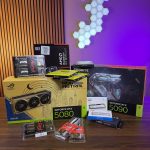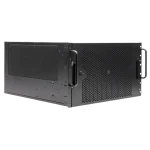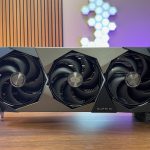

What Is a 6U Rackmount Dual RTX 5090 Threadripper Workstation?
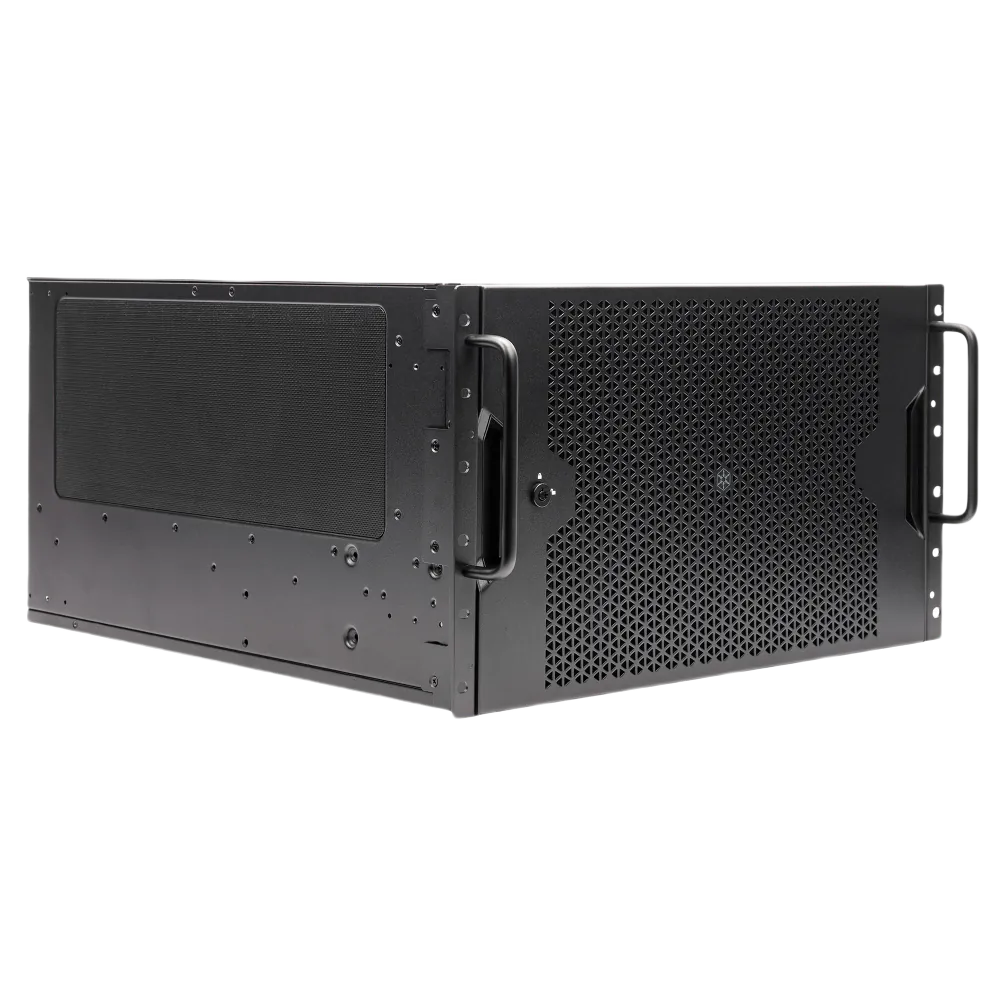
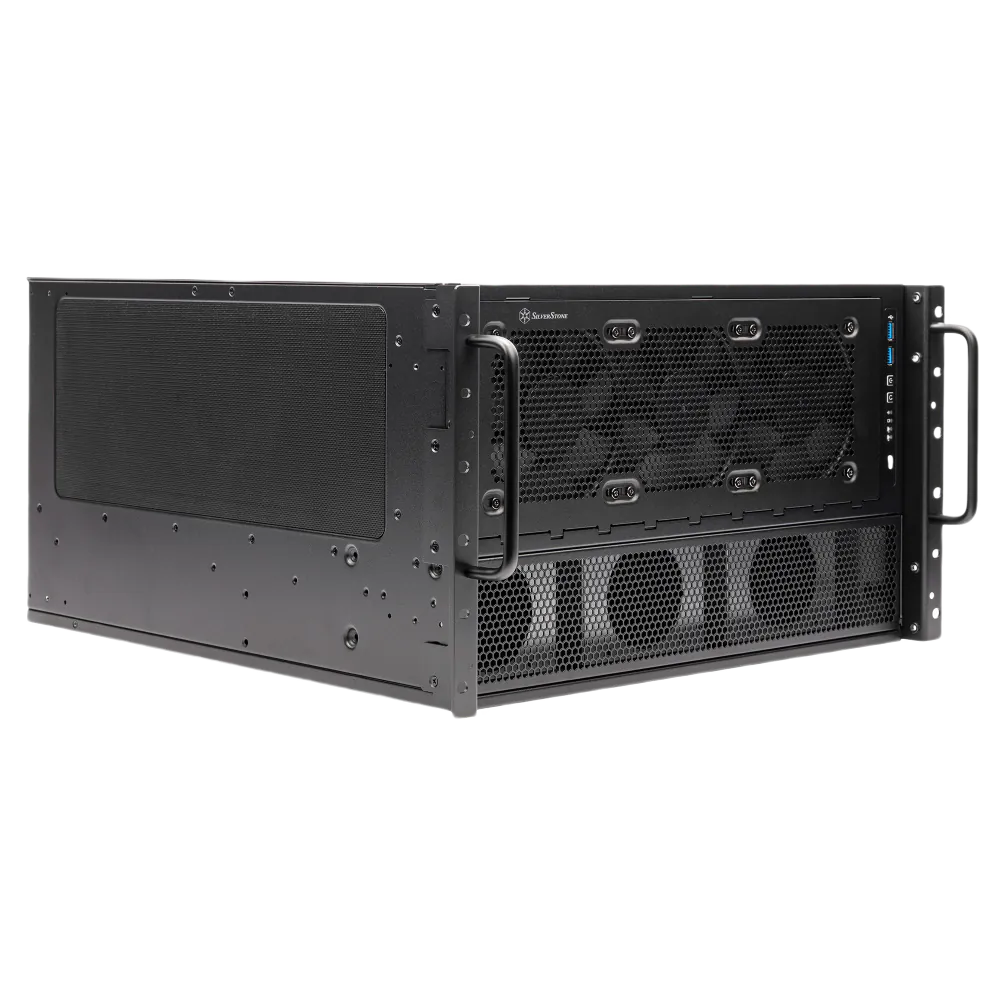
A 6U rackmount dual RTX 5090 workstation occupies six rack units of vertical space in a standard 19-inch equipment rack. One rack unit equals 1.75 inches, so a 6U chassis stands 10.5 inches tall. That is meaningfully different from a tower workstation sitting on a desk, and it is also different from a true enterprise server.
A tower offers open airflow and easy access but consumes floor space and cannot be centrally managed in a rack environment. A purpose-built server prioritizes density and remote management but typically ships with workstation-hostile GPU support. The 6U rackmount workstation sits between those two worlds: rack-mountable for datacenter or server-room deployment, but configured around professional GPU compute rather than storage density or network throughput.
The 6U form factor earns its keep through thermal geometry. Rackmount enclosures use high-pressure axial fans pushing air front-to-back, which makes blower-style and passive GPU coolers viable even at high TDPs. A 6U chassis gains vertical clearance over a 4U design, allowing slightly more relaxed airflow paths while still requiring forced, datacenter-style front-to-back cooling.
That extra headroom matters when you are running two RTX 5090 cards, each rated at 575W, alongside a Threadripper CPU drawing up to 350W. Our ZEUS 6U ships standard with a 2,000W power supply and requires 200V power, with dual PSU support built into the chassis for redundancy.
CPU Platform: HEDT vs. PRO
The Threadripper 7000 HEDT lineup spans the 7960X at 24 cores, the 7970X at 32 cores, and the 7980X at 64 cores, all running at 350W TDP. For dual RTX 5090 builds, however, the Threadripper PRO 7000 WX-Series on the WRX90 platform is the recommended foundation. The PRO platform provides the PCIe lane count and memory channel width that two high-bandwidth GPUs actually require. The HEDT lineup is covered later in this guide for completeness, but if you are configuring a dual-GPU rackmount system, PRO is the correct starting point.
Who Buys This Class of Machine
The AI Founder
Local LLM inference without cloud costs
AI startup founders need inference and fine-tuning capacity without committing to cloud GPU costs at scale. This configuration delivers the VRAM and TOPS to run 7B, 13B models on-premises continuously.
Priority: Combined VRAM + AI TOPS
The IT Director
On-premises compute in an existing rack
IT directors at mid-size firms want on-premises compute they can rack alongside existing infrastructure, managed, physical, and not subject to cloud pricing volatility.
Priority: Rack form factor + manageability
The VFX Studio
GPU memory and rendering throughput at scale
VFX studios need GPU memory and rendering throughput for scene complexity that consumer cards cannot handle. The 6U rackmount fits standard studio server racks without a custom enclosure.
Priority: VRAM pool + CPU core count
The Simulation Engineer
FEA, CFD, and generative design in one box
Engineering simulation teams running FEA, CFD, or generative design workloads need both CPU core count and GPU VRAM in a single system they can physically control.
Priority: CPU cores + GPU VRAM
What these buyers share is a need for a machine that performs under sustained full load, not just in a benchmark run, and that fits inside a rack they already own or plan to deploy.
Why Threadripper for a Dual GPU Rackmount Build?
The short answer is PCIe lanes. Running two RTX 5090 cards at full x16 electrical bandwidth requires a platform that can actually deliver it without forcing one GPU onto a shared or reduced-width slot. Most consumer and mainstream workstation platforms cannot do this. Threadripper can, and that single fact drives the platform decision before anything else is considered.
AMD’s Threadripper 7000 Series is built on the Zen 4 architecture, fabbed on TSMC’s 5nm process, and uses the sTR5 socket. All chips in the family support DDR5-5200 ECC RDIMM memory. The Zen 4 core design delivers a 13% IPC uplift over Zen 3, which matters for workloads that mix CPU preprocessing with GPU inference, not just for raw thread counts.
Two Platforms, One Socket
Within the Threadripper 7000 family, there are two distinct platforms to understand before going further. The HEDT platform uses the TRX50 chipset and provides up to 80 PCIe lanes total: 48 PCIe 5.0 lanes directly from the CPU plus 24 PCIe 4.0 lanes from the chipset. That lane budget is sufficient for dual x16 GPU slots, NVMe storage, and a 10GbE or InfiniBand card without compromise.
The PRO platform uses the WRX90 chipset and steps up to 8-channel memory and enterprise-class manageability features. It also expands PCIe 5.0 connectivity further, which matters when the build includes additional accelerators, high-speed storage arrays, or capture cards alongside the two GPUs. AMD positioned the PRO 7000 WX-Series to handle generative design, complex simulation, large-scale compilation, and cinematic rendering, with core counts reaching up to 96.
For a dual RTX 5090 rackmount build, the 8-channel memory architecture of the PRO platform is a meaningful advantage. AI inference and rendering pipelines both benefit from sustained memory bandwidth, and 8-channel DDR5 ECC RDIMM configurations deliver substantially more bandwidth than 4-channel alternatives.
ECC also matters here: in a production or near-production environment, silent memory errors are a real risk, and ECC eliminates them. A processor like the Threadripper PRO 7985WX illustrates the ceiling of this platform: 64 cores, 128 threads, a 5.1 GHz boost clock, 256 MB of L3 cache, and a 350W TDP. That is the kind of CPU headroom that keeps the processor from becoming a bottleneck when both GPUs are saturated simultaneously. The deeper comparison between HEDT and PRO configurations follows in the next section.
Threadripper 7000 HEDT vs Threadripper PRO 7000 WX: Which Platform for Dual GPU?
The choice between Threadripper 7000 HEDT (TRX50) and Threadripper PRO 7000WX (WRX90) is the first real fork in the road for a multi-GPU build. Both platforms run the same Zen 4 core architecture. The differences are in PCIe lane count, memory capacity, ECC support, and slot topology, and those differences matter a great deal once you add a second RTX 5090.
Platform Comparison at a Glance
Threadripper 7000 HEDT (TRX50)
Threadripper PRO 7000 WX (WRX90)
The 7985WX and 7995WX sit on the WRX90 platform exclusively. The 7995WX is the flagship: 96 cores, 192 threads, and 384 MB of L3 cache. For inference and fine-tuning workloads that benefit from high thread counts feeding two GPUs simultaneously, that core density is genuinely useful rather than speculative.
Why WRX90 Wins for Dual GPU
The WRX90 platform delivers 128 PCIe 5.0 lanes directly from the CPU. That is enough bandwidth to run two GPUs at full x16 electrical width with lanes left over for NVMe storage and other peripherals. TRX50 provides 48 PCIe 5.0 lanes from the CPU plus 24 PCIe 4.0 lanes from the chipset. For a single high-end GPU that is workable, but a dual RTX 5090 configuration under full load will compete for bandwidth in ways that show up in real throughput numbers.
WRX90 motherboards also carry a full bank of PCIe x16 physical slots, which gives us clean placement options for two full-length, triple-slot cards inside a 6U chassis. TRX50 boards vary more in slot layout, and some configurations force one GPU onto a shared or reduced-width electrical connection. For a Threadripper PRO WRX90 dual GPU build, that slot flexibility is not a minor convenience; it is a prerequisite for consistent performance.
Memory support is the other decisive factor. WRX90 supports 8-channel DDR5-5200 ECC RDIMM with a maximum capacity of 2TB. ECC is mandatory for mission-critical and data-integrity-sensitive workloads, and 2TB of addressable system memory matters when model weights and activation data need to spill beyond GPU VRAM. TRX50 does not support ECC in the same way and caps out well below that memory ceiling.
TRX50 is a viable platform for lighter dual-GPU use, particularly when budget is a primary constraint and the workload does not demand ECC or maximum lane count. For this specific build, a 6U rackmount system running dual RTX 5090s under sustained AI or rendering load, WRX90 is the correct platform. The engineering headroom it provides is not excess; it is what keeps the system stable when both GPUs are fully saturated.
RTX 5090 Specs and Why Two Cards Change the Math
The RTX 5090 launched January 30, 2025 on NVIDIA‘s Blackwell architecture. The core specs: 21,760 CUDA cores, 680 fifth-generation Tensor Cores, 32 GB GDDR7 on a 512-bit bus, 1,792 GB/s memory bandwidth, approximately 104.8 TFLOPS FP32, a 2.41 GHz boost clock, and a 575W TDP. That memory bandwidth figure is the one that matters most for AI workloads. It represents a 78% improvement over the RTX 4090’s roughly 1,008 GB/s, which is a meaningful generational step for inference throughput on large models.
At FP4 sparse precision, a single RTX 5090 delivers 3,352 AI TOPS. That number is significant on its own. In a dual RTX 5090 AI training workstation on-premises, the combined figure reaches 6,704 AI TOPS, which ArsenalPC’s positioning places well above a single RTX A6000 Blackwell by approximately 67%. The 64 GB of combined GDDR7 VRAM is equally important: it opens the door to model sizes that a single 32 GB card simply cannot hold in memory.
Memory Bandwidth (Single RTX 5090)
A 78% improvement over the RTX 4090’s ~1,008 GB/s, the single most important number for AI inference throughput on large models.
Combined AI TOPS at FP4 Sparse (Dual RTX 5090)
Approximately 67% more compute than a single RTX PRO 6000 Blackwell, placing dual RTX 5090 firmly in H100-class territory for inference workloads.
Combined GDDR7 VRAM (Dual RTX 5090)
Opens the door to 7B, 13B models at full precision and 30B, 70B models at 4-bit or 8-bit quantization, model sizes a single 32 GB card cannot hold.
Real-World Dual-GPU Performance
From our own build and testing data, dual RTX 5090 configurations show 1.5 to 2.2x performance gains over a single card across most AI tasks. The higher end of that range appears primarily in FP4-optimized workloads. It is worth being direct here: this figure comes from ArsenalPC‘s internal build data and has not been independently corroborated by third-party benchmarks at time of publication. Training workloads using PyTorch Distributed Data Parallel reach 85 to 92% dual-GPU efficiency, which is a strong result for a PCIe-connected configuration.
The NVLink Absence: What It Actually Means
Where PCIe Is Sufficient
Inference and fine-tuning on 7B, 13B models
For inference and fine-tuning on 7B to 13B parameter models, the PCIe limitation is largely academic: the workload is not saturating the interconnect in the first place. The Threadripper platform provides the lane count to run both cards at full x16 electrical, and PCIe 5.0 helps close the gap further.
Best for: inference, fine-tuning, mixed CPU/GPU compute pipelines.
Where NVLink Would Matter
Large-batch multi-GPU training workloads
The RTX 5090 does not support NVLink. Multi-GPU communication is limited to PCIe bandwidth. This matters most for large-batch multi-GPU training workloads that are tightly coupled and communication-heavy. For those workloads, the right answer is a different platform entirely, not this configuration.
Best for: teams whose primary workload is large-scale distributed training across many GPUs.
The practical takeaway is that the NVLink absence is a real architectural constraint, not a marketing footnote. For the workloads where dual RTX 5090 excels, it is not a blocking issue. For workloads that genuinely require NVLink-class interconnect, the right answer is a different platform entirely.
The Engineering Challenges Nobody Talks About
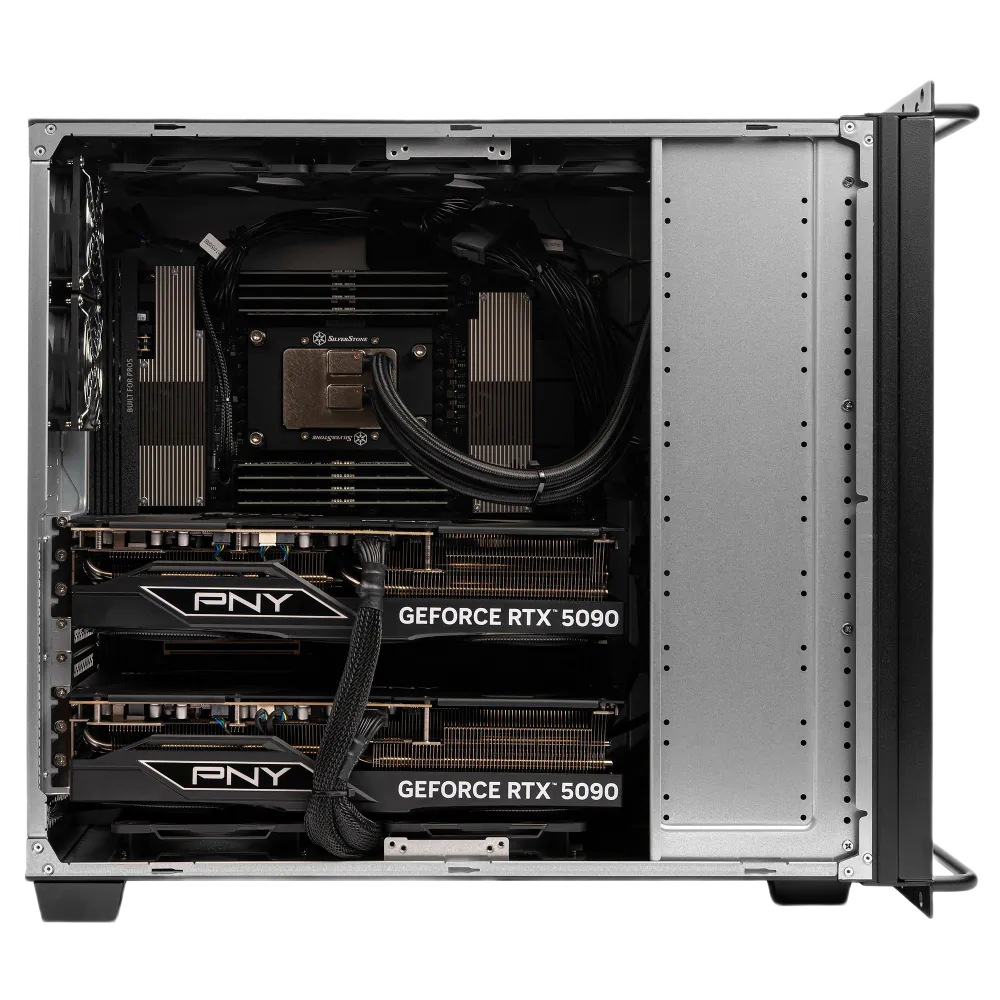
Most integrators will quote you a dual RTX 5090 Threadripper build without ever running it at full load. We have, and the experience clarifies a set of problems that spec sheets do not surface. These are not edge cases. They are predictable physics that every serious builder needs to solve before a system ships.
Engineering Challenges: What Full-Load Testing Reveals
Physical Slot Reality and Cooling Geometry
The RTX 5090 Founders Edition is a three-slot card with a dual flow-through fan design. Every aftermarket AIB card we have handled extends into a fourth slot in practice, which changes the spacing math inside a 6U chassis immediately. With two cards installed, you are accounting for eight or more slots of combined physical footprint, and the gap between cards shrinks to the point where the lower card’s exhaust becomes the upper card’s intake if the cooling shroud geometry is not managed deliberately. We fabricate custom airflow shrouds on our dual-GPU rackmount builds specifically because of this. No off-the-shelf solution handles it cleanly.
Dual RTX 5090 Power Supply Requirements
Power delivery is where most builds fail silently. NVIDIA specifies a 1,000W minimum PSU for a single RTX 5090 system, and the card draws through a 16-pin 12V-2×6 connector. Scale to two cards and the floor rises sharply. Our own build data puts the stable minimum at 1,600W with dual native PCIe 5.0 cables, no adapters. Puget Systems has reported needing a 2,800W supply for their specific dual RTX 5090 Threadripper PRO configuration, which in turn requires a 200 to 240V dedicated circuit. The ASUS Pro WS Platinum PSU series, launched June 2025, addresses this tier directly, spanning 1,600W, 2,200W, and 3,000W, with gold-plated copper PCIe connector pins that run at lower operating temperatures under sustained load. Connector thermal stress is a real failure mode, not a theoretical one.
Thermal Load and Acoustic Reality
Two RTX 5090s under full AI training load produce approximately 1,150W of heat. In a 6U rackmount chassis, that means high-velocity fans running continuously; expect 60 to 75 dB of sustained noise under load. That range is incompatible with shared office environments. A dedicated server room or at minimum a walled-off equipment closet is a practical requirement, not a preference.
Full-load testing before delivery is non-negotiable for us. We run every dual-GPU rackmount system through sustained AI workloads in the shop, log thermals, check connector temperatures, and verify stability under the power draw the customer’s actual workload will produce. A system that passes a 10-minute stress test and fails at hour six is not a finished product.
Who Should Buy This Configuration?
This build is not a general-purpose workstation with a couple of fast GPUs bolted in. It is a purpose-built compute platform, and the buyers who get the most from it share a common profile: they have workloads that saturate GPU memory, they run those workloads continuously, and they have already done the math on cloud GPU spend versus owned hardware.
The Buyer Personas We See Most Often
- AI startups running local LLM inference. Teams deploying 7B to 13B parameter models on-premises are the strongest fit. Combined, dual RTX 5090 delivers 6,704 AI TOPS at FP4 sparse, which we calculate as roughly 67% more compute than a single RTX PRO 6000 Blackwell. For inference at these model sizes, that headroom is real and usable.
- VFX studios doing CPU and GPU rendering. Threadripper PRO gives you 96 cores for CPU rendering in Blender or V-Ray while both GPUs handle GPU render passes simultaneously. The 6U rackmount form factor fits standard studio server racks without a custom enclosure.
- Engineering firms running simulation. FEA and CFD workloads that can be GPU-accelerated benefit from the raw VRAM pool. Workloads that stay CPU-bound benefit from Threadripper PRO’s memory bandwidth and core count. This configuration handles both without compromise.
- IT directors building an on-premises alternative to cloud GPU spend. A single H100 PCIe card costs $25,000 to $40,000 new, and cloud H100 instances add ongoing hourly costs on top of that. For research, prototyping, and small-to-medium production workloads, we find that dual RTX 5090 delivers approximately 80% of H100 throughput at roughly 20% of the hardware cost.
Where the Economics Hold, and Where They Don’t
The RTX 5090 vs H100 cost per TOPS comparison is compelling, but it is workload-dependent. The 80% throughput figure is strongest for 7B to 13B model inference and practical fine-tuning runs. It narrows for large-batch multi-GPU training, where NVLink’s interconnect bandwidth and the H100 SXM5’s 3,350 GB/s memory bandwidth create advantages that PCIe-connected consumer GPUs cannot fully replicate.
We are transparent about that distinction because building the wrong system for a customer’s workload is a problem we would rather solve before the order is placed.
How to Configure Your 6U Rackmount Dual RTX 5090 Threadripper Build
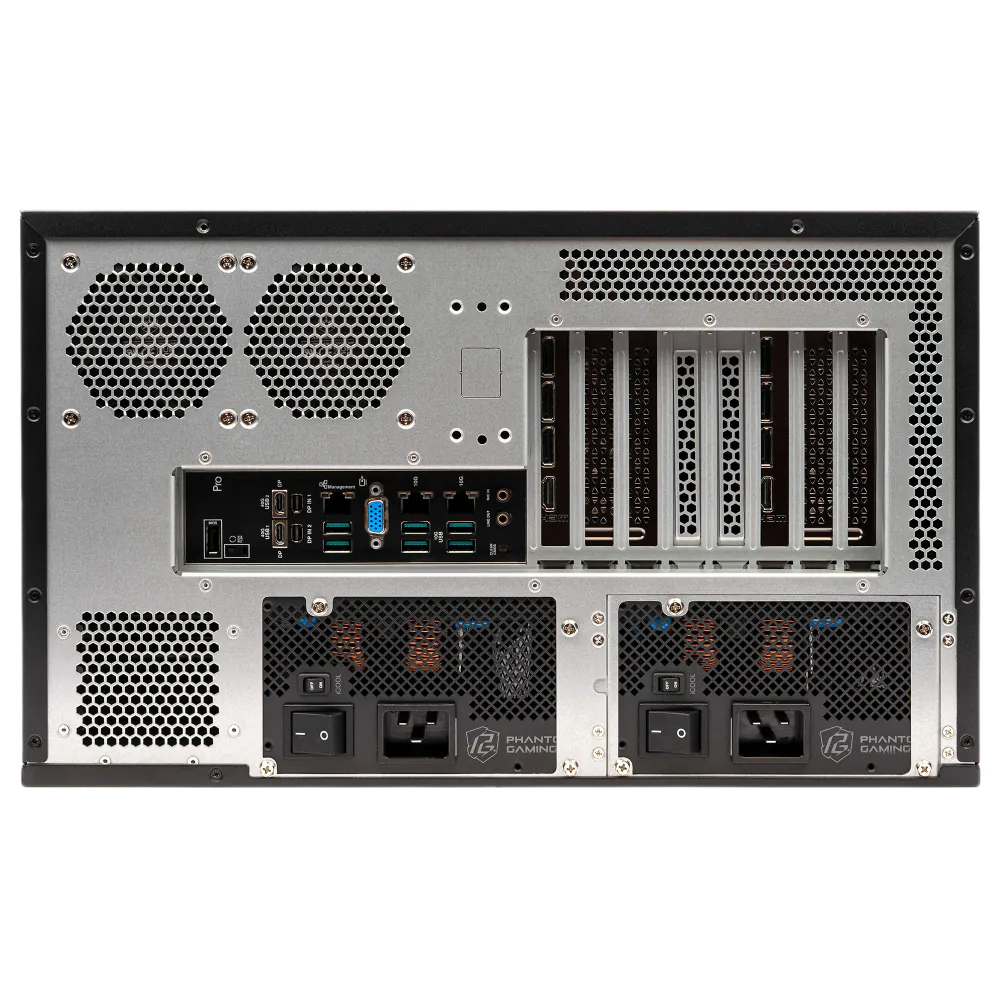
Knowing how to configure a Threadripper rackmount AI workstation correctly means making decisions in the right order: CPU tier first, then memory, storage, and power. Getting the sequence wrong leads to bottlenecks that no GPU upgrade can fix after the fact.
CPU Tier Selection
For dual RTX 5090 builds, the WRX90 platform with a Threadripper PRO CPU is the correct foundation. The platform supports 128 PCIe 5.0 lanes, which is what you need to feed two full-bandwidth x16 GPU slots without lane-sharing compromises. The TRX50 platform works for single-GPU or light dual-GPU setups, but for any build requiring maximum PCIe lane count or more than two GPUs, WRX90 is the only answer.
| Workload Profile | Recommended CPU / Platform | Result |
|---|---|---|
| Inference + fine-tuning, 7B, 13B models | Threadripper PRO 7985WX (64 cores) / WRX90 | Do It Covers most inference and fine-tuning workloads with full PCIe 5.0 x16 x16 bandwidth. |
| CPU preprocessing + GPU inference concurrently | Threadripper PRO 7995WX (96 cores) / WRX90 | Do It 96 cores prevent CPU-side bottlenecks when tokenization and preprocessing run alongside GPU inference. |
| Single GPU or light dual-GPU, budget-constrained | Threadripper 7970X or 7980X / TRX50 | Maybe Workable for lighter loads, but ECC and lane count limitations apply at scale. |
| Large-scale distributed training, NVLink required | H100 cluster platform | Skip This configuration is the wrong tool for tightly coupled multi-GPU training. |
Memory and Storage
The WRX90 platform supports 8-channel DDR5-5200 ECC RDIMM memory with a maximum capacity of 2TB. For most 7B to 13B model workflows, 256GB to 512GB is the practical starting point. Teams running multiple concurrent fine-tuning jobs or large dataset pipelines should configure 768GB or more from the outset, since adding DIMMs later requires a full teardown on a populated rackmount chassis.
Storage tier matters more than most buyers expect. NVMe Gen4 or Gen5 drives are the correct choice for dataset throughput. A slow storage subsystem creates a data-starvation bottleneck during training, where the GPUs sit idle waiting on reads. We recommend at least one Gen5 NVMe for the active dataset volume and a secondary Gen4 drive for the OS and checkpoints.
The Gem: 8-Channel ECC RDIMM
WRX90’s 8-channel DDR5-5200 ECC RDIMM support delivers substantially more memory bandwidth than 4-channel alternatives, and ECC eliminates silent memory errors in production environments.
The Catch: 200V Circuit Required
Our ZEUS 6U requires a 200V dedicated circuit. A standard 120V office outlet will not support this build under full load, confirm facility power before ordering.
The Stack: Validated OS + Software
CUDA 12.8+, PyTorch 2.7+, and Ubuntu 22.04 or 24.04 LTS are our validated production targets. Windows 11 Pro for Workstations is supported for mixed creative and compute workflows.
Power and OS Requirements
Our ZEUS 6U chassis ships with a 2,000W power supply and supports dual PSUs for redundancy. The system requires a 200V circuit, which is a hard facility requirement to confirm before ordering. A standard 120V office outlet will not support this build under full load.
- CUDA 12.8 or later is required for full Blackwell architecture support
- PyTorch 2.7 or later is required for RTX 5090 tensor core utilization
- Ubuntu 22.04 LTS or 24.04 LTS are our validated OS targets for production inference stacks
- Windows 11 Pro for Workstations is supported for mixed creative and compute workflows
Decision
For most buyers, start with the Threadripper PRO 7985WX on WRX90 with 512 GB ECC RDIMM and a Gen5 NVMe dataset volume.
This configuration covers the vast majority of inference and fine-tuning workloads without over-speccing CPU cores. Step up to the 7995WX only when CPU-side preprocessing or simulation workloads run concurrently with GPU inference at scale. Our configuration team works through these decisions with you directly; we validate every dual RTX 5090 Threadripper configuration against our in-house thermal and power data before it ships.
Frequently Asked Questions
Does this require a dedicated server room?
Not strictly, but it is strongly recommended. Rackmount systems under full load generate 60 to 75 dB of continuous fan noise. That is roughly equivalent to a loud vacuum cleaner running without pause. Shared office environments are not practical for this hardware. A dedicated server closet, data room, or colocation space is the right home for a 6U dual-GPU rackmount build.
What power circuit do I need?
Plan for a 200 to 240V dedicated circuit. Puget Systems reported a 2,800W power supply requirement for their specific dual RTX 5090 Threadripper PRO configuration, and that figure is consistent with what we see in our own shop for similarly specced builds. That said, the exact wattage is configuration-dependent. Verify the requirement against your own PSU and chassis spec sheets before committing to an electrical installation. A licensed electrician should confirm circuit capacity before the system arrives.
Can I run it in an office?
Only if the office has a separate enclosed equipment room with its own ventilation. The noise and heat output rule out open-plan placement. If you are running this system in a small business or studio setting, budget for a rack enclosure with sound dampening or a dedicated wiring closet with active cooling.
Does it support NVLink?
No. The RTX 5090 does not support NVLink. Multi-GPU communication in this configuration runs over PCIe bandwidth only. That is a real constraint for large-batch multi-GPU training workloads where NVLink’s direct GPU-to-GPU bandwidth would otherwise help. For inference and fine-tuning across both GPUs, PCIe bandwidth is sufficient in most practical workloads.
What AI models fit in 64 GB of combined VRAM?
Two RTX 5090 cards provide 64 GB of combined GDDR7 VRAM when both GPUs are addressed together. That headroom comfortably covers 7B and 13B parameter models at full precision, and extends to 30B to 70B models at 4-bit or 8-bit quantization. Full-precision inference on 70B models will exceed 64 GB. For those workloads, quantization is required or a higher-VRAM configuration should be considered.
Frequently Asked Questions
For practical fine-tuning on 7B to 13B parameter models, dual RTX 5090 delivers roughly 80% of H100 PCIe throughput at approximately 20% of the hardware cost, since a single H100 PCIe card runs $25,000 to $40,000 new. The advantage is strongest when the workload fits within 64 GB of combined GDDR7 VRAM and does not require the H100 SXM5’s 3,350 GB/s HBM bandwidth. For teams running continuous fine-tuning jobs rather than large-scale distributed training, the cost-per-useful-TOPS math strongly favors the dual RTX 5090 configuration.
The TRX50 platform provides 48 PCIe 5.0 lanes from the CPU plus 24 PCIe 4.0 lanes from the chipset, which creates lane-sharing pressure when two RTX 5090 cards each need full x16 electrical bandwidth simultaneously. The WRX90 platform delivers 128 PCIe 5.0 lanes directly from the CPU, enough to run both GPUs at full x16 width with lanes remaining for NVMe storage and peripherals. WRX90 also adds 8-channel DDR5-5200 ECC RDIMM support and up to 2TB of addressable system memory, both of which matter when model weights spill beyond GPU VRAM.
In PyTorch Distributed Data Parallel training, dual RTX 5090 configurations reach 85 to 92% dual-GPU efficiency relative to a single card. That is a strong result for a PCIe-connected setup without NVLink, and it reflects the fact that DDP’s gradient synchronization overhead is manageable at this scale. Efficiency narrows for very large batch sizes or tightly coupled all-reduce operations where NVLink’s direct GPU-to-GPU bandwidth would otherwise reduce synchronization latency. For most fine-tuning and moderate training runs, the 85 to 92% efficiency range means both cards are doing productive work nearly all of the time.
A 200 to 240V dedicated circuit is required, but whether that means a residential or commercial installation depends on the amperage your facility can supply. The ArsenalPC ZEUS 6U ships with a 2,000W power supply requiring 200V, while some configurations such as Puget Systems’ dual RTX 5090 Threadripper PRO build have reported needing up to 2,800W, which demands a higher-amperage circuit. A licensed electrician should verify that the breaker, wiring gauge, and outlet type match the PSU’s rated draw before the system arrives. Do not assume a standard 20-amp 240V dryer outlet is sufficient without confirming the load calculation.
A single RTX 5090 delivers 1,792 GB/s of GDDR7 memory bandwidth, which is a 78% improvement over the RTX 4090 and competitive for inference on models up to 13B parameters at full precision. The H100 SXM5’s 3,350 GB/s HBM bandwidth is nearly double that figure and becomes a meaningful advantage for very large models or extremely high token-throughput production deployments. For most research, prototyping, and small-to-medium production inference workloads, the RTX 5090’s bandwidth is sufficient. The gap widens primarily when serving many concurrent users at low latency on 30B-plus parameter models without quantization.
The 16-pin 12V-2×6 connector runs hot under sustained high-wattage AI workloads even with native cables. Adapter cables introduce additional resistance at each connection point, which raises connector temperatures further and increases the risk of thermal stress, intermittent power delivery, or connector failure under the sustained 575W per card draw that AI training produces. ASUS’s Pro WS Platinum PSU series addresses this with gold-plated copper PCIe connector pins rated for lower operating temperatures. For a dual RTX 5090 build running continuous workloads, native dual PCIe 5.0 cables from a purpose-rated PSU are not optional; they are a reliability requirement.
The Threadripper PRO 7995WX provides 96 cores and 192 threads at a 5.1 GHz boost clock, with 384 MB of L3 cache and 8-channel DDR5-5200 ECC RDIMM memory bandwidth. For AI pipelines, the practical benefit is that tokenization, data preprocessing, and CPU-side batching can run at full throughput concurrently with GPU inference without either workload starving the other. The 13% IPC uplift of Zen 4 over Zen 3 also means single-threaded preprocessing steps complete faster, reducing the window where GPUs sit idle waiting on CPU-side work. Teams running simulation or rendering alongside inference see the most direct benefit from the full 96-core configuration.
Full Blackwell architecture support requires CUDA 12.8 or later, and RTX 5090 Tensor Core utilization in PyTorch requires version 2.7 or later. Running older CUDA or framework versions will result in the GPU falling back to less efficient execution paths, leaving FP4 and fifth-generation Tensor Core performance on the table. For Linux-based inference stacks, Ubuntu 22.04 LTS or 24.04 LTS are validated production targets. Windows 11 Pro for Workstations is supported for mixed creative and compute workflows. Confirming that your inference framework, such as vLLM or TensorRT-LLM, has published Blackwell support before ordering is a worthwhile step.
Need Help Configuring a Dual RTX 5090 Rackmount Build?
ArsenalPC has been building custom workstations in Willoughby, Ohio for 27 years. Every dual RTX 5090 Threadripper configuration we ship is validated under full sustained load in our shop, thermals logged, connector temperatures checked, power draw verified against your actual workload. We do not ship a system that passes a 10-minute stress test and fails at hour six.
- Phone: 866-277-3627 (Toll-Free) | 440-602-7090 (Local)
- Email: Contact Form
- Visit: 4711 E355 St, Willoughby, OH 44094
- Hours: Mon-Fri 10AM-6PM, Sat 11AM-3PM