

To run a local LLM at full speed, your VRAM has to hold three things at once: the model file, the KV cache for your context, and up to 1 GB of runtime overhead. Once layers spill into system RAM, speed drops sharply.
Some sizing guides and calculators get these numbers wrong. The Hugging Face GGUF release of Llama 3.3 70B lists 42.5 GB at Q4_K_M for the weights alone. NVIDIA’s RTX 5090 has 32 GB, so the most common 70B quant won’t fit on a single flagship card.
VRAM needed by model size and quantization
At FP16, weights take about 2 GB per billion parameters. At Q4_K_M they take about 0.6 GB, so a 7B model needs about 4.3 GB and a 405B model needs about 245 GB. The 70B row uses measured GGUF file sizes. The 70B and 405B FP16 figures are Meta and Hugging Face’s official weight sizes. Every other cell is our estimate, scaled from the 70B file ratios.
| Model (GB) | FP16 | Q8_0 | Q5_K_M | Q4_K_M |
|---|---|---|---|---|
| 7B (est.) | 14 | 7.5 | 5 | 4.3 |
| 13B (est.) | 26 | 14 | 9 | 8 |
| 32B (est.) | 64 | 34 | 23 | 19.5 |
| 70B (FP16 official, rest measured) | 140 | 75 | 49.9 | 42.5 |
| 405B (FP16 official, rest est.) | 810 | 430 | 285 | 245 |
Our Q4_K_M figures run larger than Meta’s INT4 figures. Meta and Hugging Face list 203 GB for 405B at INT4, but we estimate Q4_K_M at about 245 GB because K-quants keep some tensors at higher precision.
bartowski’s Llama 3.3 70B set goes below Q4_K_M, down to 16.8 GB at IQ1_M. Its IQ2_XXS build is 19.1 GB, so it fits a 32 GB card with about 13 GB left for cache and overhead. It loses even more quality than Q2_K, though.
Will a model fit in your VRAM?
A model fits if its quant file is 1 to 2 GB smaller than your VRAM and there’s still room for the KV cache plus 0.5 to 1 GB of backend overhead. The file margin is bartowski’s rule for running fully on the GPU. localllm.in gives the overhead range for llama.cpp on CUDA, Vulkan or ROCm.
Scaling Hugging Face’s FP16 cache figures, we estimate about 3.9 GB of KV cache for an 8B model at 32K. An 8B Q4_K_M model at 32K then needs about 10 GB: a file of roughly 5 GB, plus the cache, plus overhead. That fits a 12 GB card.
Spheron’s RTX 5090 examples show both sides of the margin. A 32B model at Q4 is about 20 GB, which leaves roughly 12 GB free for cache and overhead. Qwen 2.5 14B at FP16 needs about 34 GB with its KV cache, so it’s marginal. At Q8_0 the weights roughly halve, and it fits easily.
Can an RTX 5090 run a 70B model?
Llama 3.3 70B fits on a 32 GB RTX 5090 only as the 26.4 GB Q2_K build. The next step up, Q3_K_M at 34.3 GB, is already over the line. Q4_K_M is further past it.
Q2_K leaves about 5.6 GB for the KV cache and overhead. That covers short and moderate contexts but not a full 32K window. localaimaster notes a real quality loss for Q2_K compared with Q4_K_M.
At Q4_K_M, the quant most people choose, we estimate a 70B model at 16K context needs about 48 GB once you add cache and overhead. Your other option on a single 5090 is Q4_K_M with some layers offloaded to system RAM, where they run at RAM speed instead of VRAM speed.
How fast will it run once it fits?
Memory bandwidth sets your speed. The GPU reads every weight for each token it generates, so more bandwidth means more tokens per second while the model stays in VRAM. The RTX 5090 has 1,792 GB/s and the RTX 5080 has 960 GB/s. On any model that fits both, expect the 5080 to run at roughly half the speed.
On a single 5090, localaimaster.com reports DatabaseMart’s Ollama benchmarks at 45.1 tok/s for Qwen 2.5 32B and 45.5 tok/s for DeepSeek R1 32B. Presenc’s compiled estimates put 7B Q4 at 130 to 150 tok/s with llama.cpp on CUDA. Both are faster than you can read.
Presenc estimates 70B Q4_K_M with offload on a 5090 at 14 to 22 tok/s, because every offloaded layer runs at system RAM speed.
NVIDIA’s DGX Spark has 128 GB of unified memory, so the whole 70B Q4 model fits and nothing spills to system RAM. Its bandwidth is only 273 GB/s, though. By our math, reading about 42 GB of weights per token at that rate caps generation near 6 tok/s. Presenc lists the Spark at 35 to 45 tok/s on 70B Q4, which is more than 273 GB/s can deliver, so we’d plan around 6 tok/s.
How much memory does a long context add?
The KV cache grows in step with context length. At 128K, the 70B cache nearly matches the 42.5 GB Q4_K_M file, and the 8B cache is more than three times its Q4_K_M weights. The table uses Hugging Face’s Llama 3.1 figures, which account for grouped query attention (GQA).
| FP16 KV cache (GB) | 1K | 16K | 128K |
|---|---|---|---|
| 8B | 0.125 | 1.95 | 15.62 |
| 70B | 0.313 | 4.88 | 39.06 |
The 70B cache stays this small because of GQA. The model’s Hugging Face config lists 8 KV heads where standard multi-head attention would use 64, so GQA cuts cache memory 8x. Some guides leave GQA out. One 2026 guide puts the 70B cache at 85.8 GB for 32K and about 320 GB at 128K, roughly eight times too high.
At 128K, the 8B cache is about as big as the model’s 16 GB of FP16 weights. At 70B, a full 128K window on top of the Q4_K_M file comes to more than 80 GB before overhead.
Quantizing the cache to 8 bit cuts its size by about 50%, localllm.in reports. Key vectors are sensitive to quantization, so check output quality before you go lower.
Does system RAM help when VRAM runs out?
Yes, as long as RAM plus VRAM covers the file with the same 1 to 2 GB margin. You give up speed.
For the 70B Q4_K_M file on a 32 GB card, about 12 to 13 GB of weights have to sit in RAM, along with any KV cache that doesn’t fit on the card. A 32 GB kit technically covers that. We’d still configure 64 GB of system RAM so the OS and a long context have room.
The offloaded layers slow generation because they run at system RAM speed. If you run 70B daily, we’d put the money into VRAM with 2x RTX 5090.
Which GPU to buy at each budget
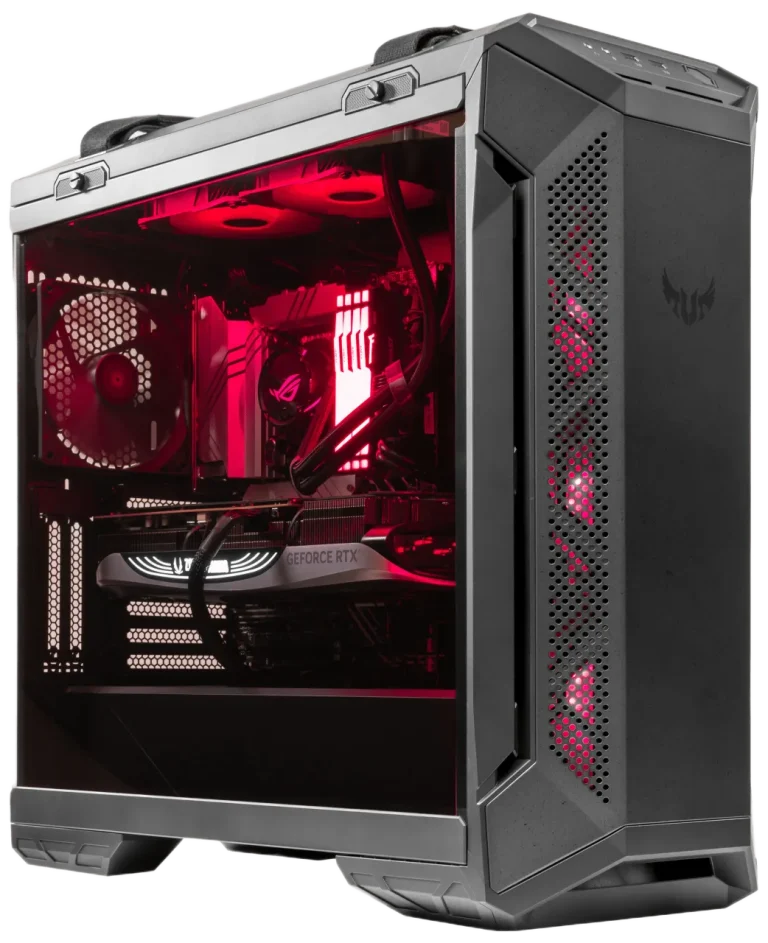
16 GB tier
TUF Gaming GT501, GeForce RTX 5080 16GB, Ryzen 9 9950X, DDR5 128GB, 4 TB NVMe SSD, Gaming PC
The good
- 16 GB covers 7B to 13B
- 128GB DDR5 for offload
- 4 TB NVMe SSD for model files
The trade-offs
- 960 GB/s, about half 5090 speed
- 32B Q5_K_M won’t fit
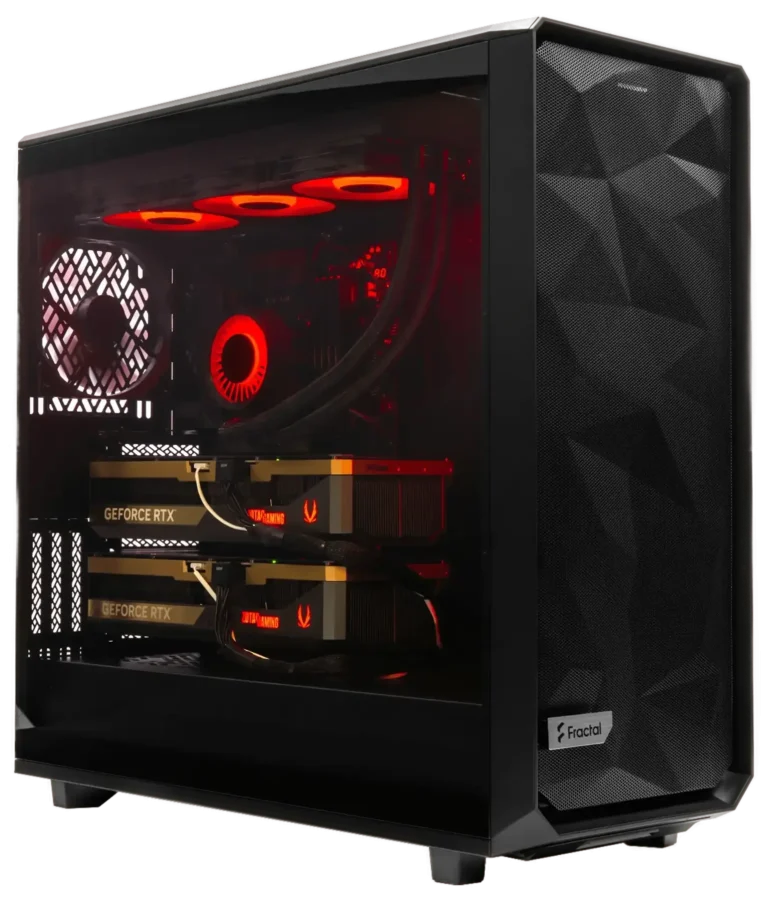
32 GB tier for 32B models
Meshify 2XL Liquid Cooled Custom AI Workstation: RTX 5090 GPU, DDR5 128GB, Ryzen 9 9950X3D 16C 4.3GHz, 4TB NVMe SSD
The good
- 32 GB holds 32B Q5_K_M
- 1,792 GB/s memory bandwidth
- 128GB DDR5 for 70B offload
The trade-offs
- 70B Q4_K_M needs offload
- Street price above $1,999 MSRP
64 GB tier for 70B models
Meshify 2XL Liquid Cooled Custom AI Workstation: Dual RTX 5090 GPUs, DDR5 128GB, Ryzen 9 9900X 12C 4.4GHz, 1TB NVMe SSD
The good
- 64 GB total VRAM
- Holds 70B Q4_K_M plus 16K cache
The trade-offs
- Only a 1TB NVMe SSD
- Highest price of the three
Pick the card by the largest model you want fully in VRAM.
| VRAM tier | Largest model fully in VRAM | Hardware |
|---|---|---|
| 16 GB | 13B Q5_K_M | RTX 5080 |
| 32 GB | 32B Q5_K_M | RTX 5090 |
| 64 GB+ | 70B Q4_K_M to Q5_K_M | 2x RTX 5090 or RTX PRO 6000 |
| Server | 405B | Multi-node |
Q5_K_M is the highest 32B quant the 32 GB tier holds. bartowski’s Qwen2.5 32B Q5_K_M file measures 23.3 GB, which leaves about 8 GB for cache and overhead. 32B at Q8 is about 34 GB, which is more than the card’s 32 GB.
For 70B, gigagpu lists an RTX PRO 6000 or two RTX 5090s as the typical setup, and lists 405B as multi-node only. We estimate 70B Q4_K_M at 16K context needs about 48 GB, so two 5090s leave roughly 16 GB spare.
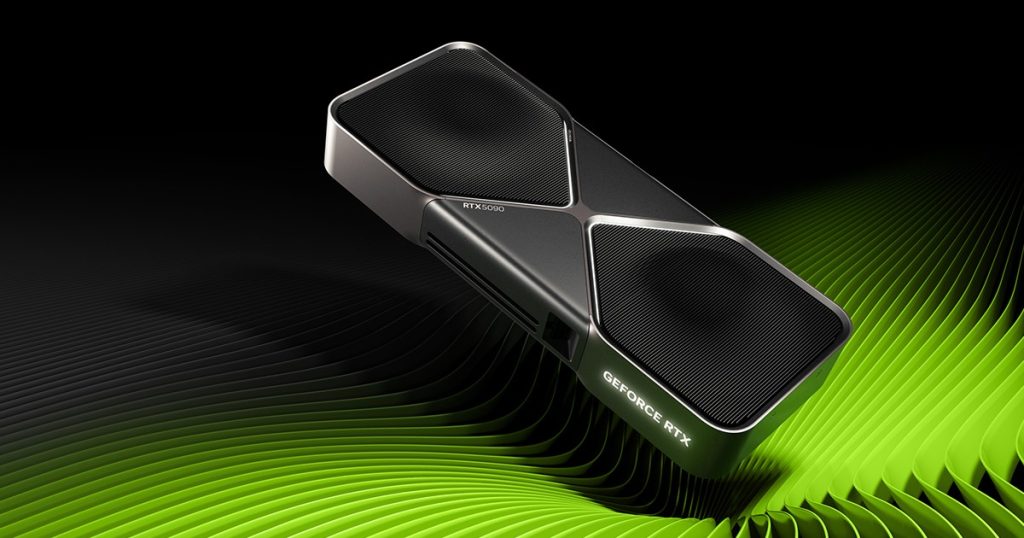
The RTX 5090 launched at a $1,999 MSRP, but the 2026 memory shortage has pushed street prices well above that. NVIDIA has discontinued the RTX 4090, so we’d leave it off your shortlist.
How to use an LLM VRAM calculator without being misled
TokenCalculator’s rule of thumb counts Q4_K_M as 0.5 bytes per parameter. The real 70B file works out to about 0.6 bytes for roughly 71B parameters, so a tool built on 0.5 comes in about 7 GB low.
Some calculators make claims the file sizes rule out. ModelFit says the RTX 5090 runs 70B at Q3, but the Q3_K_M file alone is larger than the card’s 32 GB before any cache. Check any result against the file listed on Hugging Face, then work through these steps:
- Start from the file: use the GGUF size listed on the model page.
- Add a GQA-aware cache: size the cache from the model’s KV head count.
- Multiply by batch: every parallel sequence needs its own KV cache.
- Keep a margin: add 0.5 to 1 GB of backend overhead, plus 1 to 2 GB of spare room.
Frequently Asked Questions
No, NVLink isn’t required. llama.cpp splits the model’s layers between the two cards over PCIe, so you get the full 64 GB. Each card holds its own share of the weights and cache. Only small activations move between the cards for each token.
It can, but only with offload. We estimate a 32B model at Q4_K_M needs about 19.5 GB, which is more than 16 GB before you add any cache. The extra layers go to system RAM and run at RAM speed, so token generation slows down sharply.
Yes. llama.cpp and Ollama reserve the full KV cache for the context you set when the model loads. An 8B model set to 128K reserves about 15.62 GB of FP16 cache right away, so set only the context you’ll use.
Mostly, yes. A GGUF file is the same size on any GPU. llama.cpp runs on AMD cards through ROCm or Vulkan, with the same 0.5 to 1 GB of backend overhead. Speed still depends on memory bandwidth, so compare cards by their GB/s.
Need Help Choosing the Right PC?
ArsenalPC is based in Willoughby, Ohio with 27+ years of custom-build experience. Every system we ship is hand-assembled and stress-tested for a minimum of three hours before it leaves the shop, and our team is available to help you match the right configuration to your workload, display, and budget.
- Phone: 866-277-3627 (Toll-Free) | 440-602-7090 (Local)
- Email: Contact Form
- Visit: 4711 E355 St, Willoughby, OH 44094
- Hours: Mon-Fri 10AM-6PM, Sat 11AM-3PM