
Why 2026 Is the Year Local AI and Gaming Finally Share One Machine
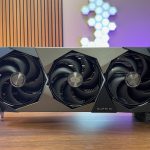
For the first time, a single consumer GPU can run a 4K gaming session and a locally hosted large language model without forcing you to choose between them. The RTX 5090, launched January 30, 2025 on NVIDIA’s Blackwell architecture, ships with 32 GB of GDDR7 VRAM. That number matters because it clears the threshold that both workloads actually need, not just the one you bought the card for.
The RTX 4090’s 24 GB was a genuine ceiling. Modern games with high-resolution texture packs routinely push 18 to 22 GB under load, leaving almost no headroom for a resident AI model. Running a quantized 7B or 8B parameter LLM in FP16 requires roughly 16 GB on its own. On a 24 GB card, those two workloads cannot coexist cleanly. On a 32 GB card, they can.
Top RTX 5090 Builds for Local AI + Gaming
Updated monthly
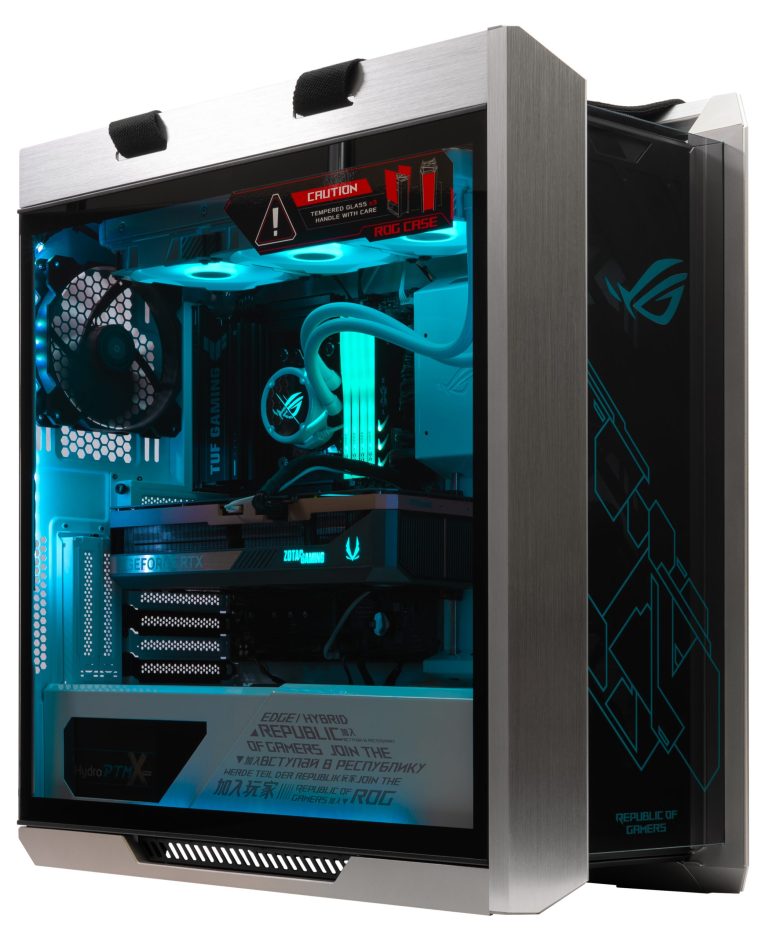
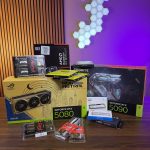
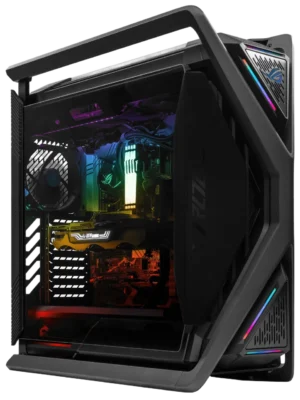
Best Entry RTX 5090 Gaming Build
ROG Strix Helios GX601 White, GeForce RTX 5090 32GB, Intel i7-14700KF, DDR5 32GB, 4 TB NVMe SSD, Gaming PC
The good
- RTX 5090 32 GB GDDR7 handles 4K gaming and 32B LLM inference simultaneously
- 4 TB NVMe SSD gives ample room for large model libraries
- ROG Strix Helios case delivers excellent airflow for sustained GPU loads
- i7-14700KF’s 20 cores handle tokenization and preprocessing without bottlenecking the GPU
The trade-offs
- 32 GB DDR5 is workable but users targeting 70B+ models will want to upgrade RAM
- Intel platform lacks 3D V-Cache advantage in CPU-limited gaming scenarios
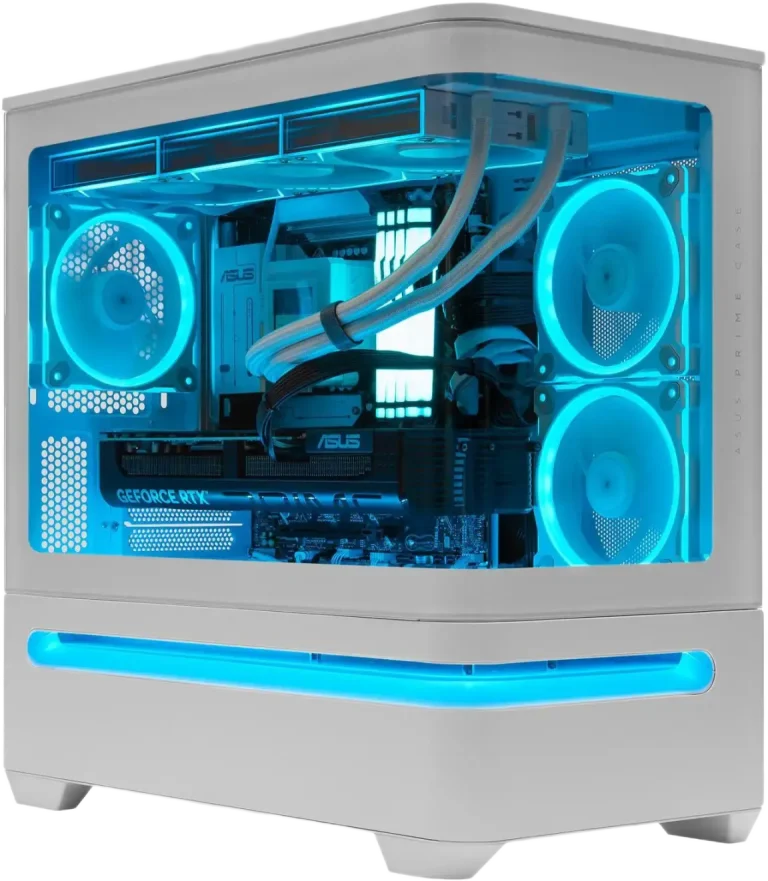
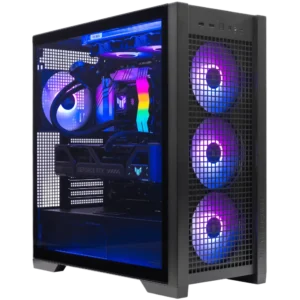
Best AI + Gaming All-Rounder
ASUS Prime AP202 White, GeForce RTX 5090 32GB, Ryzen 9 9950X3D, DDR5 32GB, 1 TB NVMe SSD, Gaming PC
The good
- Ryzen 9 9950X3D pairs 3D V-Cache gaming performance with 16-core preprocessing throughput
- RTX 5090 32 GB handles 32B models at Q8 with headroom for context windows
- Clean white ASUS Prime chassis with strong airflow for sustained inference loads
- AMD platform offers excellent PCIe 5.0 x16 bandwidth for the 5090
The trade-offs
- 1 TB NVMe SSD is tight for users running multiple large models, plan to add storage
- 32 GB DDR5 should be upgraded to 64 GB for serious LLM workflows
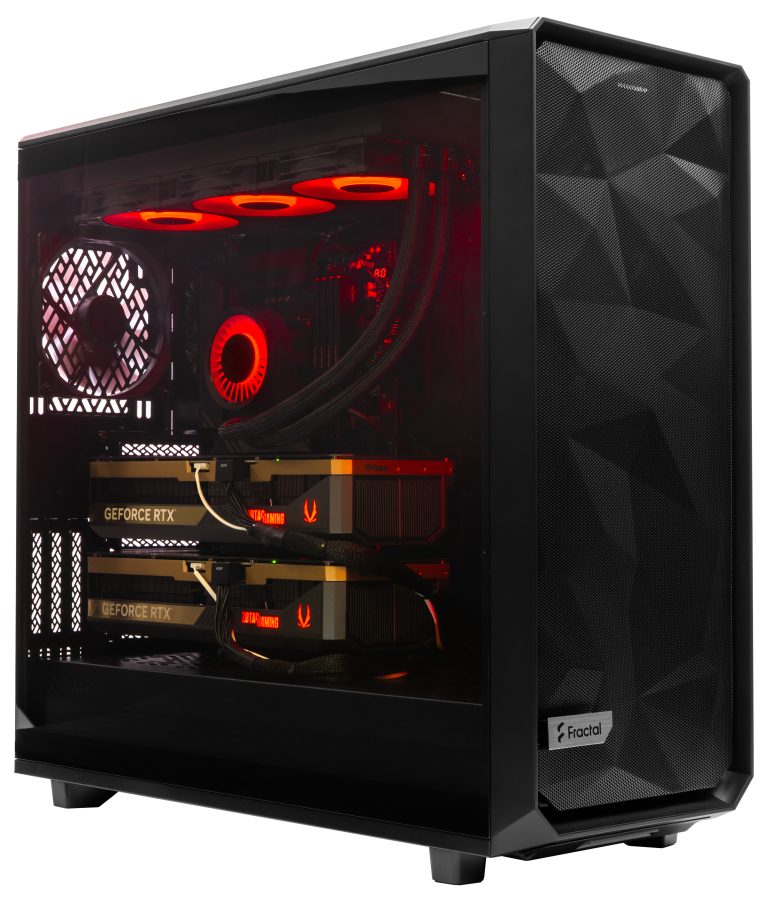
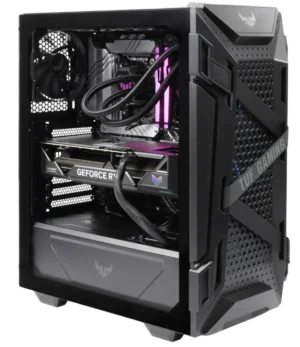
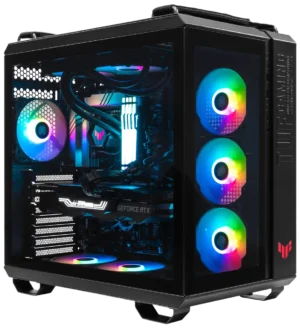
High-End AI Workstation
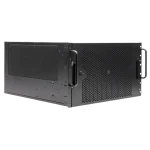
Meshify 2XL Liquid Cooled Custom AI Workstation, Dual RTX 5080 GPUs, DDR5 256GB, Ryzen 9 9950X3D, 8TB NVMe SSD (2x4TB RAID)
The good
- 256 GB DDR5 handles massive context windows and multi-model concurrent workloads
- 8 TB NVMe RAID storage accommodates extensive model libraries without compromise
- Liquid cooling manages sustained dual-GPU thermal output reliably
- Ryzen 9 9950X3D handles heavy CPU-side preprocessing pipelines without stalling GPU inference
The trade-offs
- Dual RTX 5080 configuration rather than dual RTX 5090, combined VRAM is lower than dual 5090
- Premium price tier requires a clear workstation use case to justify over a single-GPU build
The Cost Math Has Shifted
The VRAM-per-dollar calculation also moved in the buyer’s favor. At launch MSRP, the RTX 4090 cost $66.63 per gigabyte of VRAM. The RTX 5090 comes in at $62.47 per gigabyte, a drop of $4.16 per GB despite the higher sticker price. More capacity at a lower cost-per-GB is a straightforward value improvement, not a marketing claim.
RTX 5090 VRAM Cost at MSRP
Down from $66.63/GB on the RTX 4090, more capacity at a lower cost-per-gigabyte despite the higher sticker price.
Llama 3.1 8B Throughput (FP16)
The RTX 5090 processes Llama 3.1 8B at roughly 3,500 tokens per second in FP16, outpacing cloud GPU rental rates for H100 PCIe and A100 80GB on the same model.
Per Million Tokens (Llama 3.1 8B FP16)
Effective inference cost on local RTX 5090 hardware, lower than H100 PCIe and A100 80GB cloud rates, making the amortized case compelling over 12 to 24 months.
The local inference economics reinforce the case. In our shop, we see customers increasingly weighing a one-time hardware purchase against recurring cloud API costs. For anyone building the best gaming PC for local AI in 2026, the amortized cost argument over 12 to 24 months of use is compelling.
The GPU spec, though, is only the starting point. The system around it, including PSU headroom, memory bandwidth, cooling capacity, and storage throughput, determines whether that 32 GB actually delivers. The rest of this guide covers exactly those choices.
RTX 5090 Specs That Actually Matter for Local AI
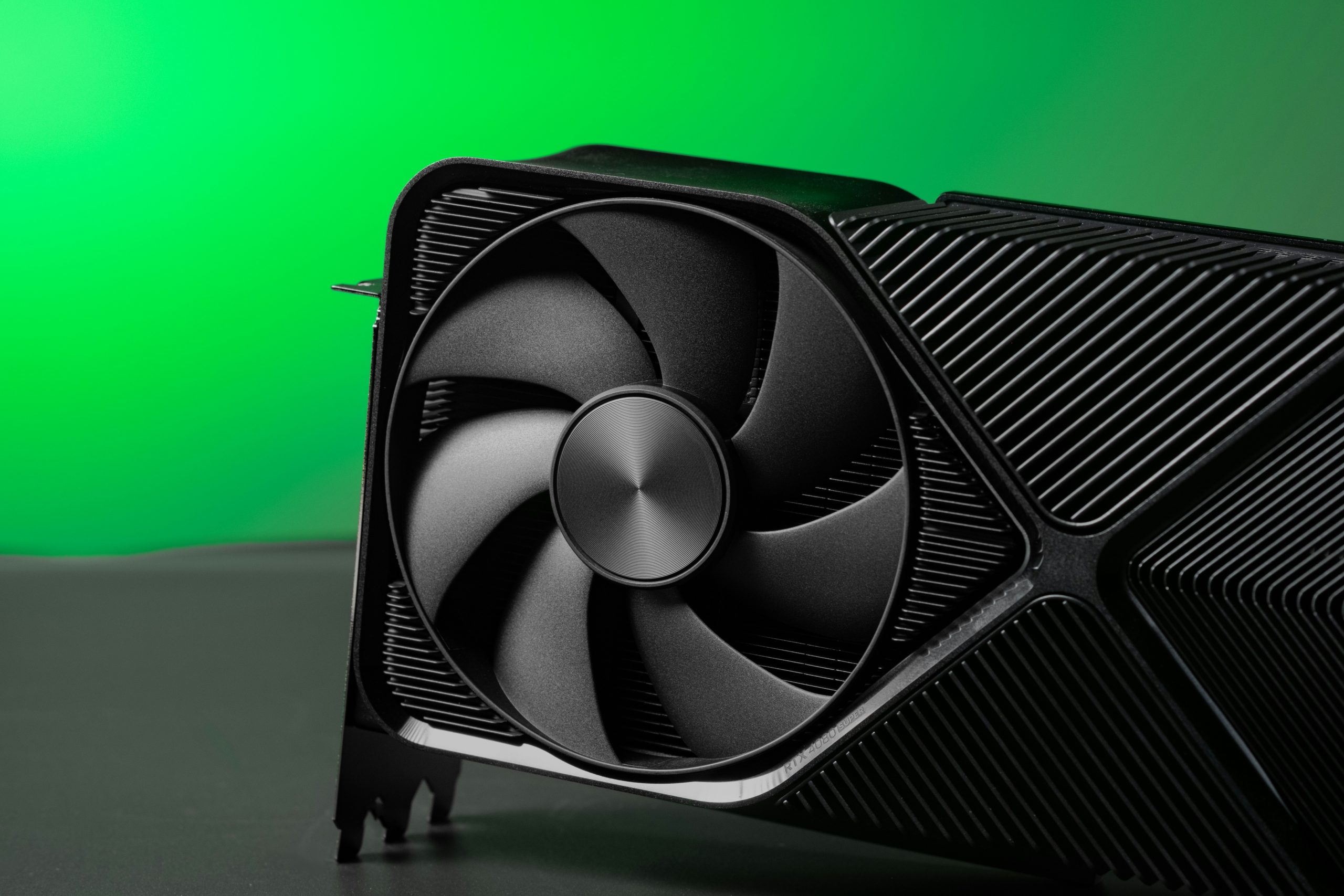
Three numbers define whether a GPU is genuinely useful for local LLM inference: VRAM capacity, memory bandwidth, and the precision formats its Tensor Cores support. The RTX 5090 lands well on all three, and understanding why each number matters helps explain the build decisions that follow.
32 GB VRAM: The Model-Fits-or-It-Doesn’t Line
The RTX 5090 carries 32 GB of GDDR7 on a 512-bit bus. That capacity is the hard ceiling for what you can run locally without offloading layers to system RAM, which tanks throughput. At 32 GB, you can load a 70B-parameter model at 4-bit quantization with room left for the KV cache. The RTX 4090’s 24 GB forces you to either drop to a smaller model or accept the latency hit of CPU offloading. That 8 GB difference is not marginal; it is the difference between running a capable frontier-class model and settling for a mid-tier one.
1.79 TB/s Bandwidth: Why This Drives Token Speed
For LLM inference, token generation is almost entirely bandwidth-bound, not compute-bound. The GPU is constantly streaming model weights from VRAM into the shader cores, and the speed of that stream sets your tokens-per-second ceiling.
RTX 5090 Memory Bandwidth
GDDR7 on a 512-bit bus delivers approximately 1,792 GB/s, the raw pipeline that sets your tokens-per-second ceiling for bandwidth-bound inference.
Bandwidth Gain vs RTX 4090
The RTX 5090’s 1,792 GB/s is a 78% improvement over the RTX 4090’s 1,008 GB/s, the single biggest driver of faster token generation.
Real-World Token Generation Uplift
In practice, the bandwidth gain translates to roughly 1.5 to 1.8x faster token generation on bandwidth-bound workloads, consistent with in-shop inference benchmarks.
FP4 and Tensor Core Uplift
The RTX 5090 is the first consumer GPU with FP4 Tensor Core support. FP4 allows more aggressive quantization, which means larger models fit into the 32 GB envelope without the accuracy penalty that comes from cruder compression schemes. Beyond FP4, the card’s 680 fifth-generation Tensor Cores represent a 33% increase over the RTX 4090’s 512, pushing FP16 and BF16 throughput from 165.2 TFLOPS to approximately 209.5 TFLOPS, a 27% gain in the precision range most local inference frameworks actually use.
NVIDIA’s headline claim of up to 2x AI performance versus the RTX 4090 is real in specific workloads, particularly those that can exploit FP4. Real-world gains vary by model architecture and framework maturity. For most users running llama.cpp or Ollama today, the bandwidth and VRAM gains are the more reliable performance drivers than the peak TFLOPS figures.
What Models Fit at What Quality Level
The baseline rule for local LLM inference is roughly 2 GB of VRAM per billion parameters at FP16. Q8 quantization halves that requirement; Q4 roughly quarters it. Those ratios translate directly into which models run fully on-card and which ones spill into system RAM at a steep performance cost.
VRAM Requirements by Model Size at Q4
- 7B models: 4 to 6 GB, fits on almost any modern GPU
- 13B models: 8 to 10 GB, fits comfortably on the RTX 5090
- 32B to 34B models: 16 to 20 GB, fits on the RTX 5090 with headroom to spare
- 70B models at Q4: 35 to 40 GB, this already exceeds the RTX 5090’s 32 GB
The 32B tier is where the RTX 5090 makes a real difference for RTX 5090 local LLM inference performance. The 32 GB frame buffer is the first on a consumer card that can hold a 32B model at Q8 with full context loaded. Models like Qwen2.5 32B at Q8 occupy roughly 28 to 30 GB, leaving enough headroom for a working context window without layer offloading. That was not possible on the RTX 4090’s 24 GB.
The 70B Borderline Case
Running a 70B model on a single RTX 5090 is possible, but the constraints are tight. At Q4, a 70B model needs 35 to 40 GB, which already exceeds the card’s 32 GB. Llama 3.3 70B at Q4_K_M specifically requires approximately 43 to 45 GB, pushing it well past what a single card can hold. Models like DeepSeek-R1 70B at 4-bit are borderline fits that required a data-center GPU on the RTX 4090, so the 5090 does represent a step forward, but you still need Q3 or lower quantization to keep all layers on-card.
If you are asking how much VRAM you need to run a 70B LLM locally on a single GPU, the honest answer is more than 32 GB at any practical quality tier. Dropping to Q3 degrades output quality noticeably on reasoning-heavy tasks. The practical ceiling for a single RTX 5090 is a well-quantized 32B model or a 70B model accepted at reduced quality.
The VRAM Offload Penalty
Inference Slowdown When Layers Offload to System RAM
When model weights exceed VRAM and layers offload to system RAM, inference speed drops from 25 or more tokens per second to roughly 3 to 5 tokens per second. The bottleneck shifts from GPU memory bandwidth to PCIe bandwidth, and no amount of fast DDR5 fully compensates. Keeping the full model on-card is not a preference, it is a functional requirement for usable inference speed.
The System Around the GPU: Where Builds Go Wrong
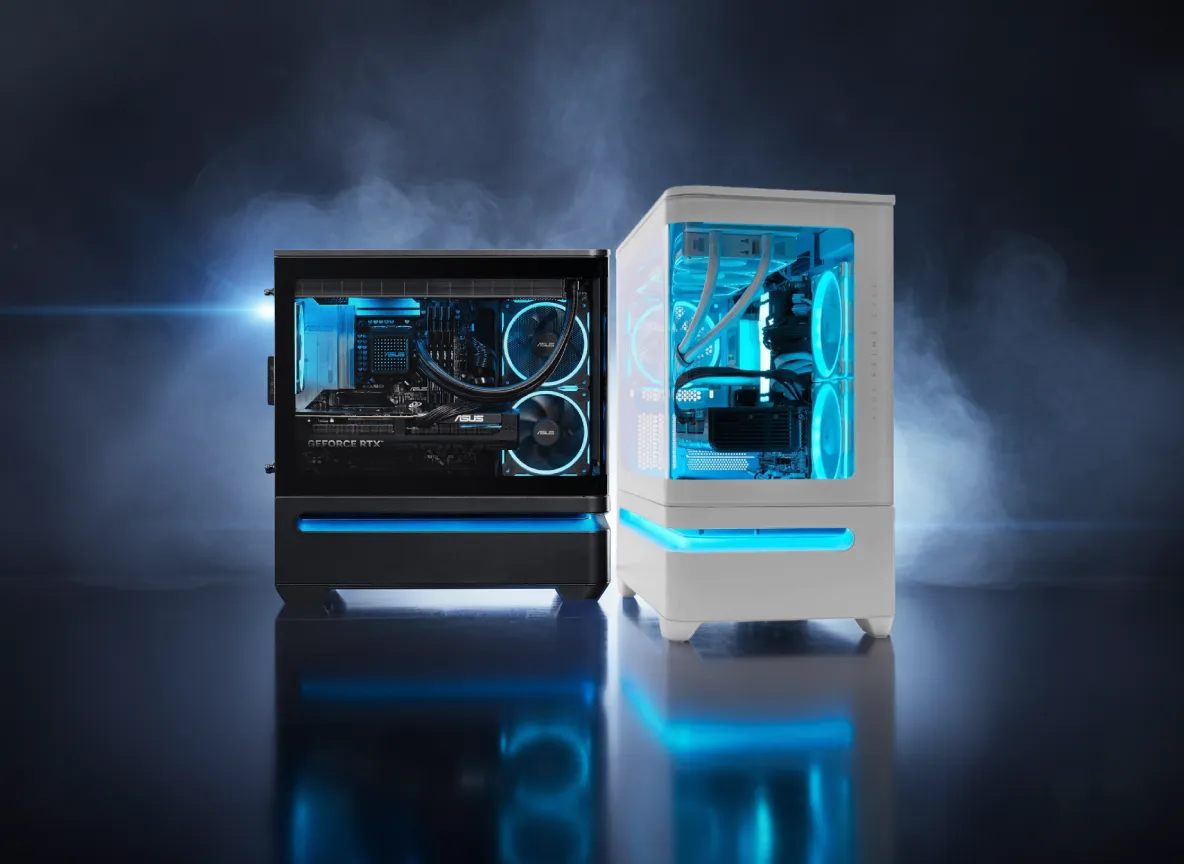
The RTX 5090 gets all the attention, but in our shop the GPU is rarely where a build fails. The failures show up in the PSU, the RAM config, the storage plan, and the case. Most RTX 5090 AI workstation build guides stop at the GPU spec sheet. We don’t, because the system around the card determines whether that 32 GB of VRAM is actually usable.
Power Supply: Size It for the Worst Case
The RTX 5090 draws up to 575W under sustained load. Add a Ryzen 9 9950X3D or Intel Core Ultra 9 285K, and total system draw pushes well past 800W. A 1,000W PSU is the absolute floor. We recommend 1,200W as the standard spec, which gives you headroom for transient spikes and keeps the unit running in its efficient range. A Platinum-rated 1,200W unit also pays back over time: at typical AI workload duty cycles, the efficiency gap versus a Bronze-rated unit can exceed $100 per year in electricity costs.
System RAM: The Spec Most Buyers Undersize
This is the differentiator that separates a capable AI workstation from a frustrating one. For 13B parameter models, 32 GB of system RAM is a workable minimum. For 70B models and above, 64 to 128 GB DDR5 is the correct range.
The reason is context: large models keep working data in system memory when VRAM is saturated, and a RAM bottleneck here is not fixable without a full rebuild. We configure most serious AI builds at 64 GB and offer 128 GB for users running multiple large models concurrently.
Storage and Cooling
Model files are large. A single 70B model in a quantized format can exceed 40 GB, and users who run several models quickly accumulate 200 GB or more of model data alone. NVMe SSD storage is the right medium, and budgeting 500 GB of dedicated model storage is not excessive for active users. A spinning hard drive introduces load latency that makes iteration painful.
On cooling, the 5090’s sustained thermal output demands a case built for airflow. Full-tower cases with mesh front panels and support for a 360mm radiator are the practical baseline. Options like the Fractal Design Torrent and Corsair 5000D Airflow are well-suited here. Adequate GPU slot spacing also matters: the 5090 is a large card, and cramped cases trap heat between the GPU and adjacent components.
CPU Pairing
The GPU handles inference, but the CPU carries more weight in an AI-plus-gaming build than most buyers expect. For the all-rounder role, we recommend the AMD Ryzen 9 9950X3D. Its 16 cores and 3D V-Cache combination handles gaming frame pacing well while leaving headroom for the CPU-bound tasks that run alongside or between inference jobs.
Those CPU-bound tasks matter more than the spec sheet suggests. Whisper transcription, for example, runs a significant portion of its audio preprocessing on the CPU before handing off to the GPU. Tokenization pipelines for batch inference, document chunking for RAG workflows, and image preprocessing for multimodal models all saturate CPU threads rather than VRAM. A weak CPU creates a bottleneck that makes the RTX 5090 sit idle waiting on data. The 9950X3D avoids that bottleneck without sacrificing single-threaded gaming performance.
For buyers committed to the Intel platform, the Core Ultra 9 285K is the practical alternative. Its 24-core hybrid layout handles threaded preprocessing loads well, and it pairs cleanly with Z890 boards that offer the PCIe 5.0 x16 slot the RTX 5090 expects. Gaming performance is competitive with the 9950X3D in most titles, though the V-Cache advantage shows up in CPU-limited scenarios at high frame rates.
RAM Configuration
For serious AI use alongside the RTX 5090, we configure systems with 64 to 128 GB of DDR5. The lower end of that range covers most LLM workflows comfortably. The upper end is appropriate when running large context windows, keeping multiple model weights resident in system RAM, or running CPU-side preprocessing pipelines in parallel with active inference. As we covered in the system build section, speed matters here: DDR5-6000 or faster keeps the CPU fed during those preprocessing stages rather than stalling on memory latency.
Single RTX 5090 vs. Dual RTX 5090: When to Go Dual
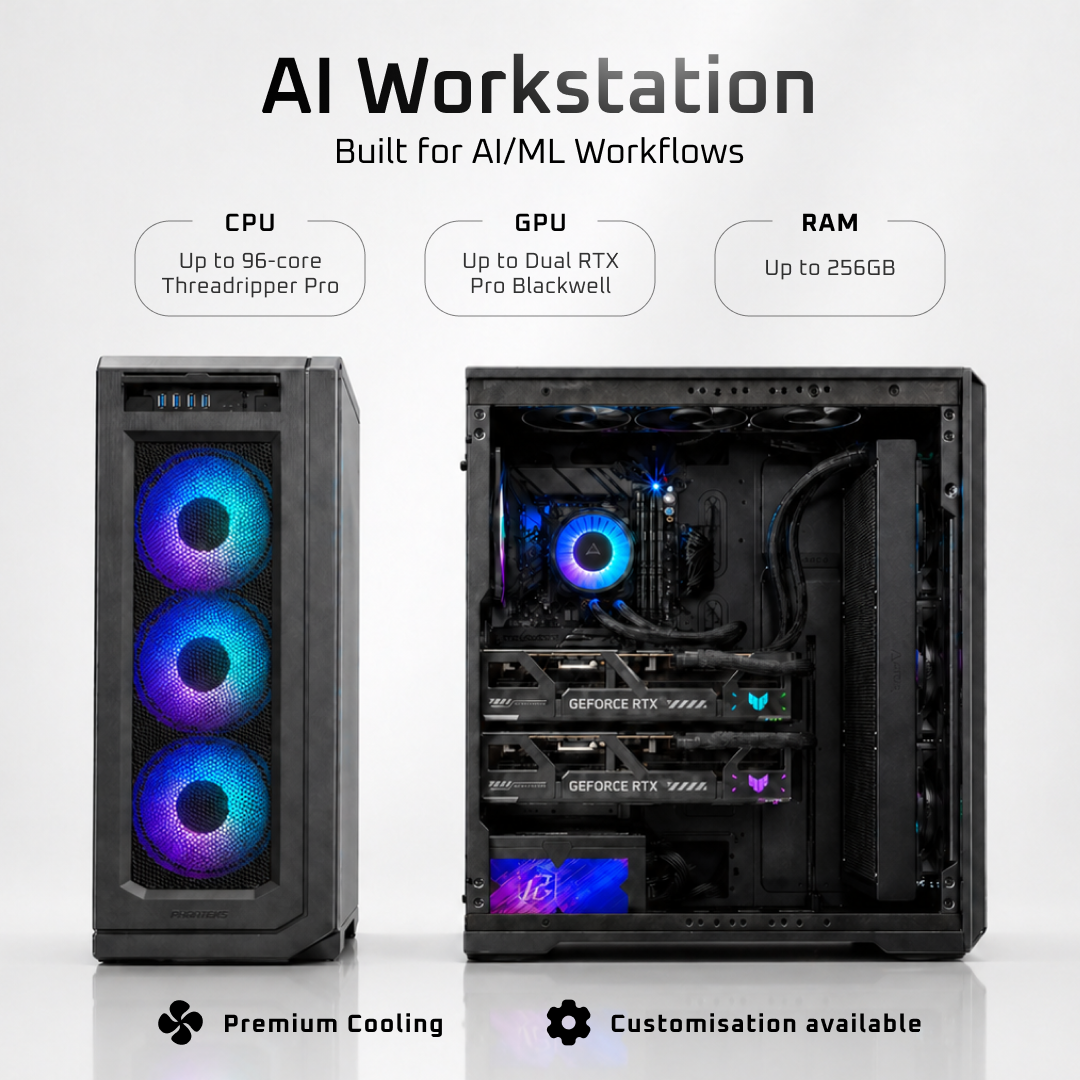
A single RTX 5090 handles the majority of local inference workloads most buyers actually run. At 32 GB of GDDR7, it fits 32B parameter models comfortably at Q8 quantization and 70B models at more aggressive quant levels. For 4K gaming alongside daily LLM use, one card is the right answer for most people.
The case for going dual is specific. When you need 70B models at higher quality quantization, or you want throughput that competes with data center hardware, 64 GB of combined VRAM changes the picture. In our build data, dual RTX 5090 configurations running LLaMA 3.3 70B on Ollama reach approximately 27 tokens per second on evaluation, which is consistent with what Puget Systems reported in their dual-5090 AI review. That figure matches a single H100 and outpaces dual A100 40GB cards in raw eval rate, making the dual RTX 5090 vs H100 local inference comparison genuinely competitive for the first time on consumer hardware.
Where Dual Configurations Hit Their Limits
Sixty-four gigabytes is not unlimited. Models above 110B parameters exceed dual-5090 capacity even with quantization applied. At that scale, GPU utilization drops, throughput degrades significantly, and you are no longer getting the performance the hardware is capable of. If 110B+ models are a real requirement, the honest answer is purpose-built server hardware, not a consumer workstation.
The infrastructure cost of going dual is also real. A dual RTX 5090 build requires a 1,500W to 1,600W PSU, a case with adequate airflow for two full-length cards, and a motherboard with the right slot spacing. Thermal management becomes a primary design concern, not an afterthought. On pricing: the cost gap between a dual-5090 workstation and data center alternatives shifts with GPU availability and market conditions, so any specific comparison we could offer here would go stale quickly. The performance parity with H100-class hardware is the durable fact worth anchoring your decision to.
How the RTX 5090 Compares to the Alternatives
Three cards come up most often when buyers are evaluating a GPU for combined 4K gaming and local AI workloads: the RTX 4090, the RTX 5090, and the RTX PRO 6000 Blackwell. Each occupies a distinct position, and the right choice depends almost entirely on which models you need to run and how much you want to spend on the GPU alone.
RTX 5090
~$1,999 MSRP
RTX 4090
~$1,599 MSRP
RTX PRO 6000 Blackwell
$8,435 to $9,200
RTX 4090: Still Capable, But VRAM Is the Ceiling
The RTX 4090 remains a strong card for gaming and for models up to roughly 24B parameters at FP16. Its 24 GB of GDDR6X handles Llama 3.1 8B and most 13B models without issue. The problem appears when you push toward 32B or want headroom for quantized 70B variants. At that point, the VRAM ceiling forces you into aggressive quantization or model offloading, both of which cut throughput. For buyers who have already invested in an RTX 4090 system and run sub-32B models exclusively, the upgrade case is real but not urgent.
RTX PRO 6000 Blackwell: Maximum VRAM, Professional Price
The RTX PRO 6000 Blackwell versus the RTX 5090 for AI is a straightforward tradeoff: you get 96 GB of VRAM and ECC memory support on the PRO 6000, at retail pricing ranging from approximately $8,000 to $9,200 as of mid-2026, with MSRP at $8,435 to $8,565. Memory bandwidth is identical at 1.79 TB/s. The PRO 6000 does not support NVLink. For users who need to run 70B models at FP8 on a single card without quantization compromises, that VRAM capacity justifies the cost. For everyone else, paying three to four times more for VRAM you will not fill is difficult to rationalize.
RTX 5090: The Cost-Per-GB Case
At launch MSRP, the RTX 5090 costs approximately $62.47 per GB of VRAM, compared to $66.63 per GB for the RTX 4090. That is a modest per-GB improvement, but the jump from 24 GB to 32 GB is what actually changes which models are accessible. Supply constraints have pushed market prices well above MSRP, with cards frequently trading between $2,500 and over $4,000 in mid-2026, which compresses that value advantage. Even so, the RTX 5090 remains the only consumer GPU that handles 4K gaming and 32B-parameter inference without forcing a choice between the two.
Cloud Cost as a Reference Point
Running inference on AWS A100 instances costs roughly $32.77 per hour, which adds up to over $23,000 per month at continuous use. A complete RTX 5090 workstation build sits in the $5,000 to $8,000 range. For any user running local inference regularly, the hardware pays for itself quickly. The RTX 5090 also delivers approximately $0.060 per million tokens on Llama 3.1 8B at FP16, lower than the H100 PCIe and A100 80GB on the same model. Cloud remains useful for burst workloads, but for sustained daily inference, local hardware is the more economical path.
Software Stack and Setup Notes
Getting the RTX 5090 to perform correctly for local AI inference requires more than plugging in the card. Blackwell’s sm_120 compute architecture is not supported by older stable PyTorch releases, which were compiled against sm_90 (Hopper). If you run one of those builds on a Blackwell GPU, PyTorch will either fail outright or fall back silently to a slower execution path. Neither outcome is obvious from the surface, which makes this a real trap for buyers who assume any recent PyTorch version will work.
PyTorch and CUDA Build Requirements
For Blackwell, you need a PyTorch build compiled with CUDA 12.8 or 12.9 (cu128 or cu129) and sm_120 support. As of mid-2026, that means pulling nightly or release-candidate builds rather than the current stable channel. The RTX 5090 PyTorch cu128 Ollama setup path is well-documented in the PyTorch nightly index, but it changes as new stable releases land. Verify the current recommended build before you start.
For vLLM specifically, sm_120 support and the corresponding CUDA requirements were documented as of September 2025. That guidance may have shifted since then. Check the current vLLM installation docs directly before configuring your inference server, rather than relying on any third-party setup guide including this one.
Inference Runtime Tradeoffs
Ollama, Easiest Entry Point
Single-command model pulls, automatic GGUF handling, and a clean REST API. The right choice for most buyers running one or two models at a time.
llama.cpp, Direct Control, Lower Overhead
More control over quantization and context length with lower overhead for single-model workloads, but requires more manual configuration than Ollama.
vLLM, Production-Grade Serving
The right choice for continuous batching and multi-user serving, but carries stricter CUDA version requirements and more setup complexity.
GGUF Q4_K_M has become the practical standard for local inference in 2026. It balances model quality and memory footprint well enough that most 7B to 70B models run cleanly within the 5090’s 32 GB VRAM budget. Larger quantization levels (Q5, Q8) are viable for smaller models where you want to preserve more precision. The 32 GB headroom means you rarely have to compromise on quantization just to fit a model in memory.
What ArsenalPC Builds for This Use Case
Every RTX 5090 build we configure at ArsenalPC starts from the same question: what workload is this machine running at 2 a.m. when no one is watching? For a dual-use gaming and local AI system, that answer shapes every component decision from the PSU rail to the drive bay.
CPU and Memory
For gaming-primary builds, we pair the RTX 5090 with the AMD Ryzen 9 9950X3D. The 3D V-Cache helps in CPU-bound titles, and the core count handles tokenization and preprocessing without bottlenecking the GPU. The Ryzen 7 9800X3D is our recommendation when the budget needs room elsewhere. The Intel Core Ultra 9 285K is the primary alternative for buyers who prefer the Intel platform.
On memory, we configure a minimum of 64 GB DDR5 for any build that will run local LLMs. For users targeting 70B+ parameter models, 128 GB is the right spec. System RAM matters here because model layers that do not fit in VRAM spill to host memory. Running short on RAM turns a fast inference session into a slow one.
Storage
We spec NVMe SSDs as standard on these builds. Model files are large: a single quantized 70B model can exceed 40 GB, and users who run multiple models routinely need 200 GB or more of dedicated model storage. We recommend budgeting at least 2 TB total, with a separate fast NVMe volume for model files to avoid competing with the OS drive.
Power and Cooling
The RTX 5090 draws up to 575 W under load. We build around a Platinum-rated 1,200 W PSU as a firm floor, not a suggestion. A Platinum-rated unit at this wattage can save meaningfully on electricity costs compared to a Bronze-rated equivalent running sustained AI workloads. We also specify cases with front-to-back positive airflow and at least 360 mm of radiator capacity, because the GPU and CPU both generate sustained heat during inference, not just gaming bursts.
The difference between a configured ArsenalPC system and a parts list is that every component has been validated together. We test under sustained load before a build ships. There is no guesswork about whether the PSU holds voltage at full draw or whether the case moves enough air to keep thermals stable through a multi-hour inference run.
Decision
For most buyers, configure an RTX 5090 system with ArsenalPC rather than sourcing parts independently.
The GPU is only the starting point. PSU sizing, RAM capacity, NVMe layout, and case airflow all determine whether the 32 GB of VRAM actually performs. ArsenalPC validates every component combination under sustained load before a build ships, eliminating the guesswork that trips up DIY builds at this performance tier. If your workload demands 70B models at quality or dual-GPU throughput, our AI workstation configurations scale to meet that requirement.
Frequently Asked Questions
Not comfortably on a single card. A 70B model at Q4_K_M quantization requires roughly 43 to 45 GB of VRAM, which already exceeds the RTX 5090’s 32 GB frame buffer on its own. Running a game simultaneously would require additional VRAM headroom that simply is not available. The practical dual-use scenario on a single RTX 5090 is a 32B model alongside gaming, not a 70B model. For 70B at quality, a dual RTX 5090 configuration with 64 GB combined VRAM is the correct hardware answer.
It depends on your workload and how you value your time against cloud costs. As of mid-2026, market prices frequently range from $2,500 to over $4,000, well above the $1,999 launch MSRP. At those elevated prices, the cost-per-GB-of-VRAM advantage over the RTX 4090 narrows or disappears entirely. However, if you are running sustained daily inference that would otherwise cost $32.77 per hour on an AWS A100 instance, even an above-MSRP RTX 5090 amortizes quickly. The calculus is less favorable for casual or occasional AI use.
You are likely to encounter problems. Stable PyTorch releases as of early 2026 were compiled for architectures up to sm_90 (Hopper). The RTX 5090 uses Blackwell’s sm_120 architecture, which those builds do not recognize correctly. PyTorch may raise a warning and silently fall back to a slower execution path, or it may throw a CUDA error that makes the GPU effectively unusable for deep learning operations. You need a PyTorch build compiled with CUDA 12.8 or 12.9 (cu128 or cu129) to get proper Blackwell acceleration. Always verify the current recommended build against the official PyTorch nightly index before setup.
FP4 is a more aggressive quantization format than the FP8 or INT4 schemes available on previous consumer GPUs. Because each weight occupies fewer bits, more parameters fit into the same VRAM envelope before you hit the 32 GB ceiling. In practice, FP4 support means you can potentially run a model that would otherwise require 36 to 40 GB of VRAM within the 5090’s 32 GB budget, with less accuracy degradation than cruder compression approaches. The real-world benefit depends on framework support, which is still maturing, but the architectural capability is a genuine first for a consumer card.
When model weights exceed the GPU’s 32 GB VRAM, layers offload to system RAM and transfer across the PCIe bus during inference. That bottleneck drops token generation speed from 25 or more tokens per second to roughly 3 to 5 tokens per second, a 12 to 15 times penalty that no amount of fast DDR5 fully compensates for. Beyond offloading, system RAM also holds the working context for large context windows, document chunks for RAG pipelines, and CPU-side preprocessing buffers. Undersizing RAM creates a bottleneck that makes the GPU sit idle waiting on data, which is why 64 GB DDR5 is the recommended floor for serious LLM workloads.
No. Despite its 96 GB GDDR7 VRAM and ECC memory support, the RTX PRO 6000 Blackwell does not include NVLink. That means you cannot bridge two PRO 6000 cards to create a unified 192 GB VRAM pool the way server-class hardware allows. Each card operates independently. For users who need more than 96 GB of addressable VRAM in a single workstation, the PRO 6000 does not solve the problem through multi-GPU bridging. The RTX 5090 also lacks NVLink, so dual RTX 5090 configurations rely on the software stack to distribute model layers across both cards rather than presenting a unified memory space.
A dual RTX 5090 configuration requires a 1,500W to 1,600W power supply to handle two cards drawing up to 575W each alongside a high-end CPU and supporting components. Efficiency rating matters because AI inference workloads run at sustained high utilization for hours at a time, unlike gaming bursts. A Platinum-rated unit operating near its efficient range can save over $100 per year in electricity costs compared to a Bronze-rated equivalent at the same wattage. For a dual-GPU workstation running regular inference jobs, that savings compounds meaningfully over the system’s lifespan and partially offsets the premium for a higher-rated PSU.
For most buyers running one or two models at a time, Ollama is the right starting point. It handles GGUF model downloads automatically, exposes a clean REST API, and requires minimal configuration to get running on a properly set up Blackwell system. If you need finer control over quantization settings and context length with lower overhead, llama.cpp is worth the additional manual setup. For production multi-user inference serving where continuous batching and latency SLAs matter, vLLM is the appropriate choice, though it carries stricter CUDA version requirements and more complex initial configuration. Verify current vLLM documentation for sm_120 support before committing to that path.
Need Help Choosing the Right PC?
ArsenalPC is based in Willoughby, Ohio with 27+ years of custom-build experience. Every system we ship is hand-assembled and stress-tested for a minimum of three hours before it leaves the shop, and our team is available to help you match the right configuration to your workload, display, and budget.
- Phone: 866-277-3627 (Toll-Free) | 440-602-7090 (Local)
- Email: Contact Form
- Visit: 4711 E355 St, Willoughby, OH 44094
- Hours: Mon-Fri 10AM-6PM, Sat 11AM-3PM